Software tools exchange information constantly. A form sends a lead to a CRM, an application requests account details, or an online store updates its inventory. For this communication to work, both sides need an agreed way to structure the information being transferred. JSON (JavaScript Object Notation) and XML (Extensible Markup Language) are two of the best-known text-based formats used for this purpose.
This JSON vs. XML guide offers a practical introduction to data formats for non-developers. It explains how each one is organized, where it is commonly used, and how to read JSON and XML without a programming background.
How Systems Exchange Structured Data
When two systems communicate, they need an agreed structure as well as a method of transmission. HTTP, for example, can carry a message, while a data format determines how the information inside that message is organized.
Both formats represent structured information as text. A receiving application can parse that text and reconstruct fields, lists, and nested relationships, provided it supports the format and understands the expected structure.
Because both are text-based, documents in either format can be opened in an ordinary text editor. In practice, applications use parsers and software libraries to read and generate them. Most current programming languages and frameworks provide mature tools for this work.

These are not the only ways to represent information. CSV, YAML, Protocol Buffers, and other formats serve different purposes. JSON is now common in web APIs because it is relatively compact and maps naturally to familiar programming structures. XML remains important in document publishing, SOAP services, enterprise software, and industries that rely on established XML-based standards.
XML 1.0 first became a W3C Recommendation in 1998. It uses elements, attributes, and markup to represent structured documents. JSON emerged later from JavaScript object syntax, but it is language-independent and is now a widely supported data interchange standard.
Visual Anatomy: Tags vs. Brackets
Although both formats represent structured information, they look quite different. One uses braces, brackets, and key-value pairs. The other relies on elements, tags, and attributes.
Understanding JSON Structure
This format organizes information through key-value pairs. Objects are enclosed in curly braces, while arrays use square brackets. In the following example, guests is an array containing two objects:
{
"guests": [
{
"firstName": "John",
"lastName": "Doe"
},
{
"firstName": "Jane",
"lastName": "Doe"
}
]
}
Its data model includes strings, numbers, booleans, null, objects, and arrays. It does not have separate syntax for attributes, and comments are not part of the official standard. An array can contain values of any supported type.
The grammar is concise but strict. Property names and string values require double quotation marks, items must be separated correctly, and every brace or bracket must have a matching counterpart. These rules allow parsers to interpret the content consistently.
XML for Beginners
This format organizes information as nested elements. A well-formed document has one root element, with child elements arranged beneath it in a tree. Start and end tags use angle brackets and must be nested correctly.
Element names describe the information and its position in the hierarchy. Attributes can add details to an element, while comments and mixed content are also supported. Repeated opening and closing tags make the syntax more verbose, but they can be useful when markup needs to surround sections of text.
Here is the same guest information represented using XML:
<guests>
<guest>
<firstName>John</firstName>
<lastName>Doe</lastName>
</guest>
<guest>
<firstName>Jane</firstName>
<lastName>Doe</lastName>
</guest>
</guests>
XML 1.0 primarily defines markup syntax rather than a fixed set of application data types. When an XML Schema is used, it can specify types such as booleans, decimals, dates, and binary encodings, along with validation rules. Namespaces can also distinguish elements belonging to different vocabularies.



A parser checks whether the document follows the basic syntax, including properly nested and matching tags. A schema-aware validator can perform additional checks against the expected structure and values.
Key Differences in Practice
Understanding JSON vs. XML performance differences requires more than comparing file size. Their design can affect processing, validation, readability, and compatibility, but the practical result also depends on the software and the type of information being exchanged.
Size and Processing
JSON payloads are often smaller because they do not repeat field names in separate opening and closing tags. This can reduce bandwidth use and parsing work, which is one reason the format is common in web APIs.
That does not mean it is always faster. Performance depends on the payload, parser, programming language, compression method, and operations being performed. A compact message may offer an advantage in one system, while the difference may be negligible in another.
XML is generally more verbose, but it provides features that the other format does not include natively, such as attributes, namespaces, mixed content, and an extensive schema ecosystem. These capabilities can justify the additional markup in document-focused and standards-driven workflows.
Readability and Ease of Use
Both formats are text-based, but their readability depends on the content. JSON is often easier to scan when it contains compact records or API payloads. XML can be clearer for documents that combine text and metadata, although deeply nested markup can become visually dense.
Certain characters have special meanings and must be escaped. For example, the < character in XML text is written as <. In JSON strings, double quotation marks and backslashes must be escaped with a backslash.
Data Types
JSON has a small, fixed data model consisting of strings, numbers, booleans, null, objects, and arrays. Dates, binary content, and domain-specific values must be represented using an agreed convention, such as a formatted string.
XML content is textual unless an application or schema assigns additional meaning to it. With XML Schema, developers can define and validate dates, booleans, numeric ranges, lists, binary encodings, and custom types.
It is therefore more accurate to compare the built-in JSON value model with the broader XML schema ecosystem, rather than saying that XML automatically supports every type of data.
Security Considerations
Neither format is inherently secure or insecure simply because of its age. The main risks depend on how parsers are configured and how an application handles untrusted input.
XML parsers can be vulnerable to XML External Entity injection when external entities or DTD processing are enabled for untrusted content. Unrestricted entity expansion can also lead to denial-of-service attacks. Applications should use maintained parsers and disable DTDs, external entities, and external resource loading when those features are not required.
JSON has a smaller grammar, so it does not expose the same entity-processing features. It still requires careful handling. Very large or deeply nested payloads can consume excessive resources, duplicate property names may produce inconsistent results across parsers, and untrusted input should never be executed with functions such as eval().
For both formats, applications should validate incoming data, limit accepted size and nesting depth, and use standard parsers rather than processing content as executable code.
Common Use Cases
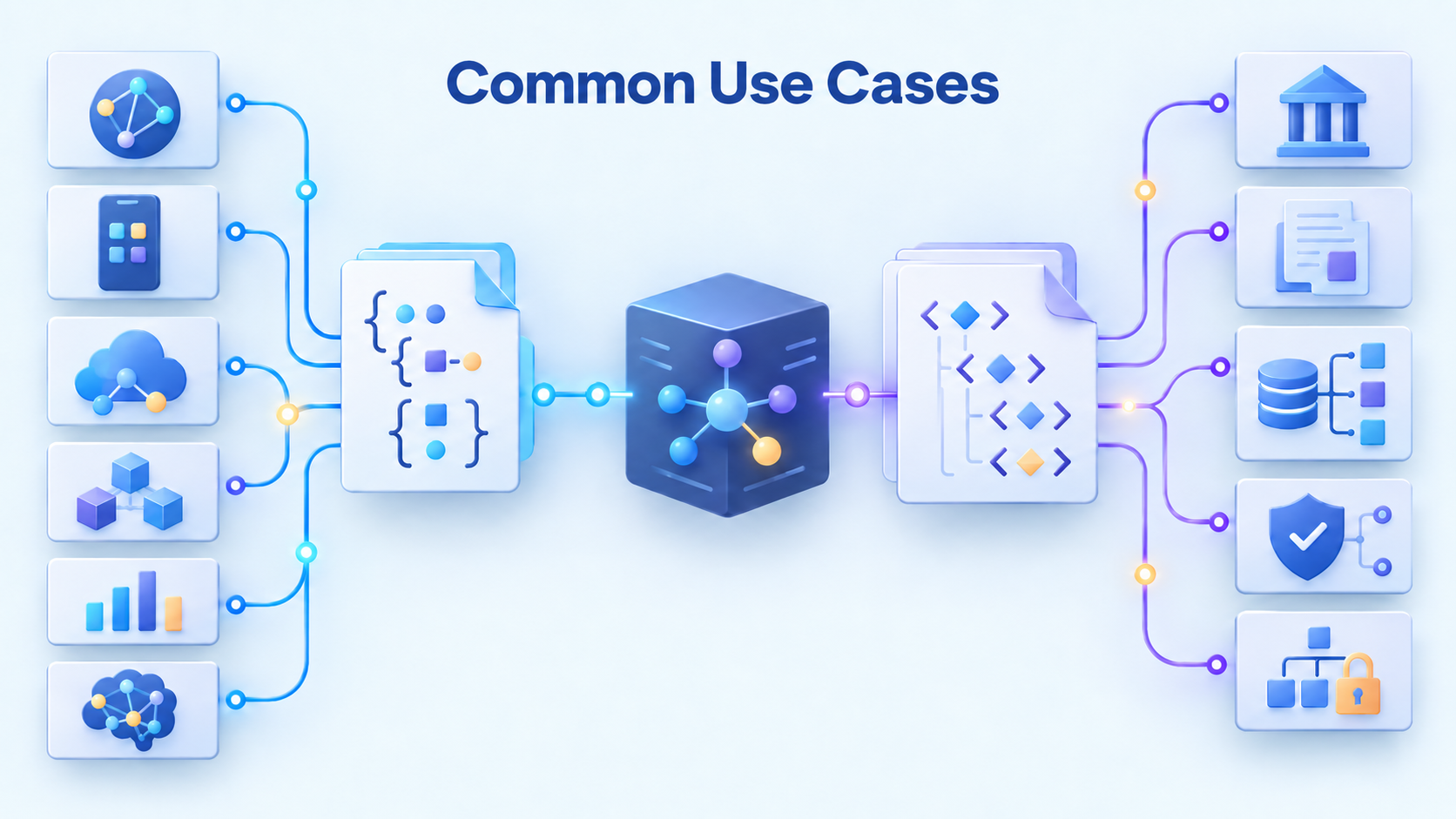
Each format is suited to different requirements. JSON is common in data-focused workflows, particularly APIs, web applications, and lightweight service integrations. XML remains useful when a project requires document markup, namespaces, formal schemas, or compatibility with an established industry standard.
The choice should follow the requirements of the receiving system rather than a general rule that one option is always faster or safer. When both are available, consider payload size, validation requirements, mixed content, existing tooling, and compatibility with other participants in the workflow.
Benefits of JSON in Modern APIs and Other Workflows
Its concise syntax and broad software support make it a practical choice for many data-focused workflows:
- Web APIs and integrations. Many REST APIs and no-code workflows use it for request and response payloads.
- Web and mobile applications. It commonly carries structured information between frontend components, backend services, mobile apps, and servers.
- Microservices and cloud systems. Compact payloads are useful for communication between services, serverless functions, and event-driven applications.
- Data storage and logging. Document databases, analytics systems, and logging platforms often accept this format for semi-structured records.
- AI and machine learning services. Many AI APIs use it for requests, responses, configuration parameters, and structured model output.
Where XML Is Commonly Used
- Enterprise integrations and web services. It remains common in SOAP services, business-to-business data exchange, and some CRM and ERP interfaces.
- Document-focused content. Formats such as DocBook and XHTML use markup to combine text, structure, and metadata.
- Industry standards. XML-based specifications include ISO 20022 and FIXML in finance, as well as document standards such as HL7 CDA in healthcare.
- Structured validation. Schemas can define required elements, value types, allowed ranges, and other rules for complex documents.
- Hierarchical information. Elements, attributes, and namespaces are useful when data contains deep nesting or combines several vocabularies.
Conclusion
This XML vs. JSON comparison shows that both formats solve the same broad problem: representing structured information in a form that software can exchange and process. JSON is usually more concise and is common in modern web APIs. XML provides mature tools for documents, namespaces, schema validation, and standardized enterprise workflows.
Neither option is universally better. In many integrations, the external API or industry standard determines which one must be used. Understanding their basic syntax and tradeoffs helps non-developers read payloads, diagnose mapping problems, and communicate technical requirements more clearly.