
A high volume of leads after launching a TikTok campaign can be a positive sign, but generating interest is only the first step. Lead data also needs to reach the sales team quickly so potential customers can be contacted without unnecessary delays. A TikTok and MeisterTask integration can automate this handoff by creating a structured task from each new form submission. In this guide, we’ll show you how to configure the workflow with SaveMyLeads in just a few minutes.
Why Automate Lead Collection and Convert Leads Into Tasks
Companies running TikTok campaigns may need to process a steady flow of new leads. When this information is entered into a project management system manually, employees spend additional time copying contact details and preparing follow-up items. This also creates opportunities for mistakes, such as incorrect information, duplicate entries, or missed leads. For businesses where fast follow-up matters, these issues can be especially costly.
An online connector can handle this workflow automatically by linking TikTok as the data source with MeisterTask as the destination. When a new lead is received, the mapped data is used to create a new task on the selected project board.
With the integration in place, employees no longer need to copy lead details manually into the project management system. Each submission can automatically appear on the selected workspace with the mapped TikTok data, allowing the sales team to see incoming requests and follow up sooner.
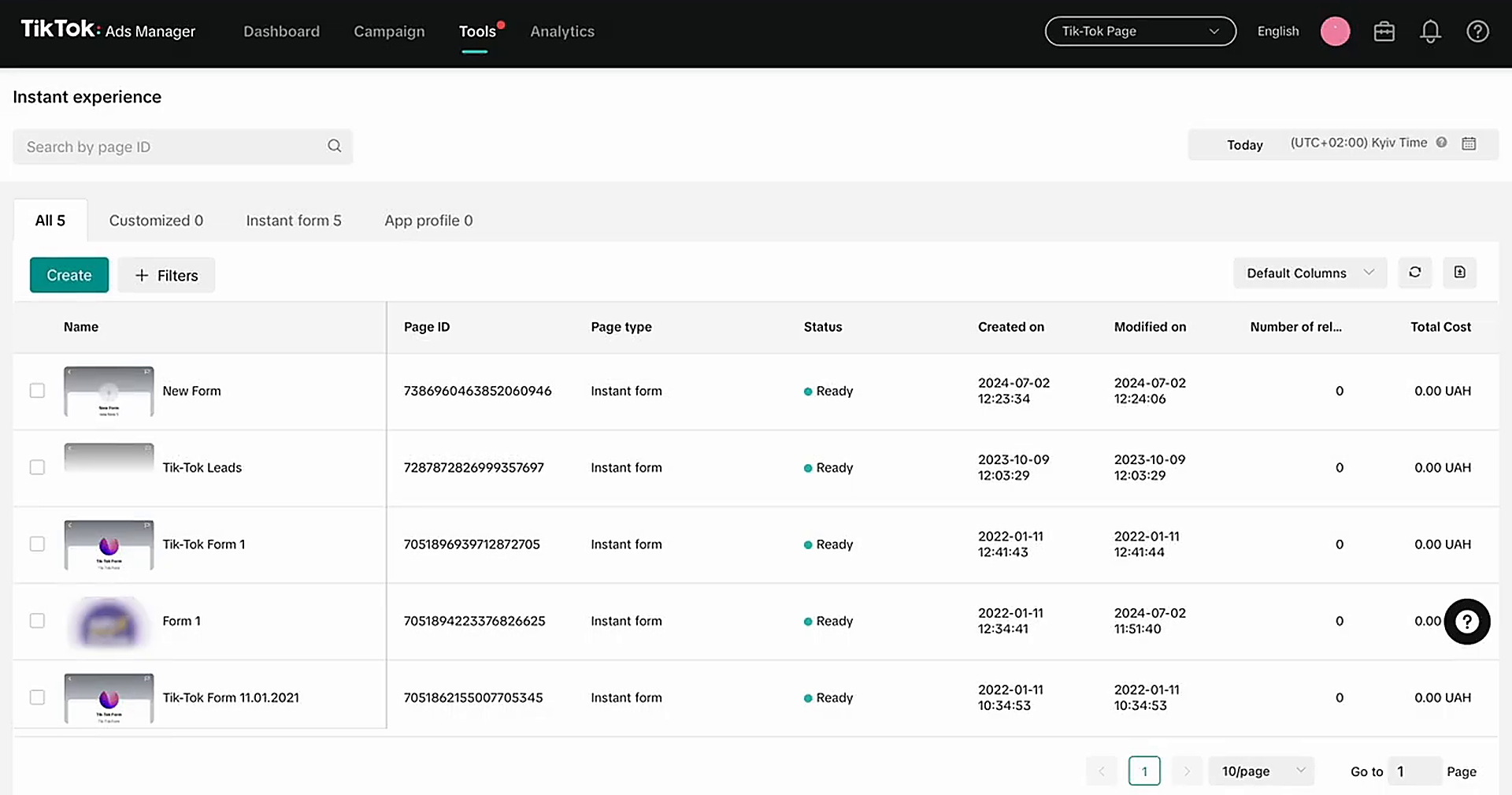
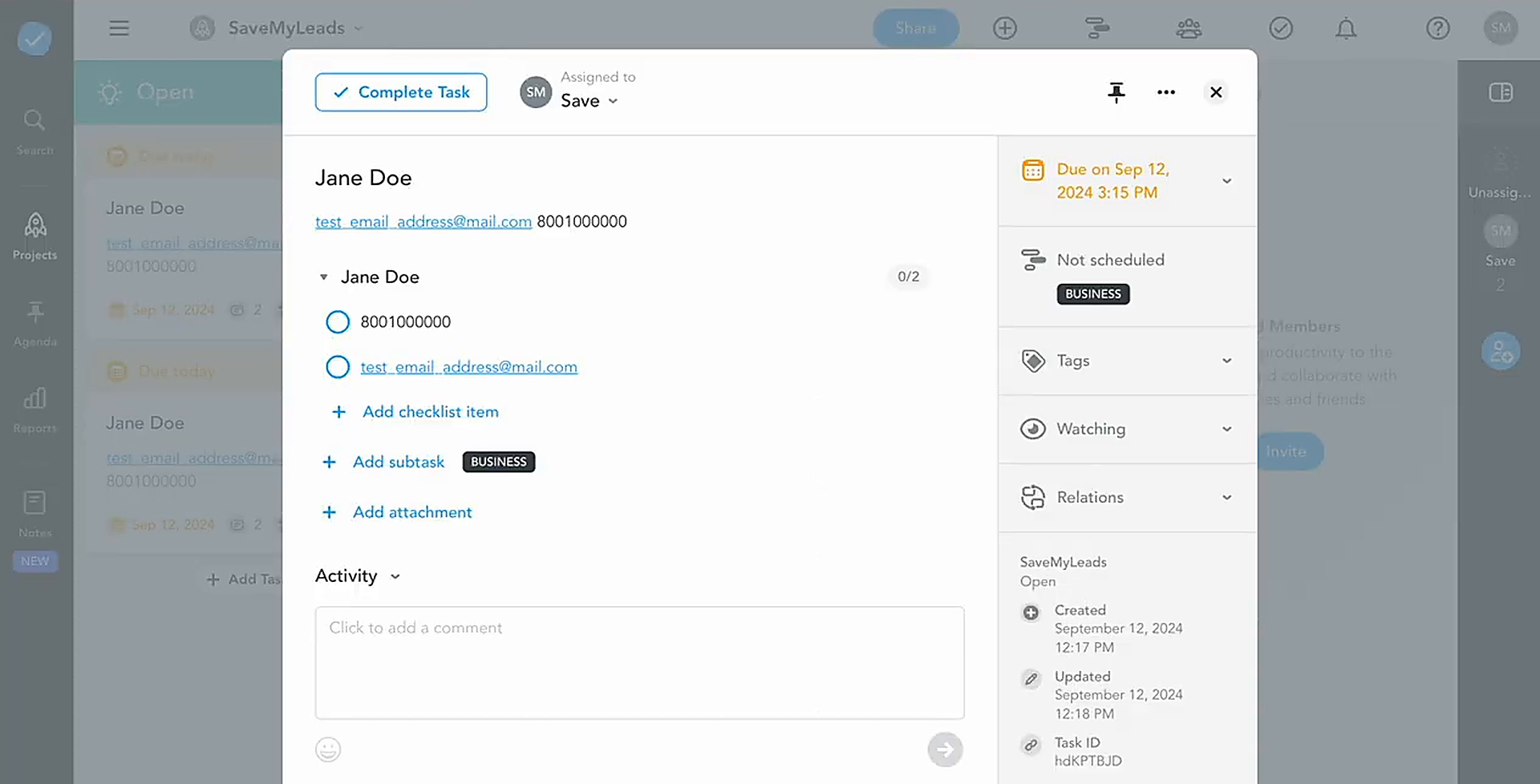
Here’s how this can work in practice. An online store launches a TikTok campaign to promote a new collection of beachwear and leisure accessories. Potential customers submit their details through a lead form. Each submission automatically appears on the relevant project board with the mapped contact information. A sales representative can then follow up, clarify the order details, and pass the confirmed order to the fulfillment team.
Overall, TikTok lead workflow automation can help businesses respond to inquiries faster, improve service quality, reduce lead losses caused by delays or manual errors, and lower the operational burden on employees.
How to Connect TikTok to MeisterTask
You can configure TikTok to MeisterTask automation without programming skills or custom development. To complete the setup, you need a TikTok account with an active lead form, a MeisterTask account, and a SaveMyLeads account.

Connect both services to the integration platform, choose the project where new tasks should be created, and map the form fields to the corresponding destination fields. Finally, enable automatic updates.
Once the setup is complete, SaveMyLeads will automatically process new TikTok leads and create the tasks on the selected project board. Below is a step-by-step guide to the configuration.
Data Source Settings: TikTok
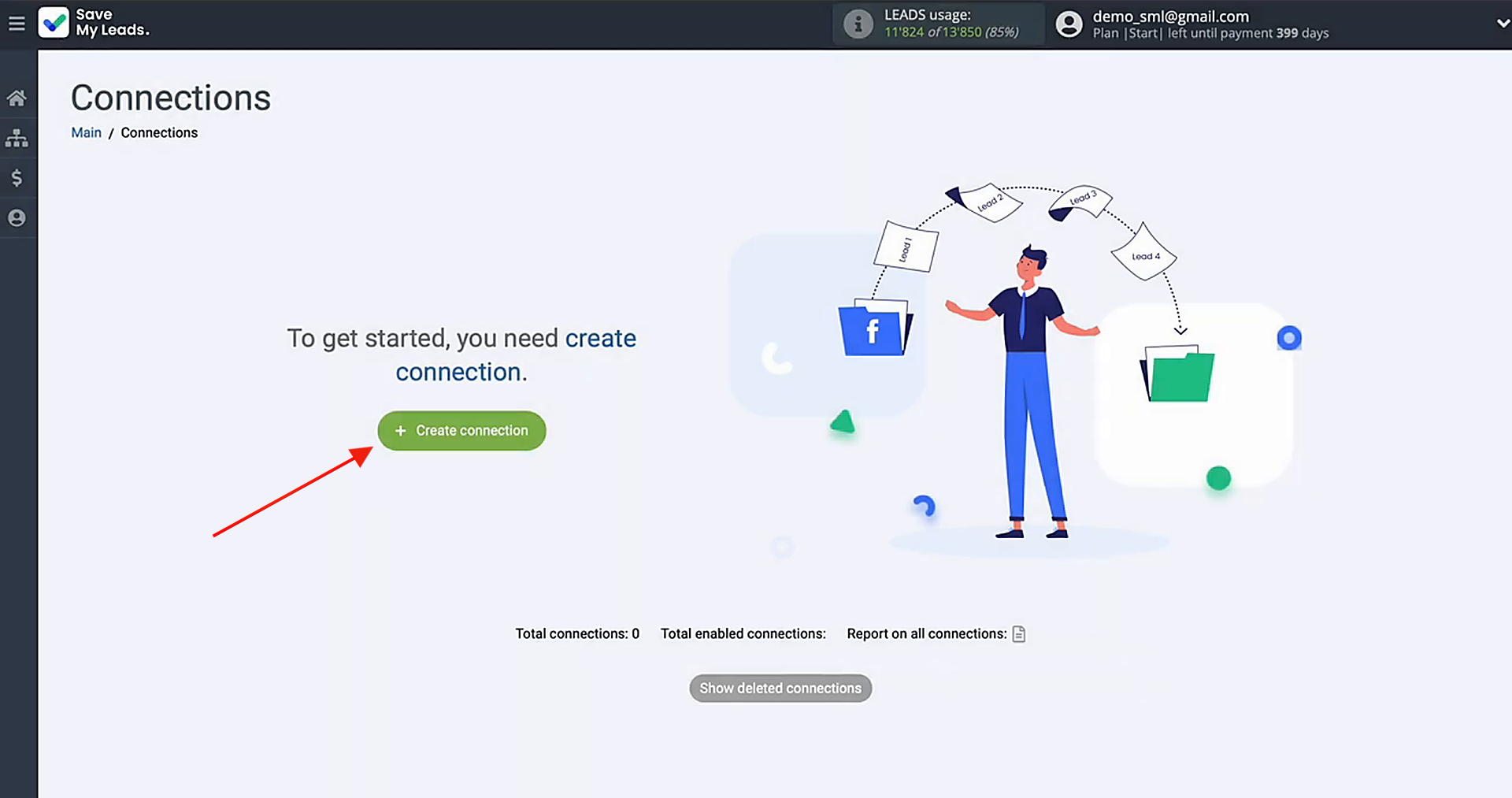
First, you'll need to create a new connection.
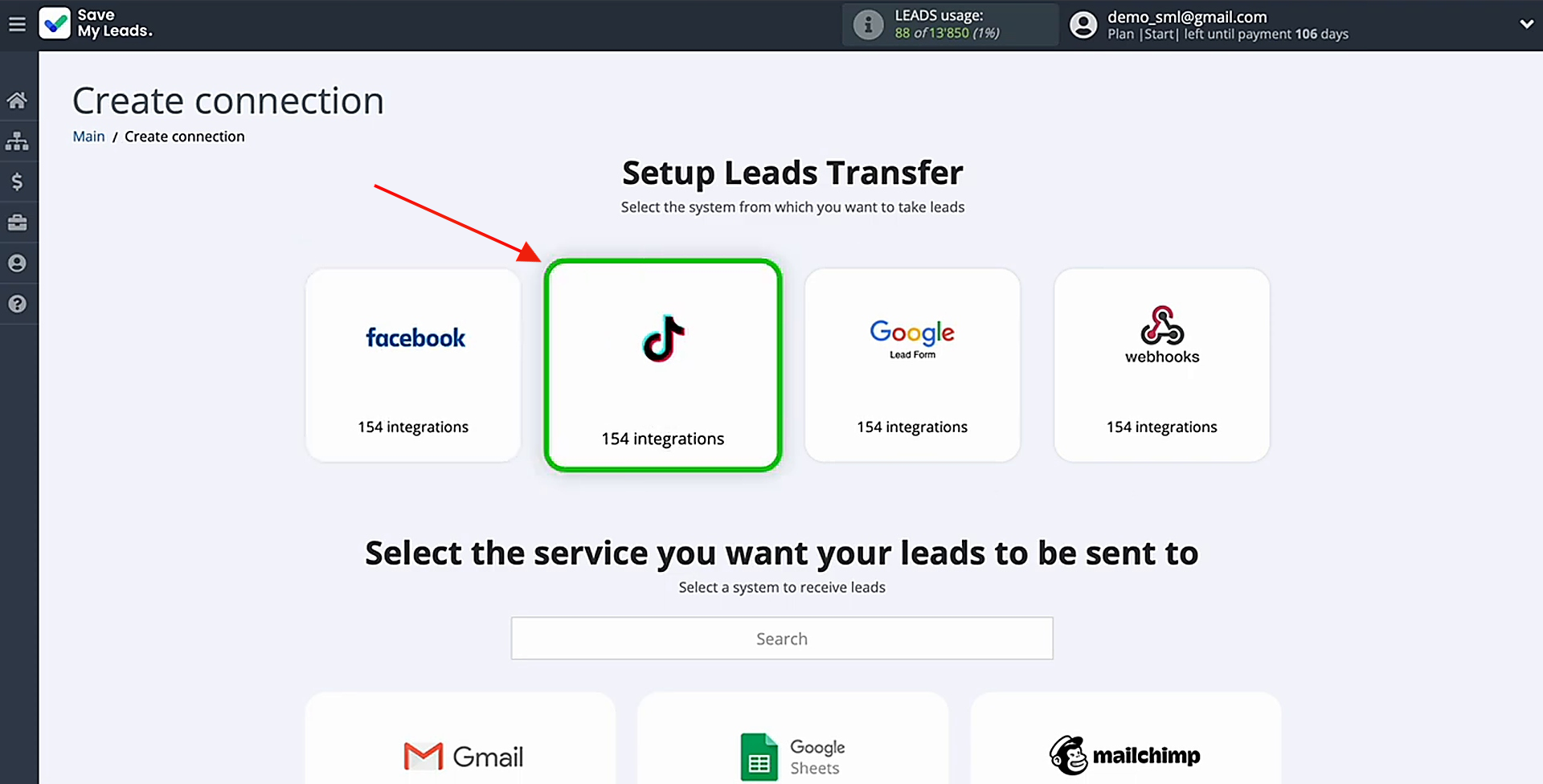
Pick the data source system. You'll be working with TikTok.
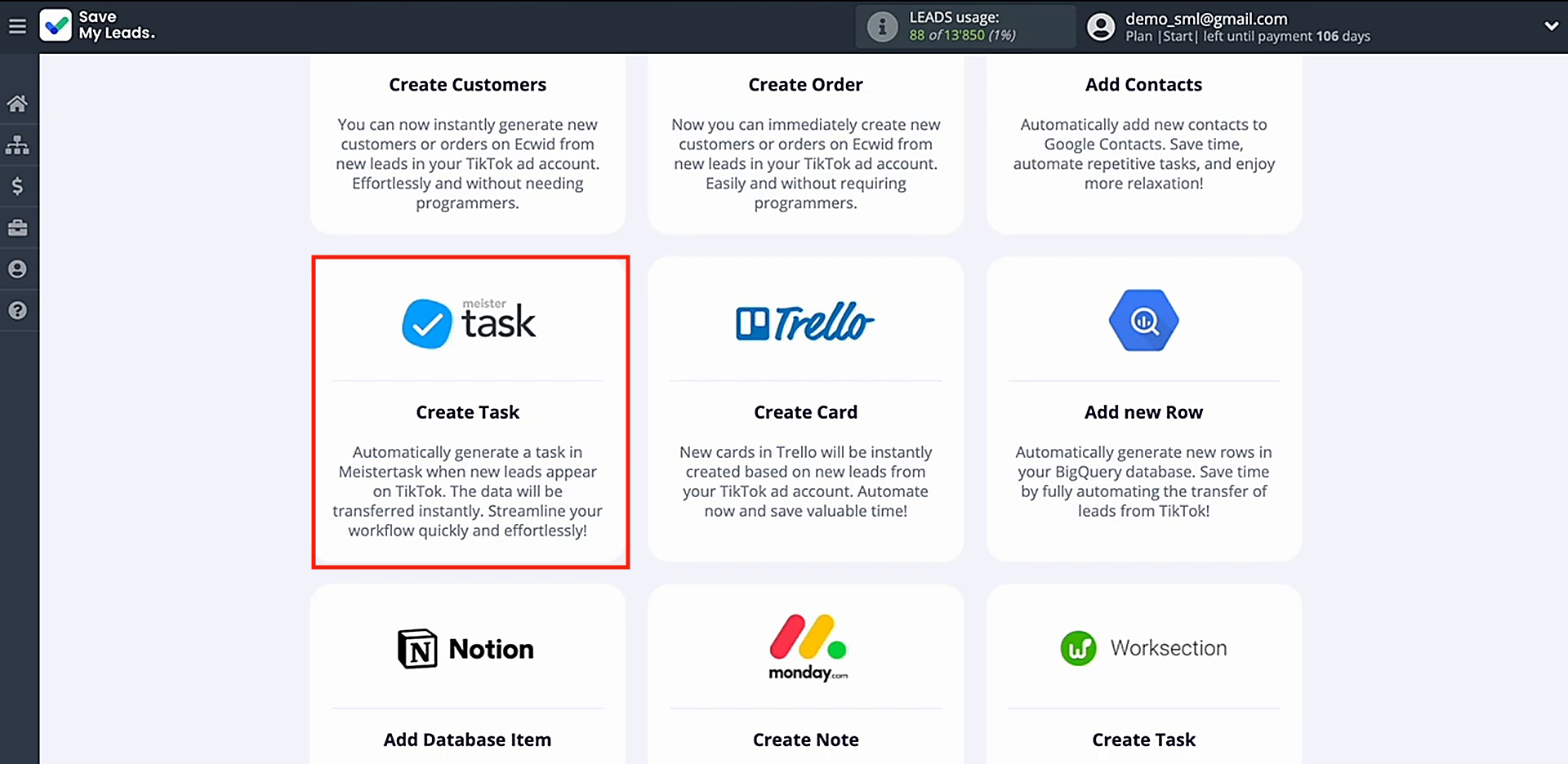
Pick the system that will receive new leads from TikTok. In this setup, you need MeisterTask (Create Task).
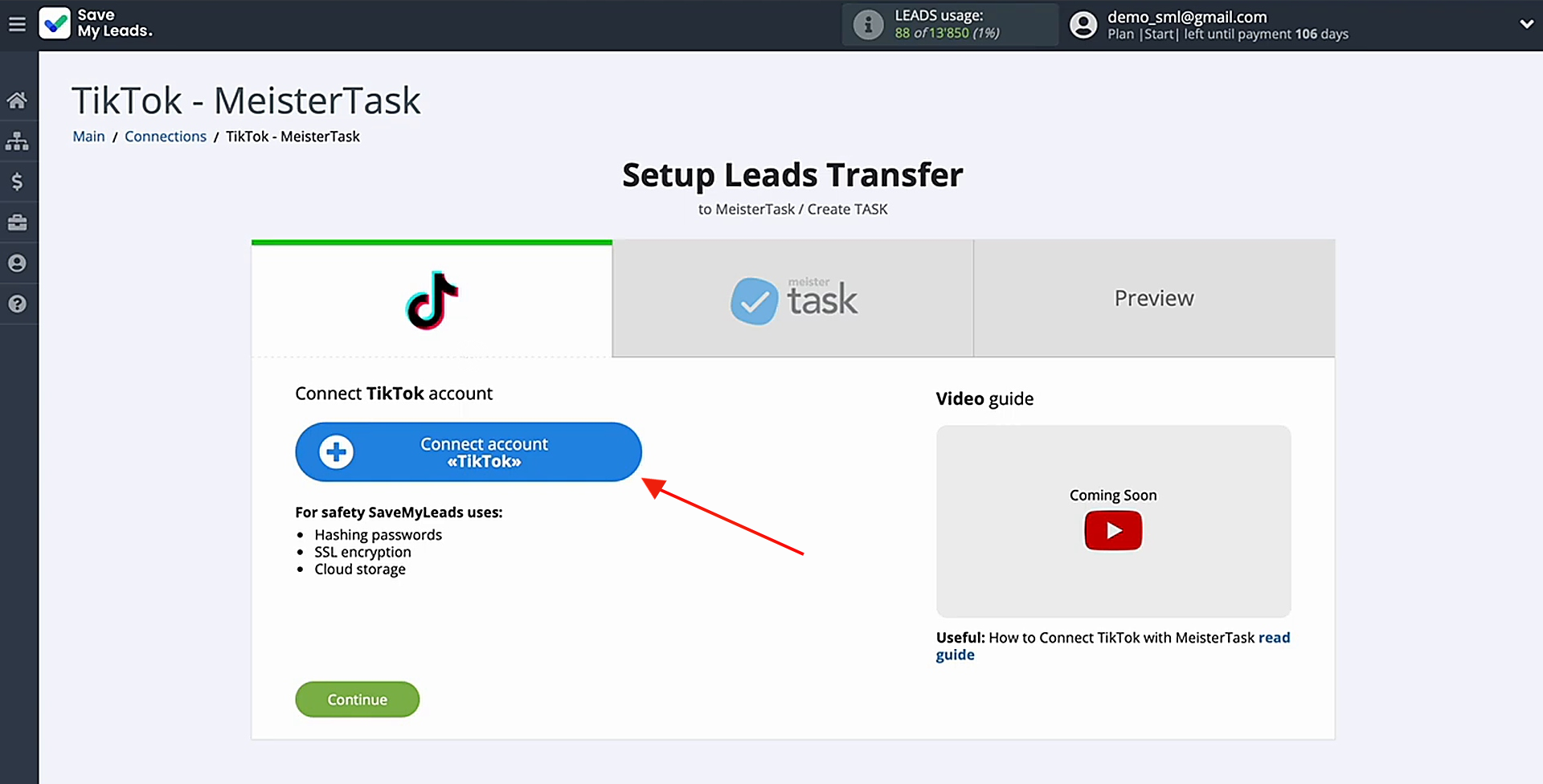
Proceed to connect your TikTok account to SML.
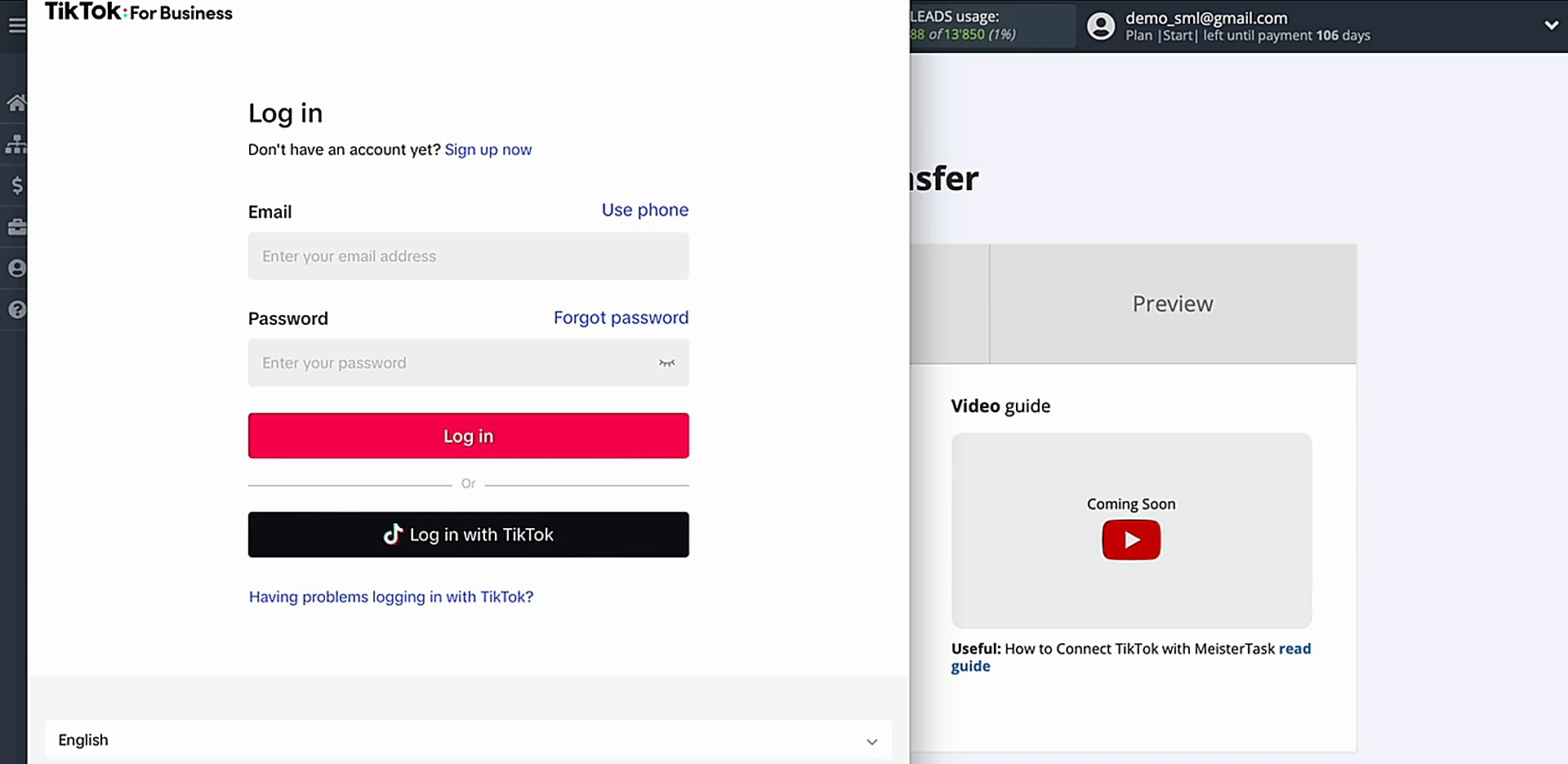
Enter your TikTok account credentials.
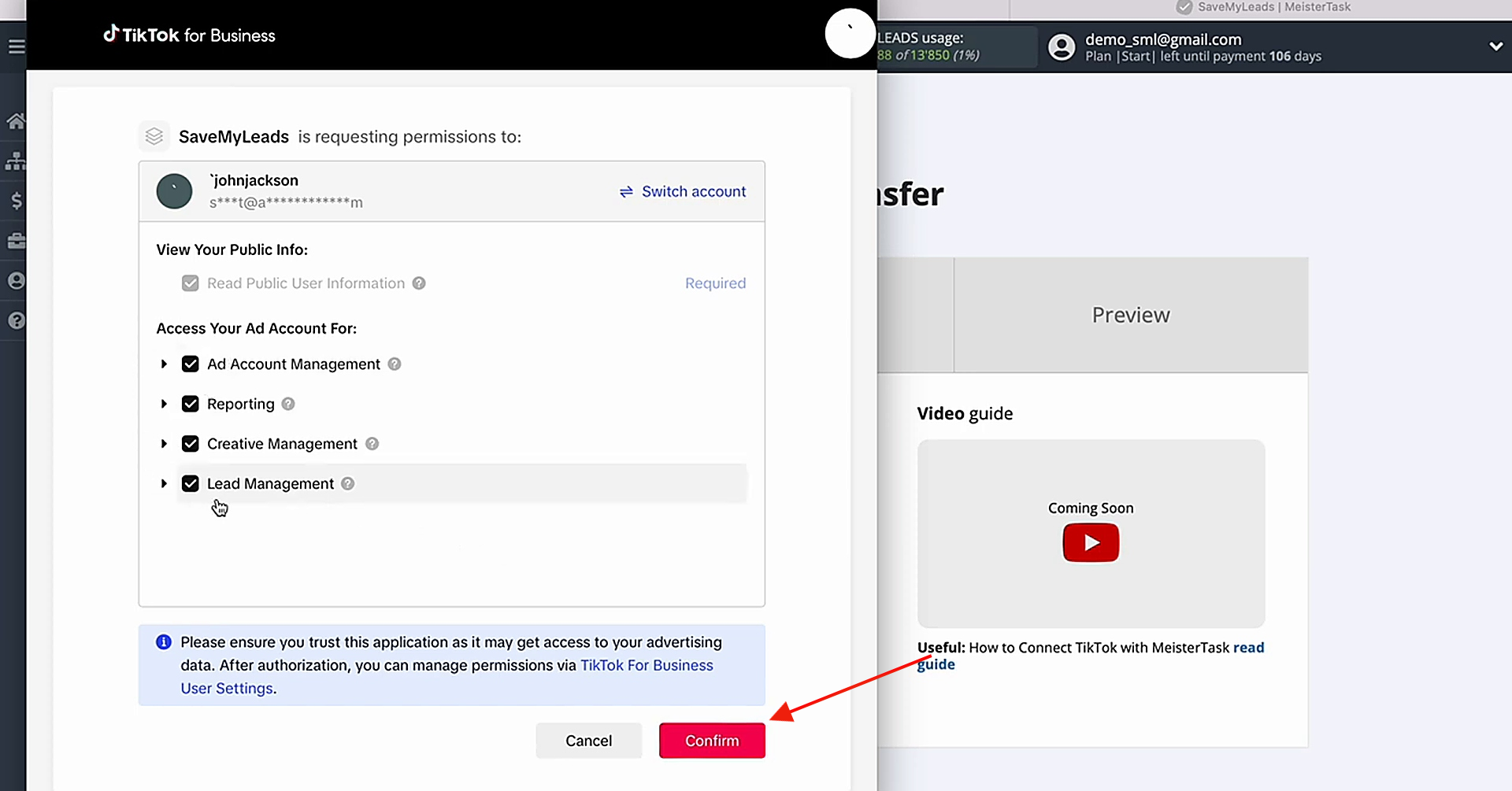
Grant the necessary permissions.
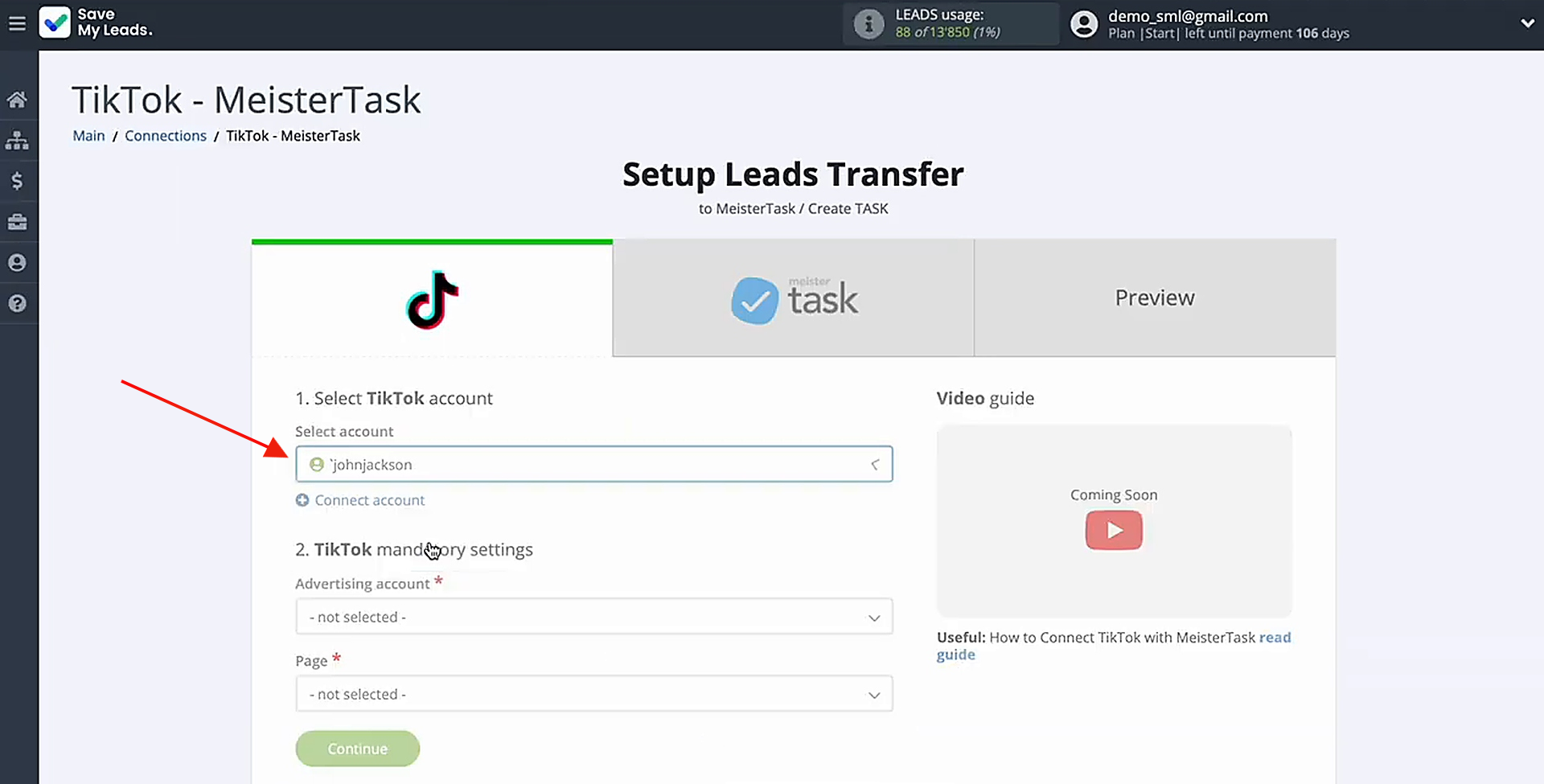
After the account appears in the list, go ahead and select it.
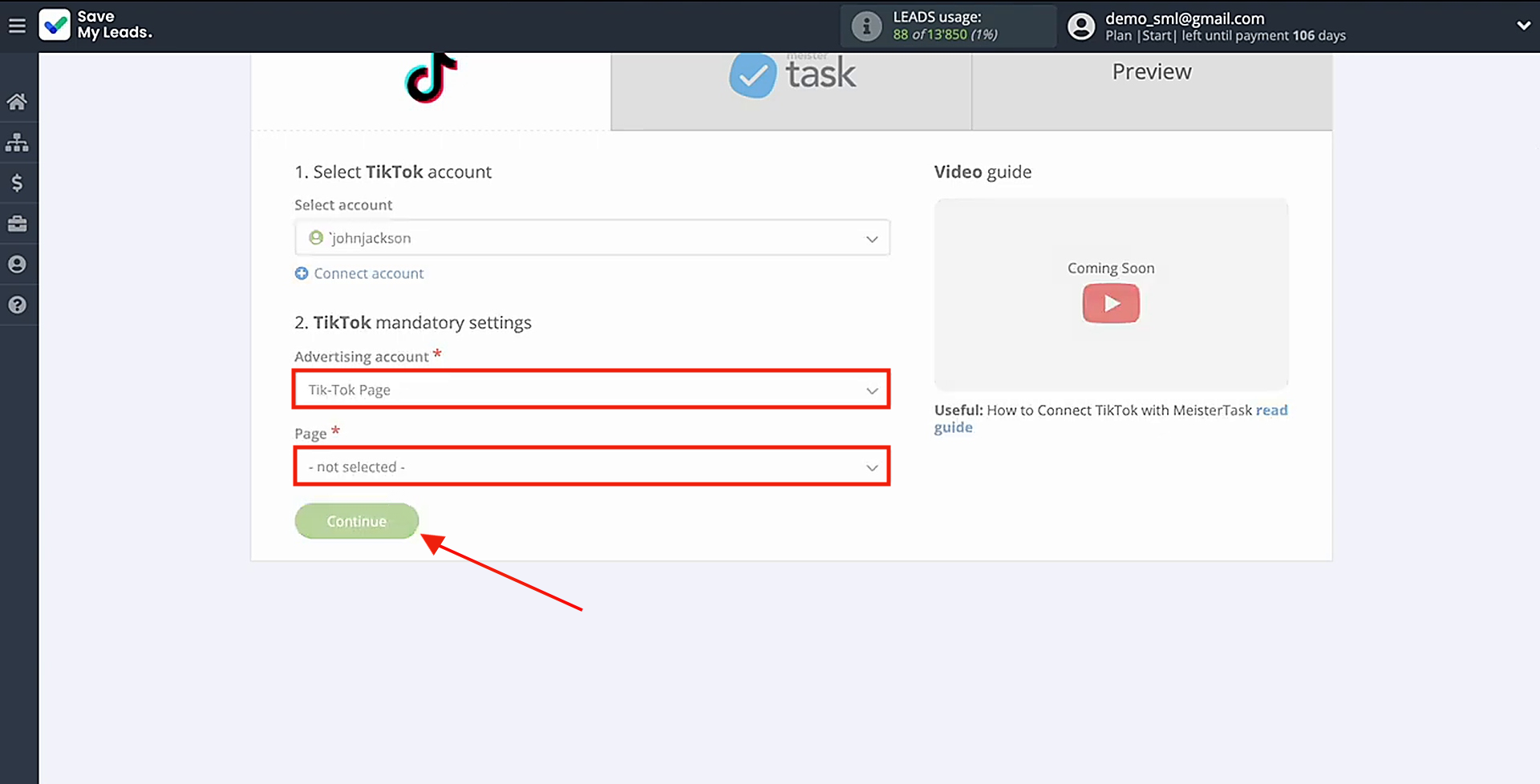
Pick the advertising page and the form. When ready, click the Continue button.
Data Destination Settings: MeisterTask
Proceed by connecting your MeisterTask account to the SaveMyLeads platform.
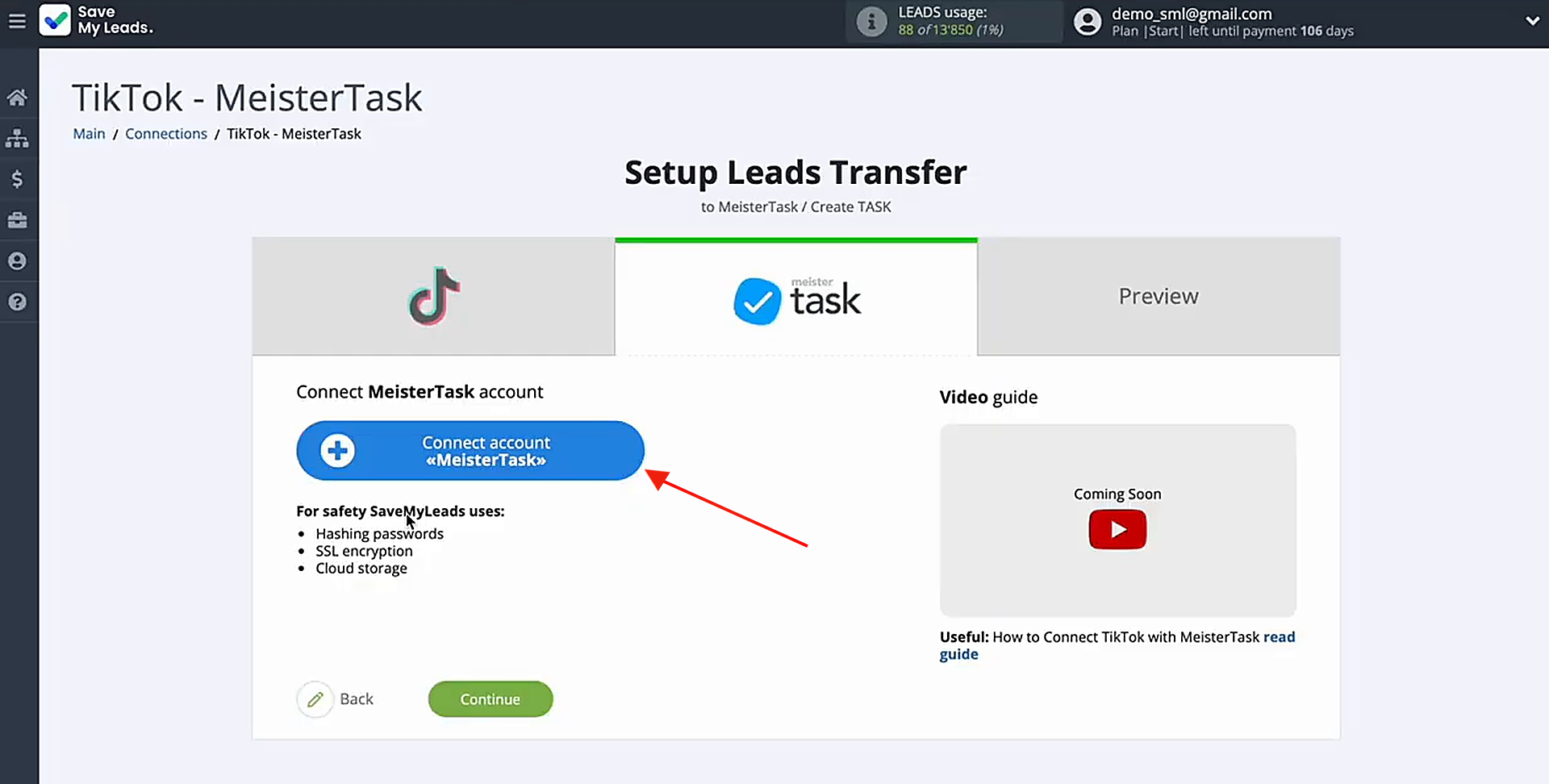
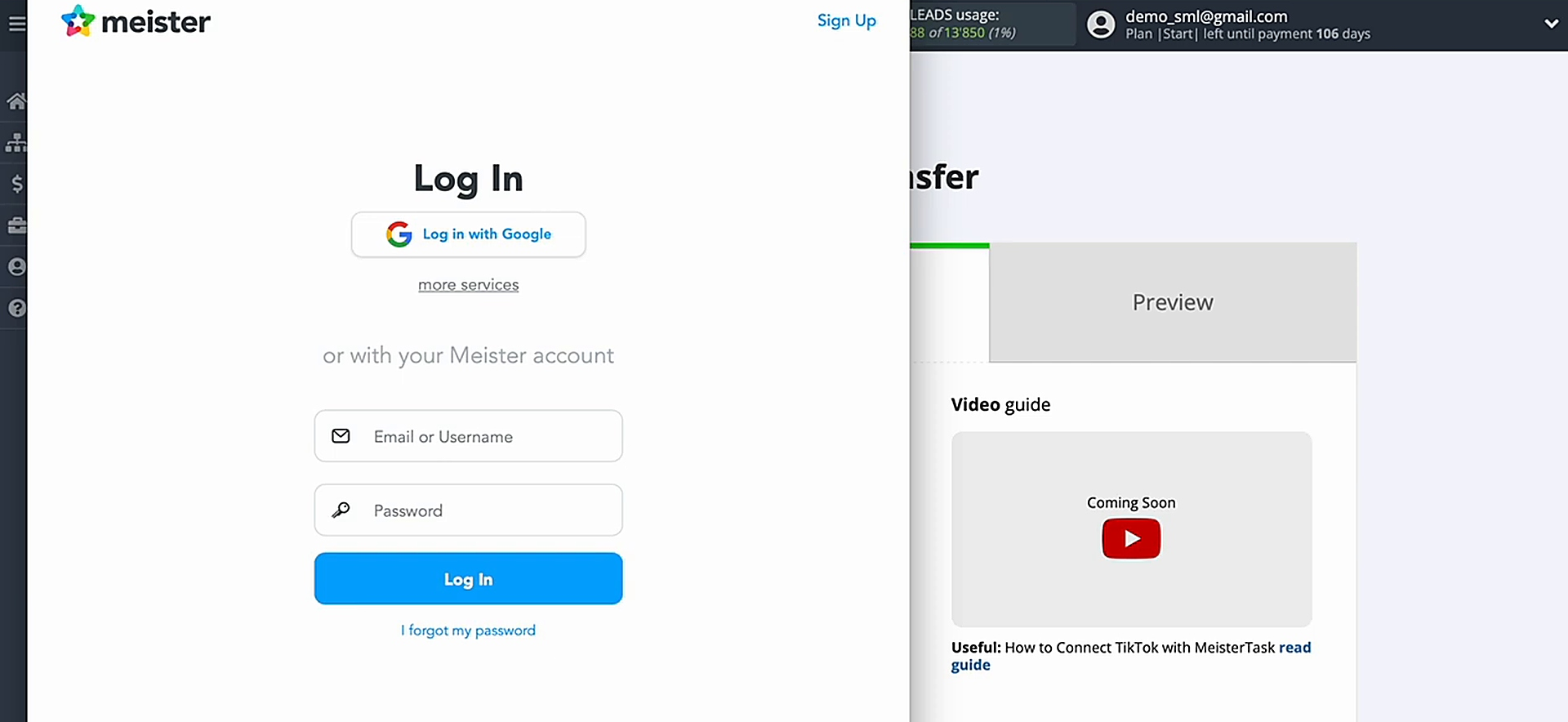
Enter your MeisterTask account credentials.
When you see the account displayed in the list, select it to continue.
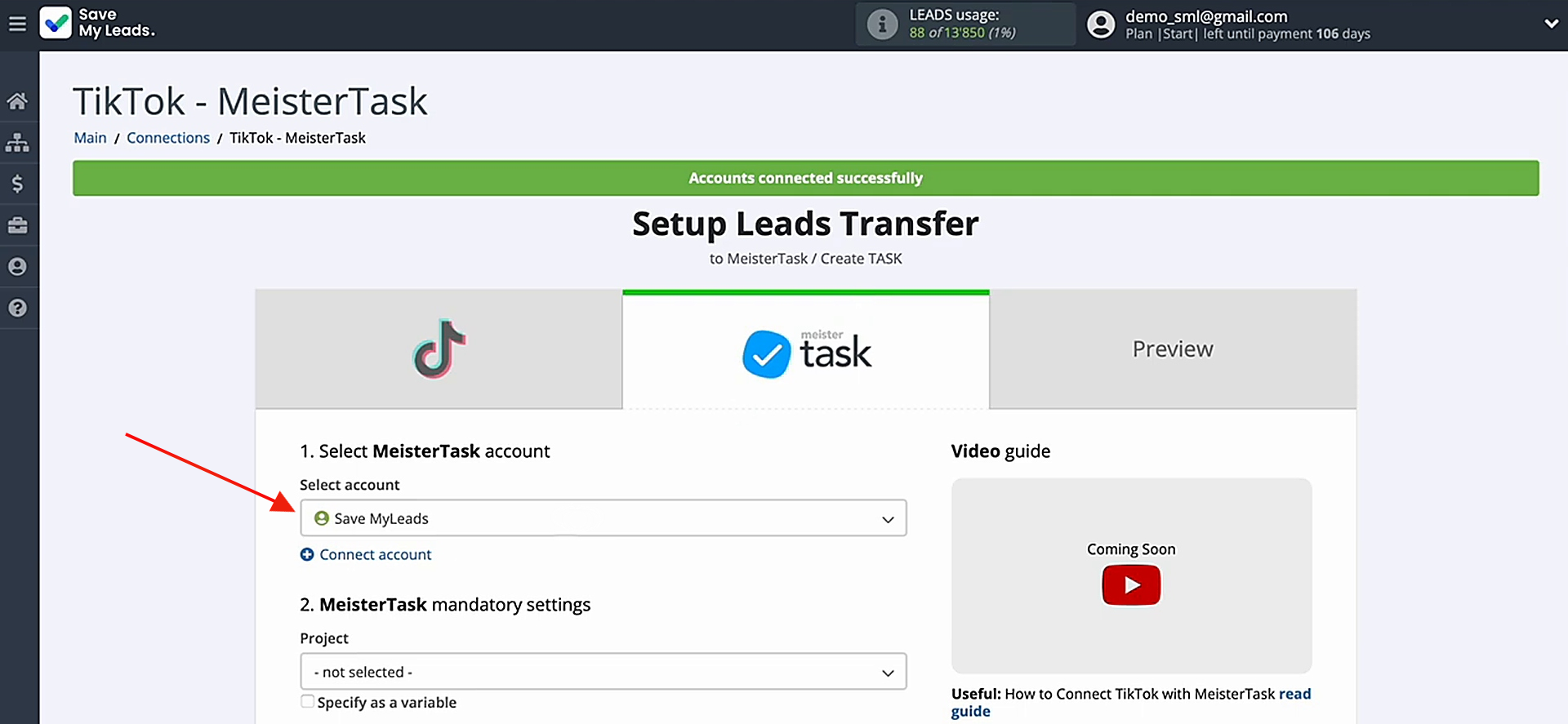
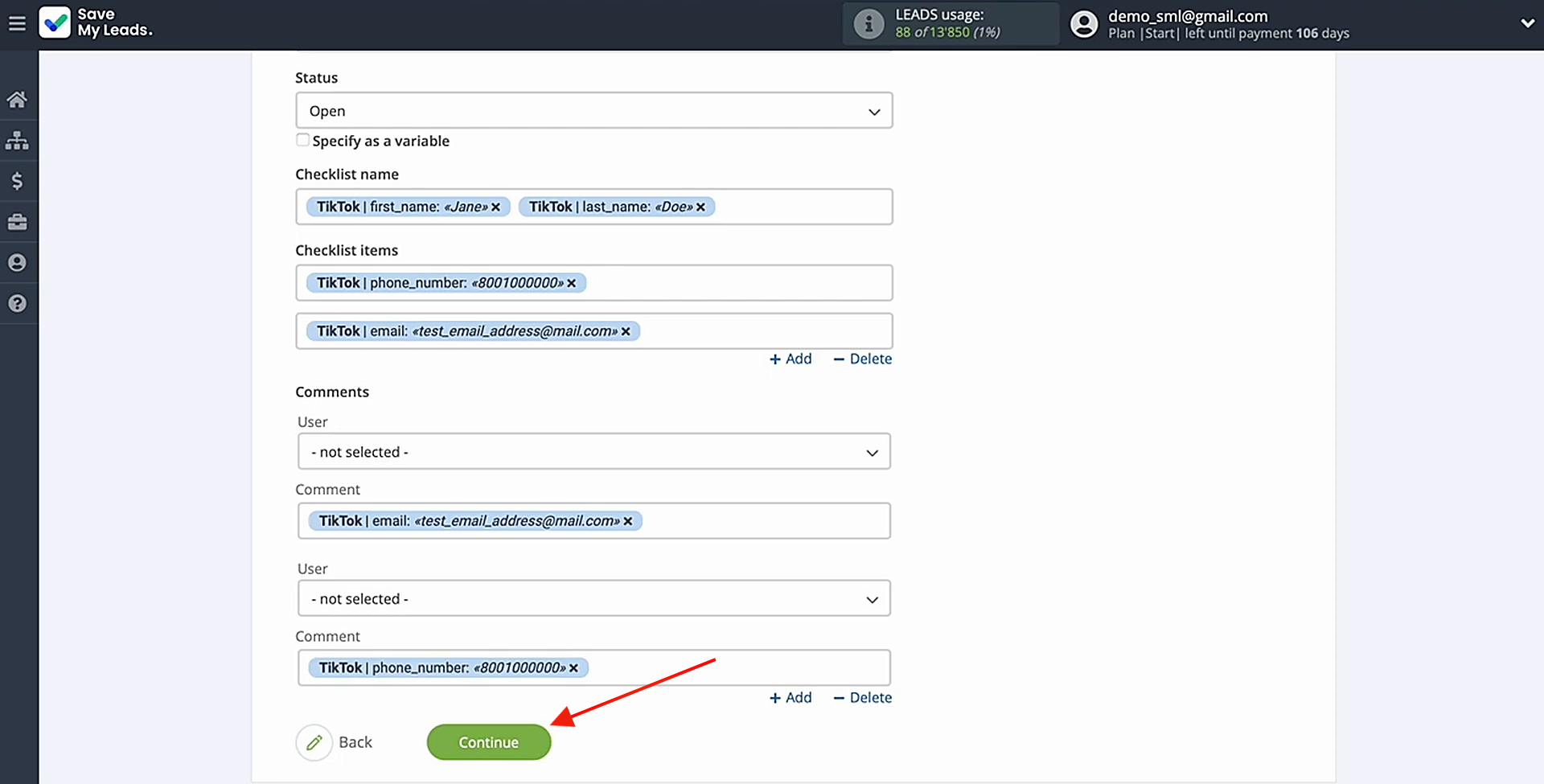
Pick the Project where new tasks should be created. You will then see the available fields for mapping. Click a field and choose the corresponding TikTok variable from the dropdown.
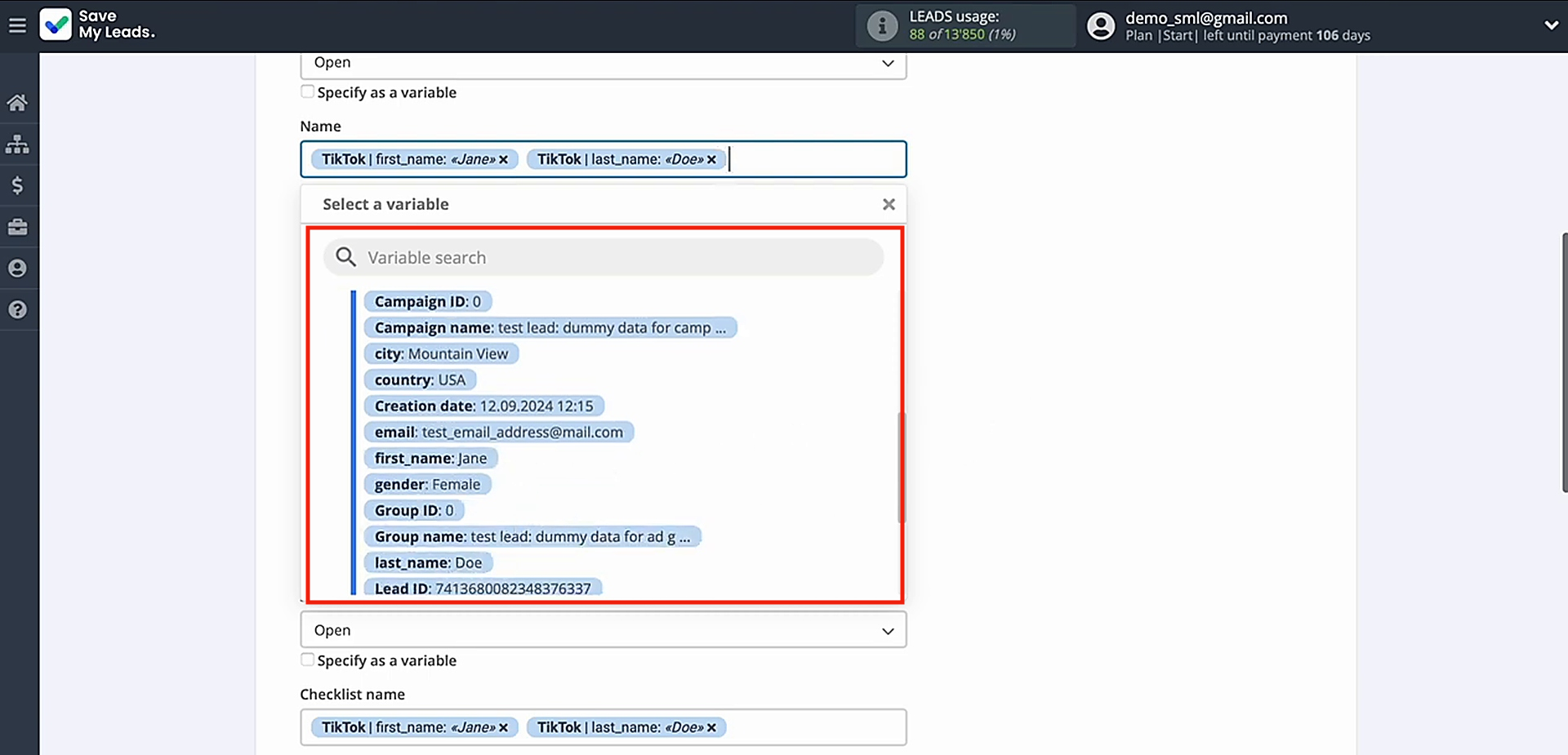
After you've assigned the variables you need, click Continue to proceed to the next step.
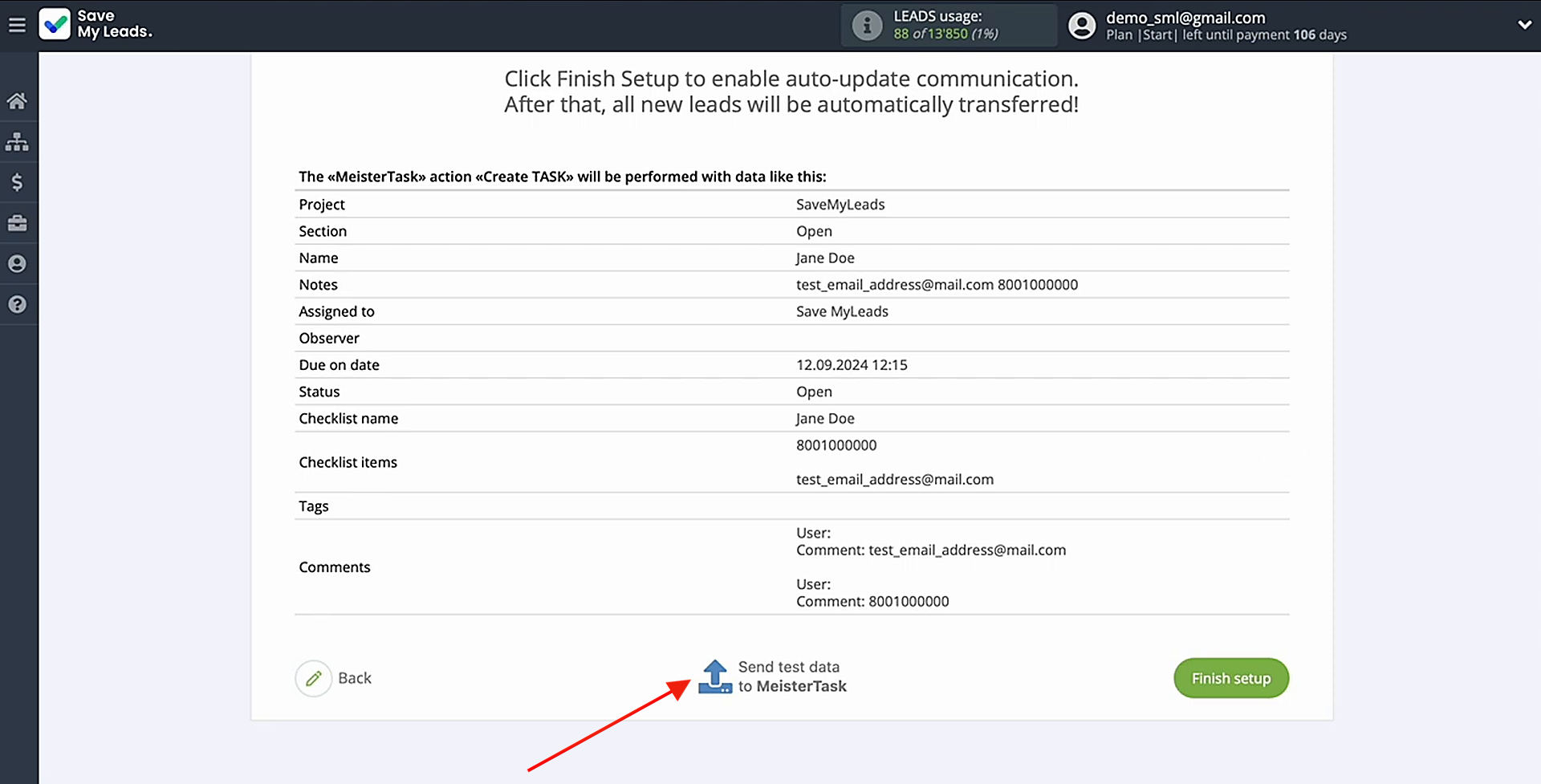
You should now see a preview of the data that will be sent for each new TikTok lead. If anything looks incorrect, click Back and adjust the previous settings. Then send test data to verify the configuration.
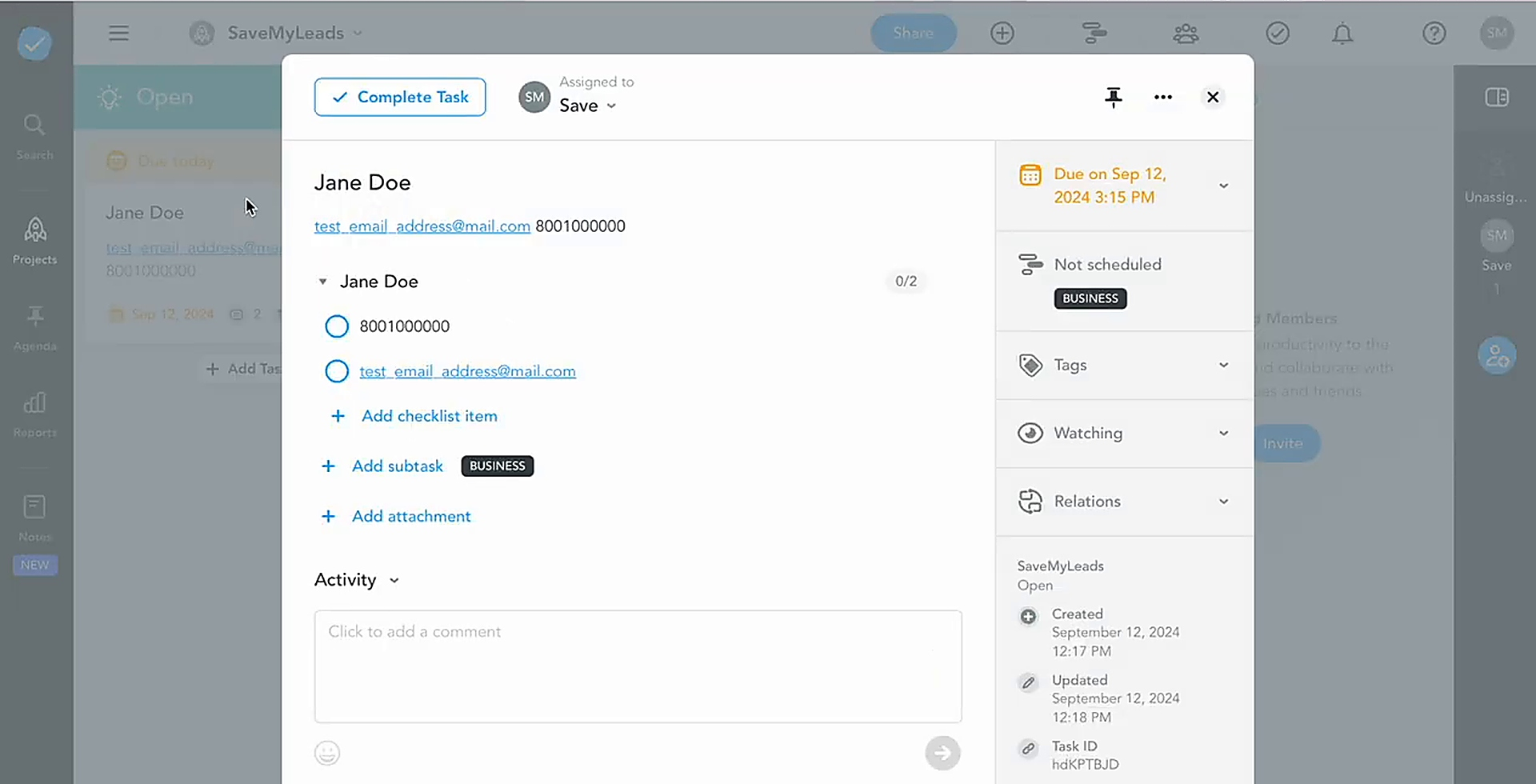
After sending the test data successfully, open MeisterTask and verify the result. Then return to SaveMyLeads to complete the setup.
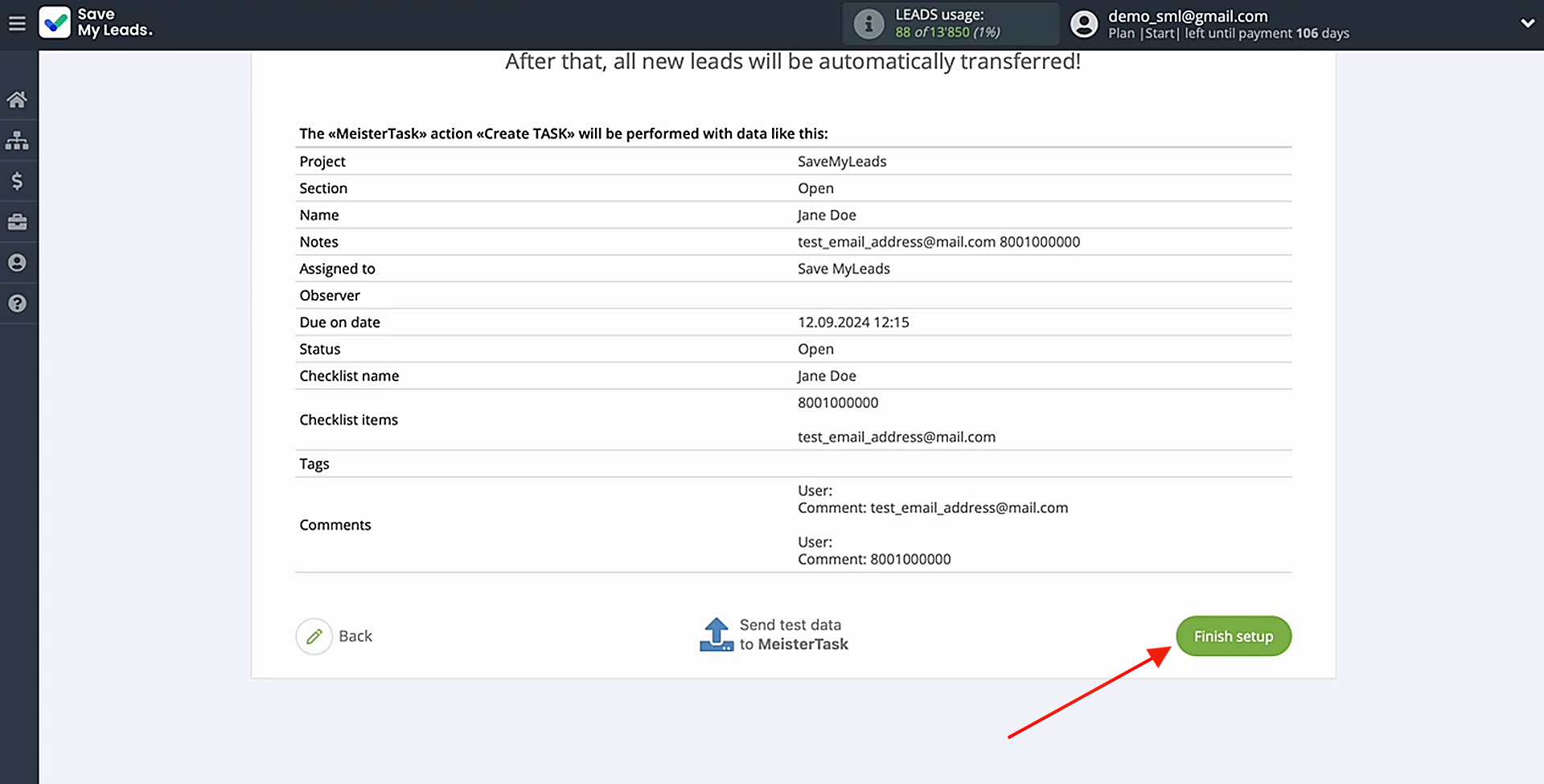
Enable Auto-Update
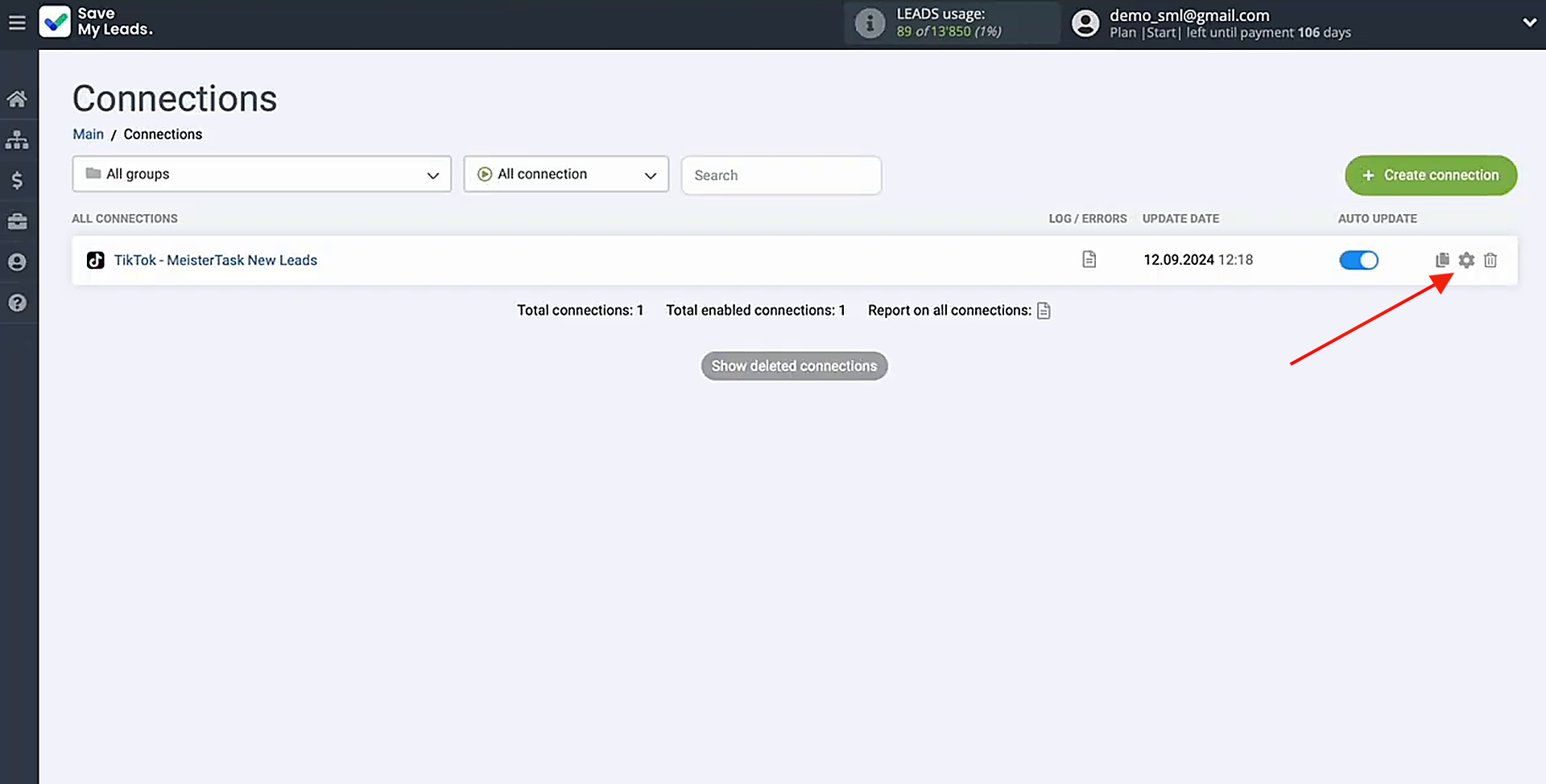
Press Finish setup to activate automatic updates for the integration. From this point, each new TikTok lead will generate a corresponding task automatically.
You can change the connection name at any time in the settings. This section allows you to rename the connection and assign it to a group. After applying the changes, click Continue.
Conclusion
Automating the transfer of TikTok lead data to MeisterTask can reduce repetitive manual work and help teams respond to new requests more quickly. With SaveMyLeads, each new form submission can automatically create a task on the selected project board using the mapped lead data.
Once the connection is configured and automatic updates are enabled, employees no longer need to copy information between the two systems manually. This provides a simpler and more consistent way to organize incoming TikTok leads and prepare them for follow-up.
Step-by-Step Guides for Setting Up Integrations:
- How to Connect Facebook Lead Ads to Instasent Without Coding
- Google Lead Form and Asana Integration: Automatic Data Transfer
- How to Connect TikTok to Brevo: A Seamless Integration Guide
- Google Lead Form Ads to MeisterTask: Step-by-Step Integration Guide
- TikTok and Google Contacts Integration: Automate Lead Collection Without Manual Work