
Just because a fish is hooked does not mean it is on your dinner plate yet. You still need to reel it in. The same thing happens with the leads you capture from TikTok. Interested users don’t automatically become customers by sending you their data through a form. For this to happen, the company must promptly contact them and confirm the inquiry. If lead data reaches the email marketing platform with a delay, the risk of losing potential sales increases.
TikTok and Brevo integration allows you to automatically populate the database with new leads and launch email campaigns for them without delay. We will tell you how to set it up using SaveMyLeads in a few minutes, even if you have never had any technical experience.
How to Get the Most Out of TikTok and Brevo
The critical point in working with TikTok leads is not in acquiring them through advertising but in the speed of processing the data they send through the form. Some companies, probably trying to save money, still transfer lead data manually: managers independently export them from the social network and add them to the contact database of the Brevo email marketing platform.
At first glance, this doesn't seem like much. But when the volume of submissions grows, the workload on managers increases, leading to wasted time and a higher risk of errors. The result is lost sales. As we can see, such cost-cutting measures are not only counterproductive but also harmful to the business.
Speed is especially important for companies whose offers change quickly or have time constraints. For example, a craft food manufacturer launches a free shipping promotion on TikTok with a promo code that is valid for only 2 hours. Potential buyers fill out the form to receive this code. If their contact details arrive in Brevo with a delay, they may not have time to take advantage of the offer and, most likely, will go to competitors. Some of them may write negative reviews.

- Automate the work with leads from the Facebook advertising account
- Empower with integrations and instant transfer of leads
- Don't spend money on developers or integrators
- Save time by automating routine tasks
Automatic data transfer allows you to transfer TikTok leads to Brevo within minutes of submitting the form. When contacts appear in Brevo, the promo code is sent to the email address. As a result, everyone wins: the buyer gets a product with free shipping, the manufacturer increases sales, and managers enjoy a lighter workload.
Brevo and TikTok integration allows you to achieve maximum speed in working with both platforms, primarily by minimizing delays during lead processing. Potential customer data is automatically transferred to Brevo, where they immediately become new contacts and are included in automatic email campaigns. This way, leads can quickly receive personalized welcome emails, order confirmations, or complete nurture sequences.
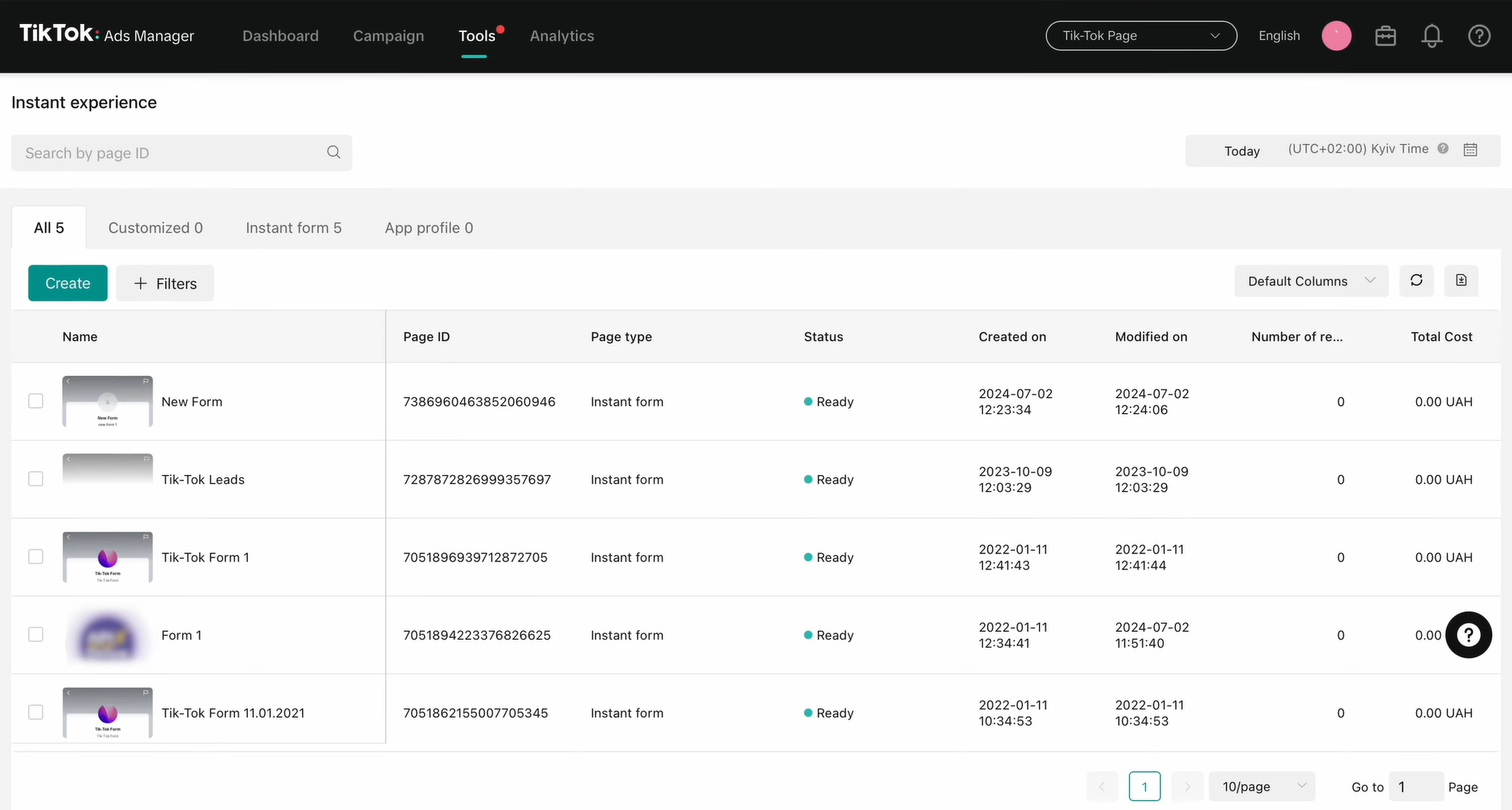
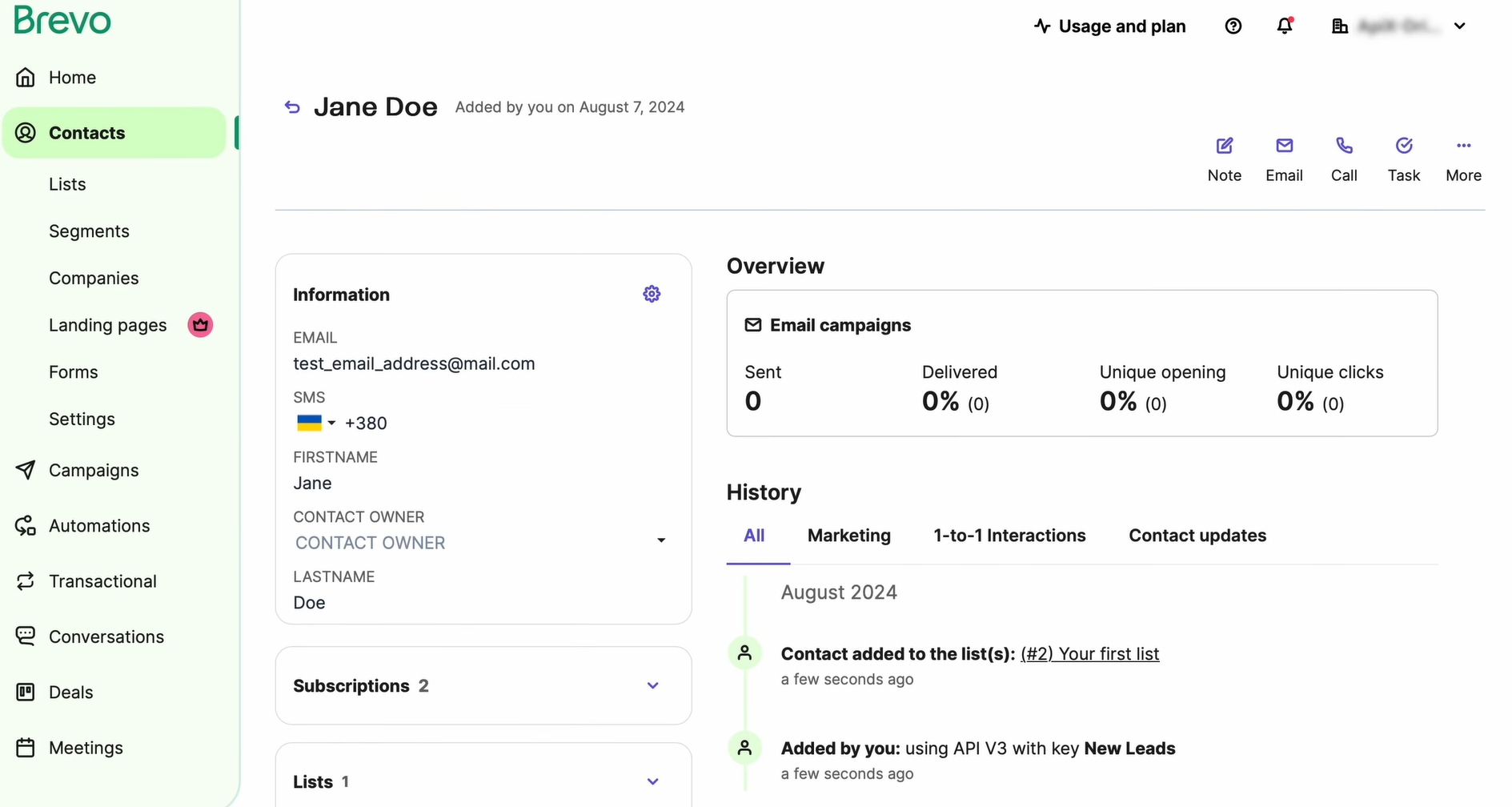
Automating data transfer speeds up lead processing and significantly reduces human error. During manual data transfer, managers can make mistakes, lose form information, overlook submissions, and duplicate contacts. In addition, different managers can enter data differently. Automation avoids these problems. As a result, the company receives streamlined operational processes and a consistently high-quality contact database.
How to Connect TikTok to Brevo
If you have no technical skills and have never programmed, we recommend using the SaveMyLeads online connector to set up TikTok ads and Brevo automation. This is one of the most convenient solutions today. The service allows you to set up automated data transfer between the two platforms in minutes, without writing a single line of code and without complex technical settings.
Unlike manual integration via API, SaveMyLeads greatly simplifies this process for the user. All the most complicated things happen “under the hood.” You don’t have to study the technical documentation of both platforms, configure server infrastructure, and maintain the integration after it has been set up. The service developers have already taken care of all this. All steps are performed through an intuitive interface.
After you integrate TikTok with Brevo, each new lead from this social network will automatically enter the email marketing platform and become a new contact there. While you wait, potential leads might already be slipping away to competitors. So let's get started and connect TikTok ads to Brevo. Below is a step-by-step guide.
Data Source Settings: TikTok
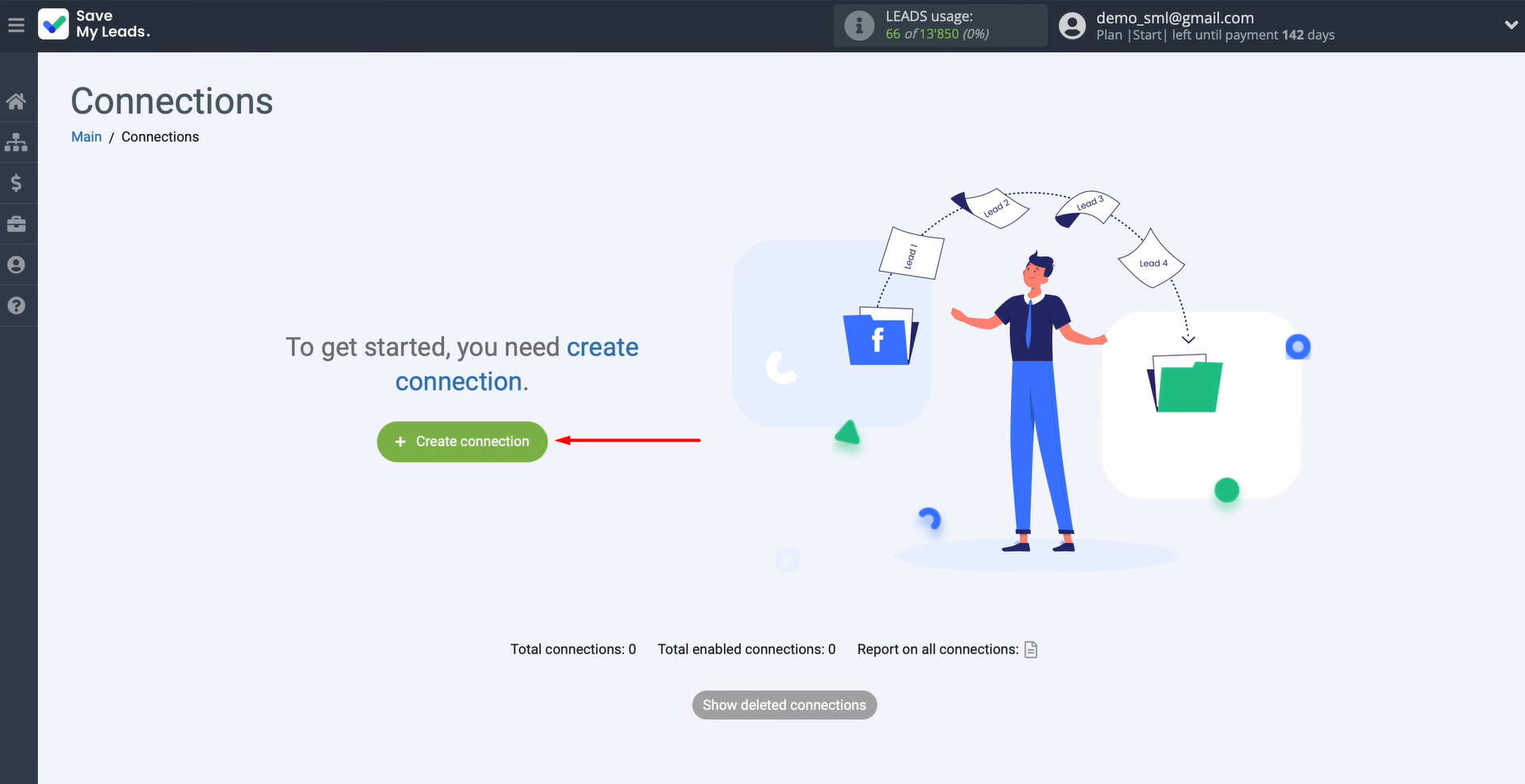
Open the platform and create a new connection.
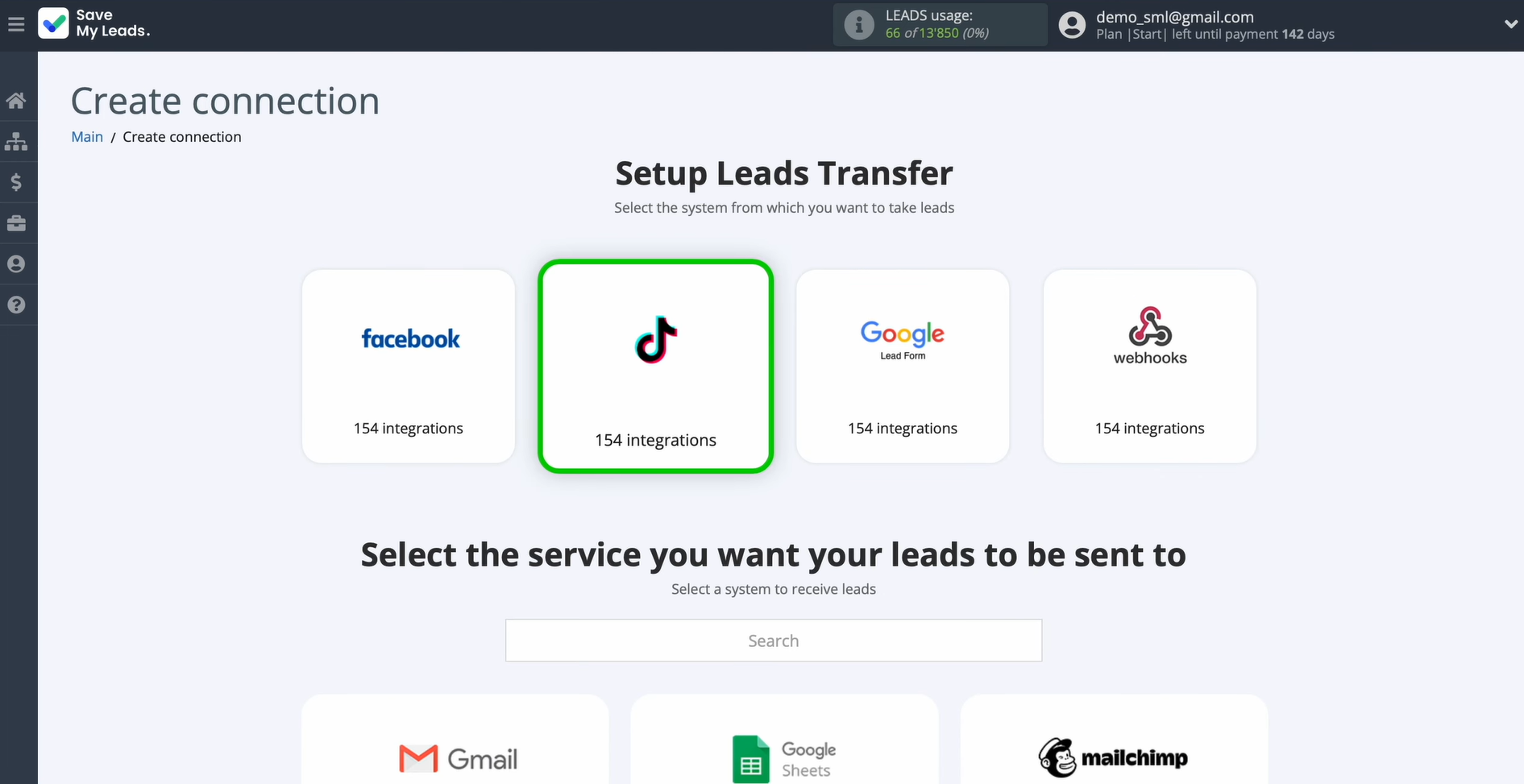
When prompted to choose a data source, pick TikTok.
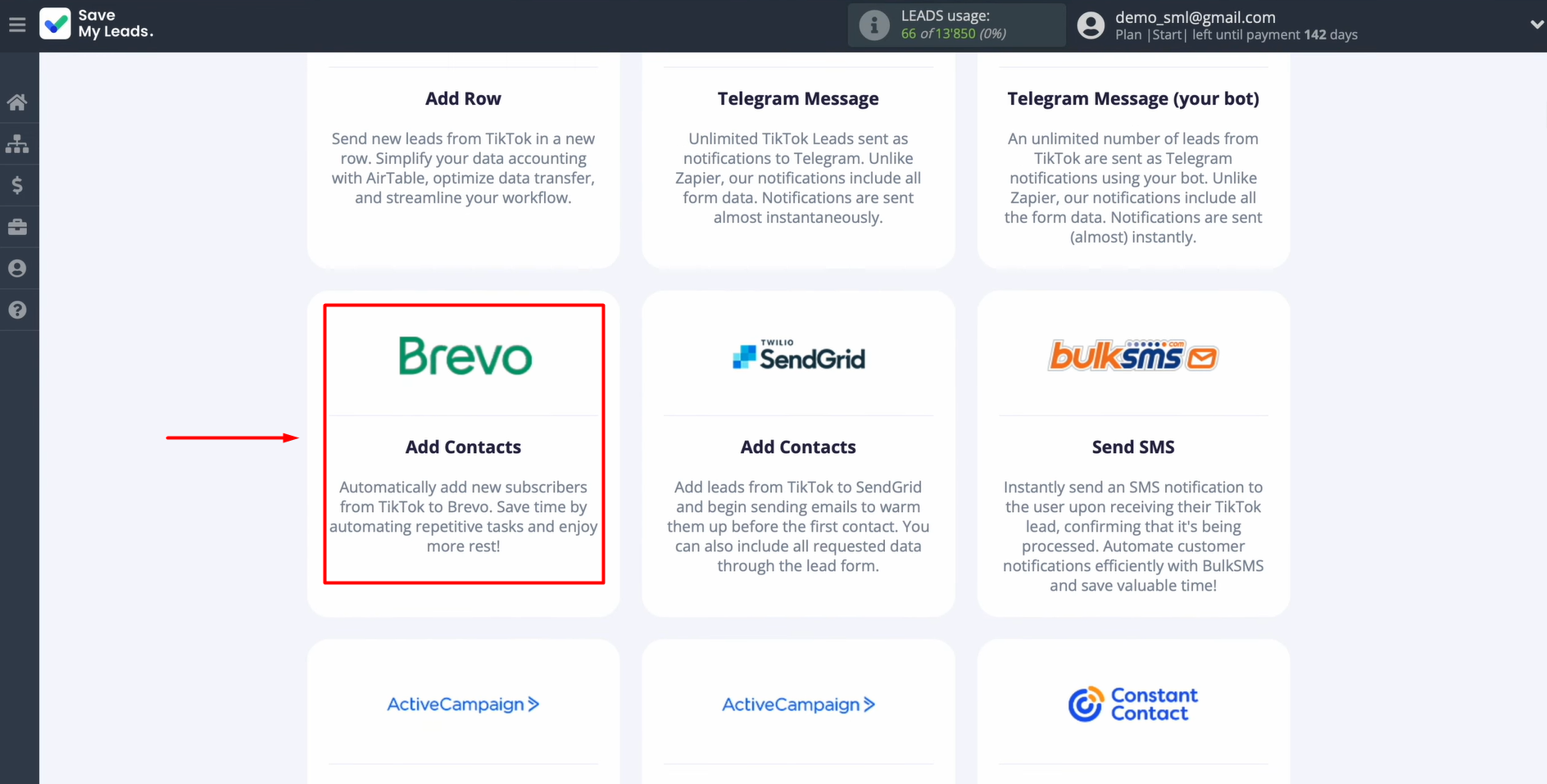
For the destination, select Brevo (Add Contacts) where your leads will land.
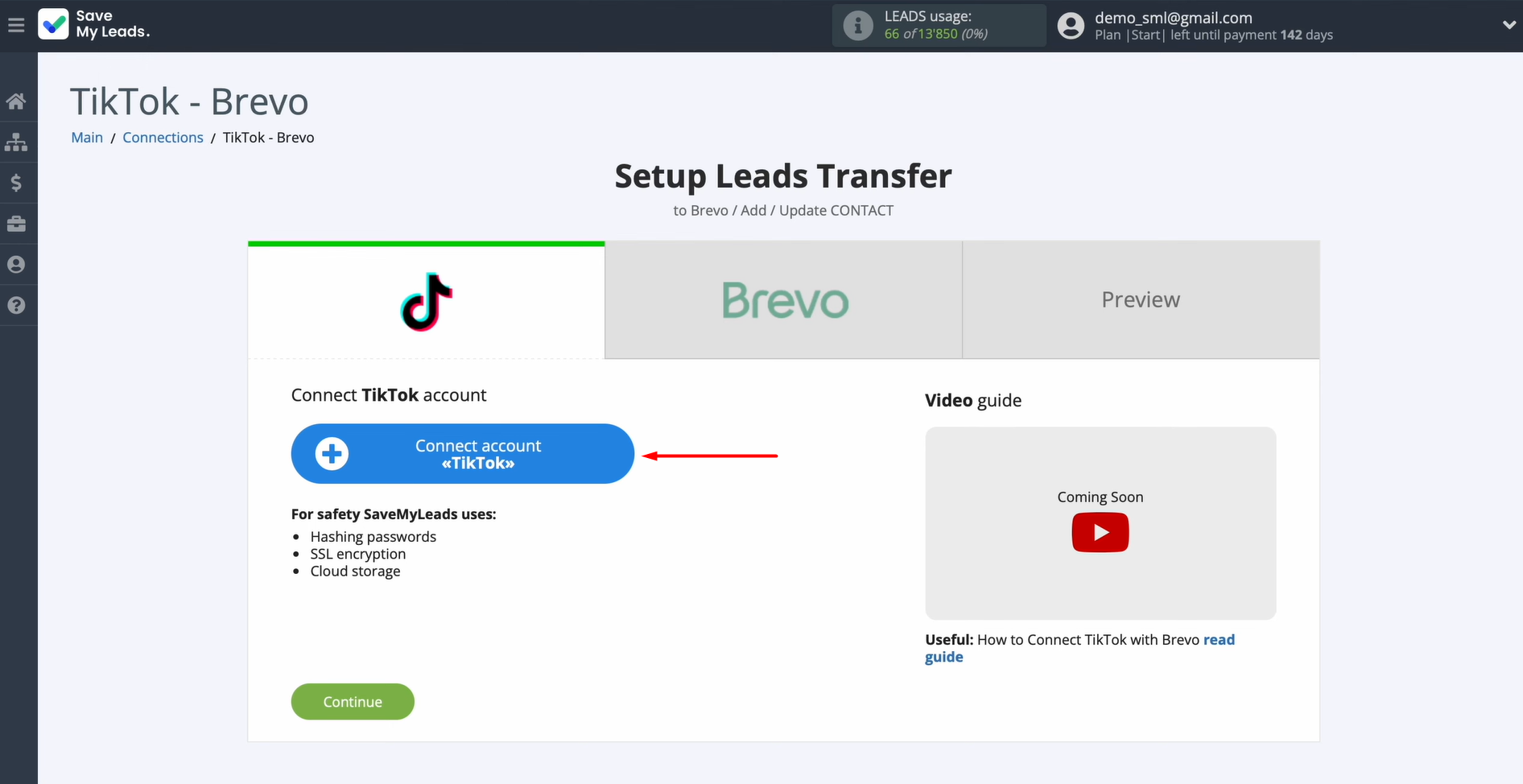
To proceed, you'll need to link your TikTok account with SaveMyLeads.
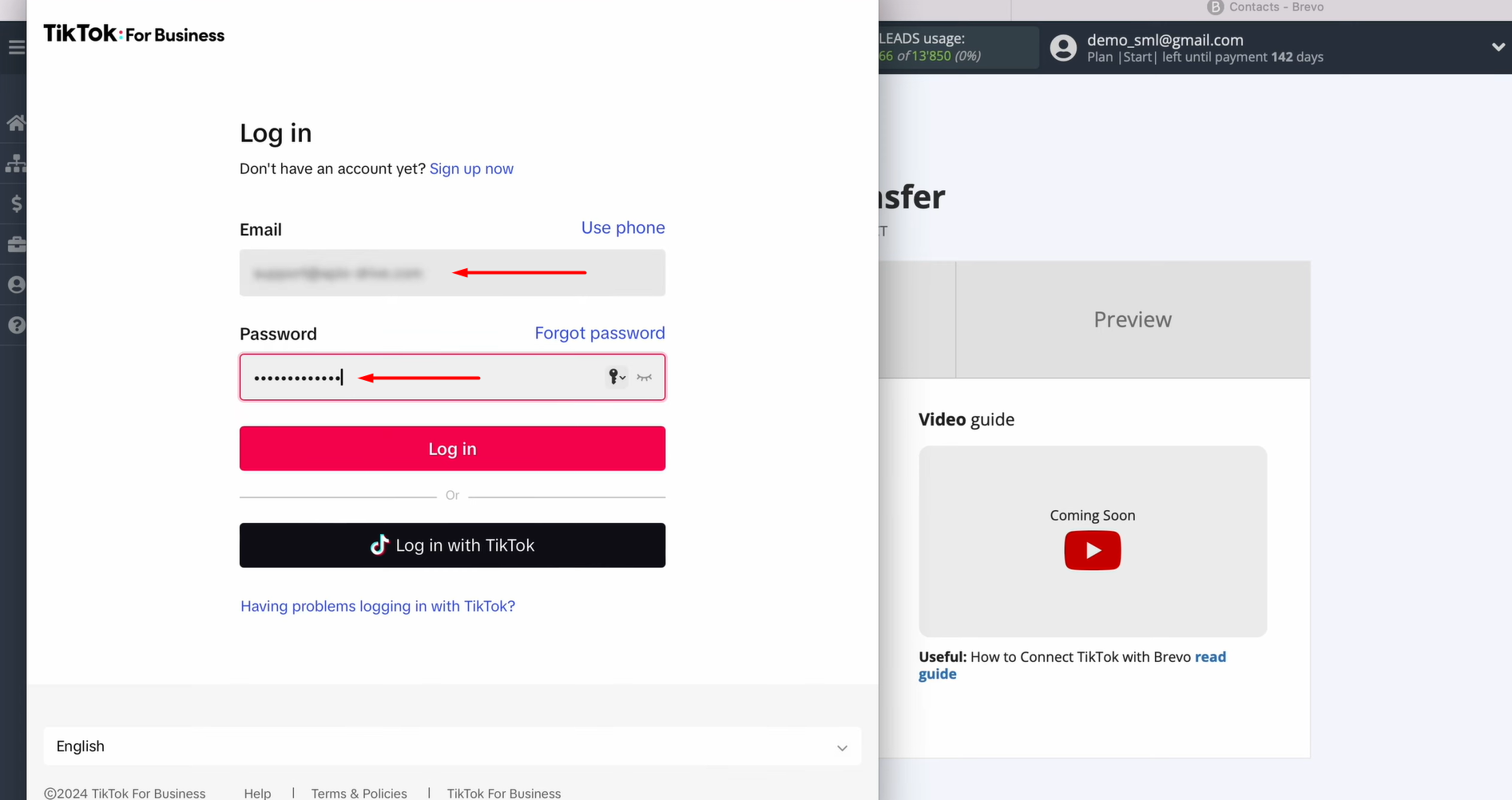
When the login window appears, enter the credentials for your TikTok personal account.
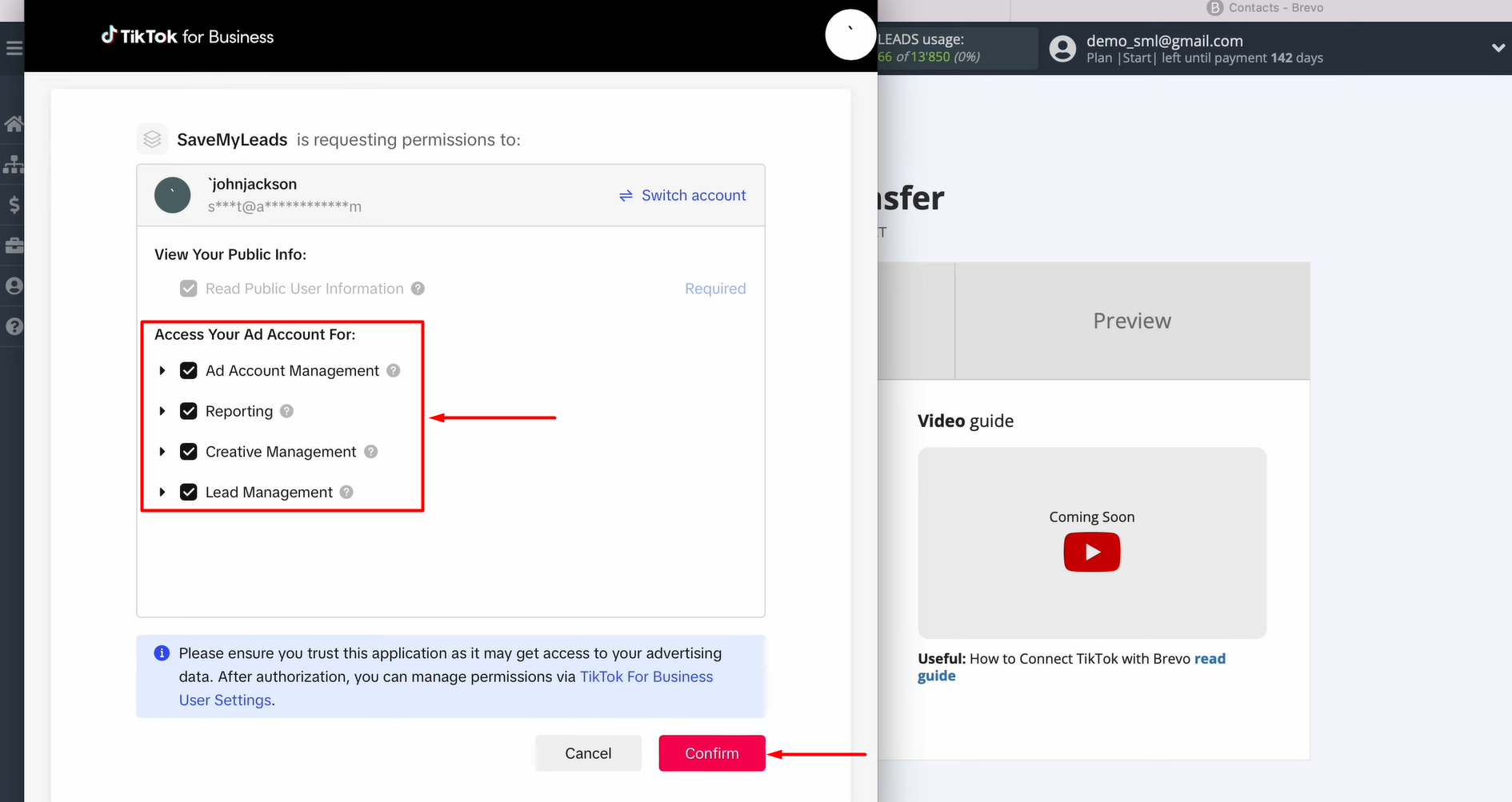
Review the permission request and allow SaveMyLeads to access your account.
Once your account shows up in the list, click on it to select it.
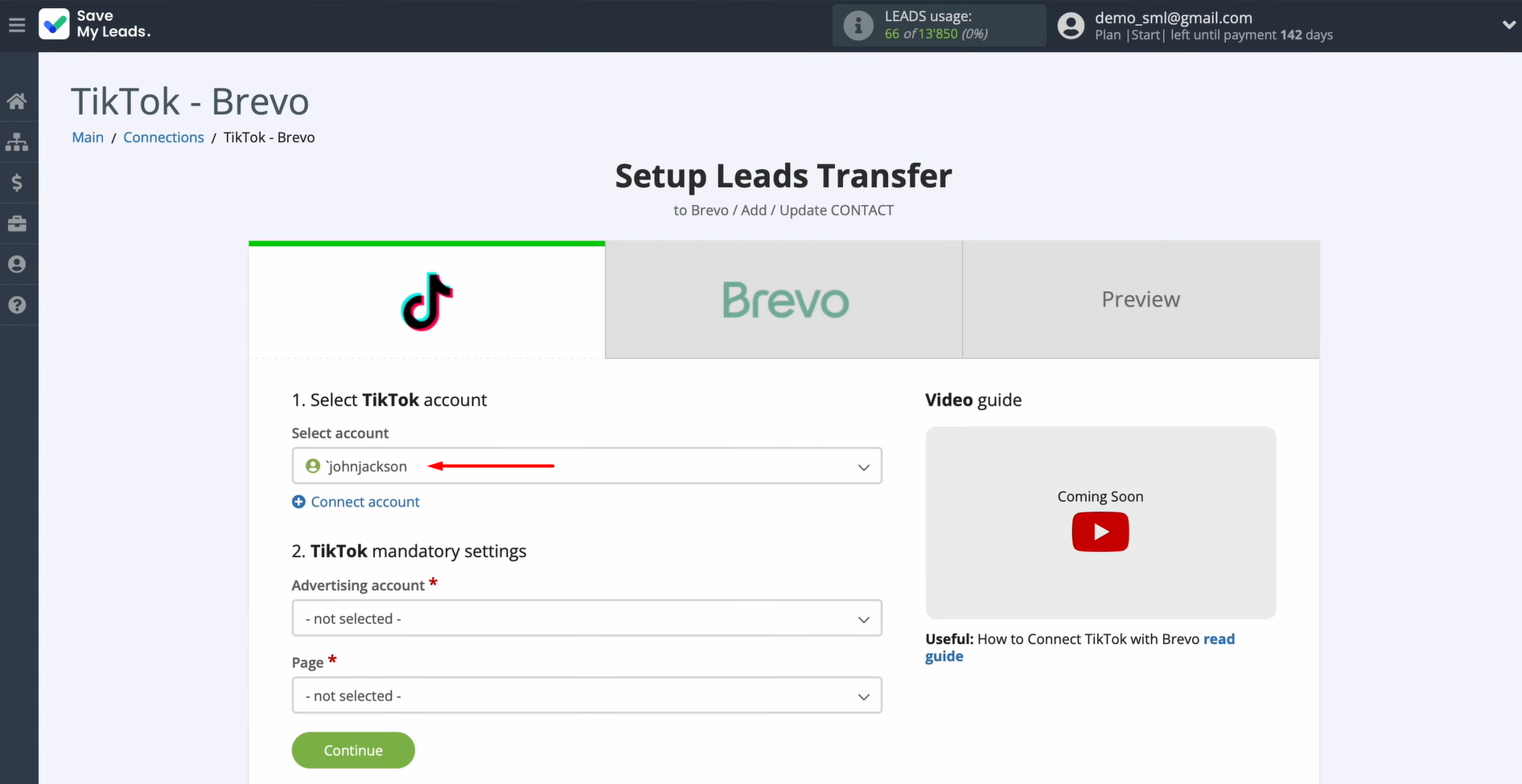
Pick the ad page and the specific lead form you want to use as the data source.
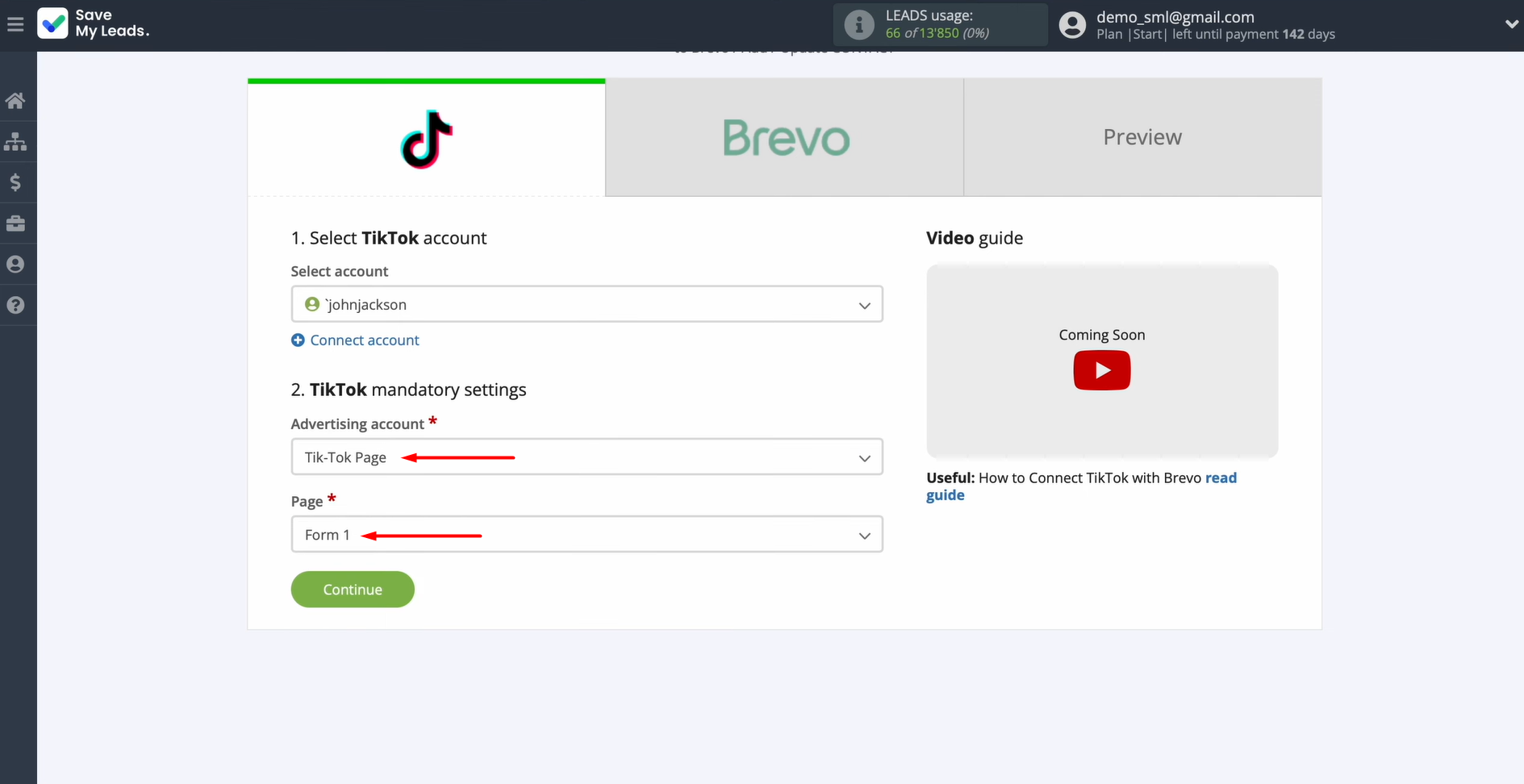
Hit Continue when you're ready to move on.
Data Destination Settings: Brevo
The next step is linking your Brevo account to receive incoming leads.
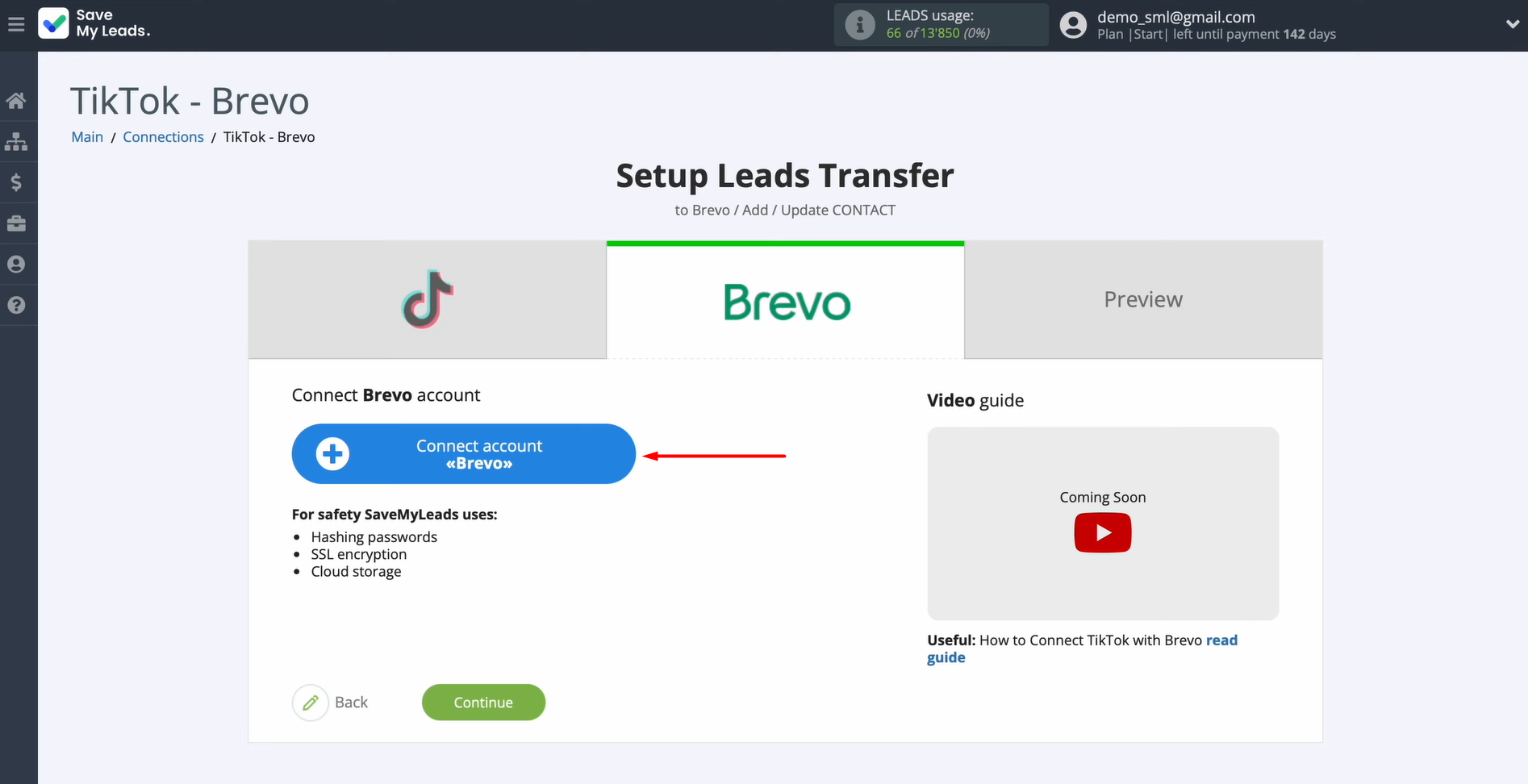
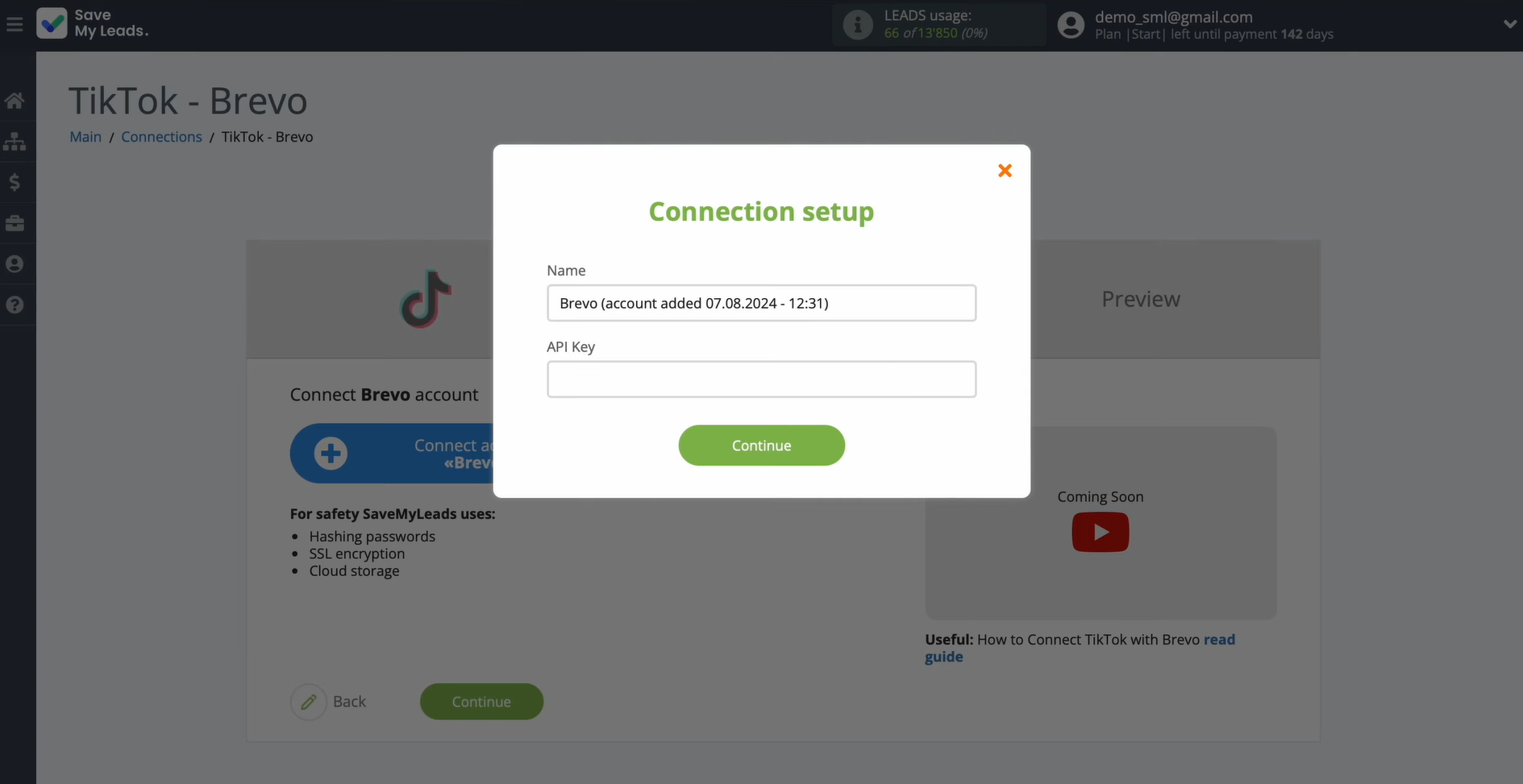
When prompted for an API key, log into Brevo to retrieve it.
Head to your account settings and look for the SMTP and API section.
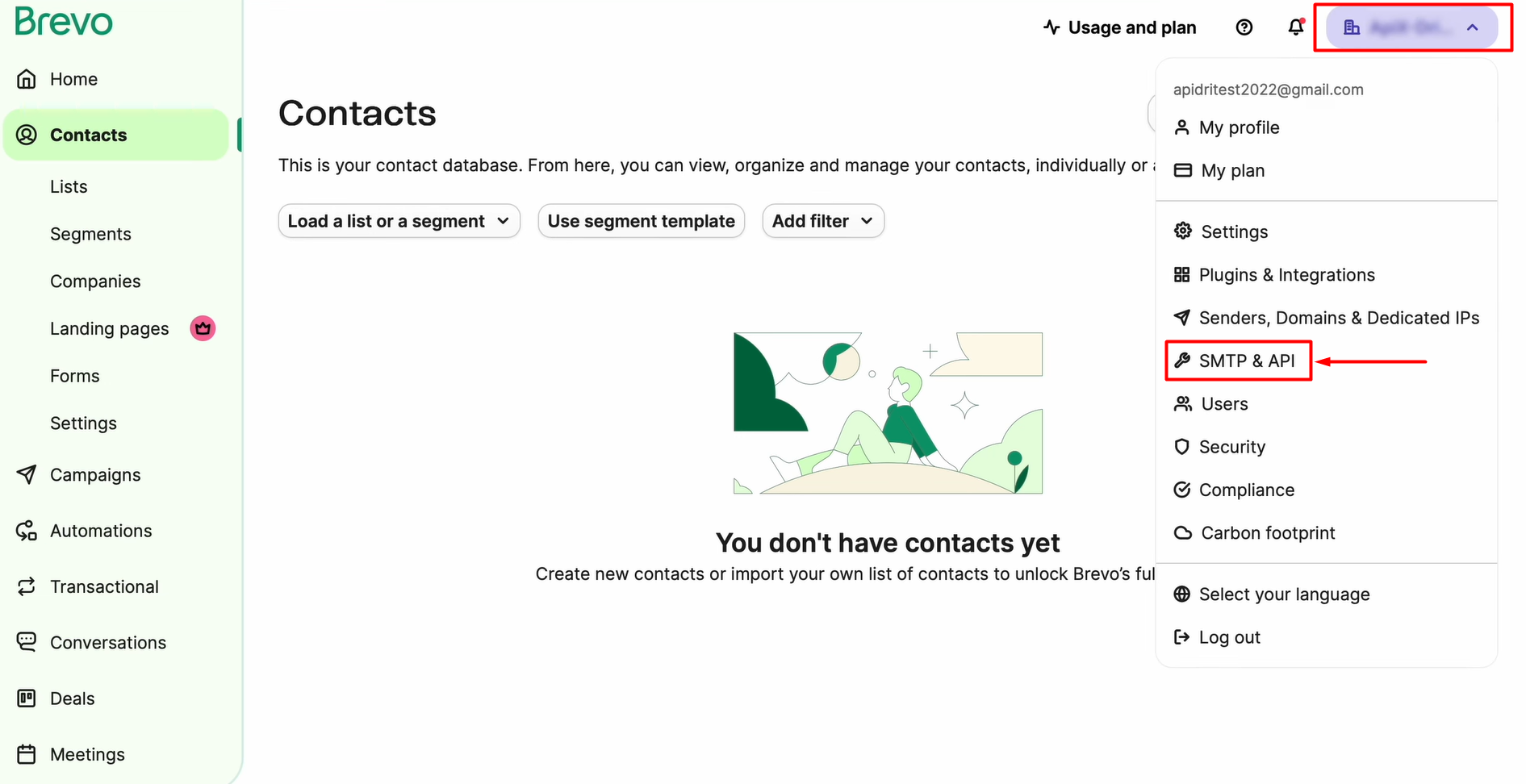
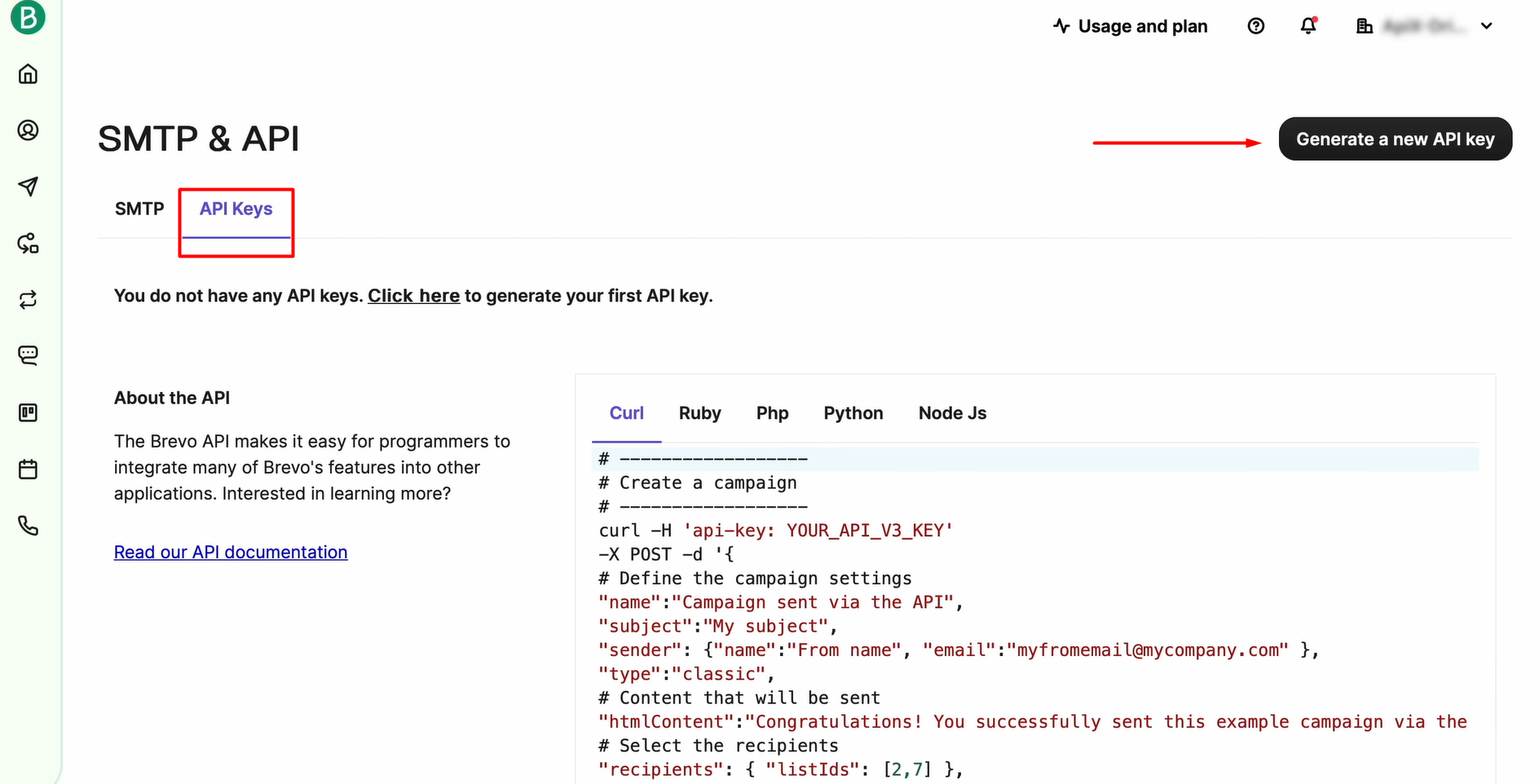
Open the API Keys tab and hit Generate a new API key.
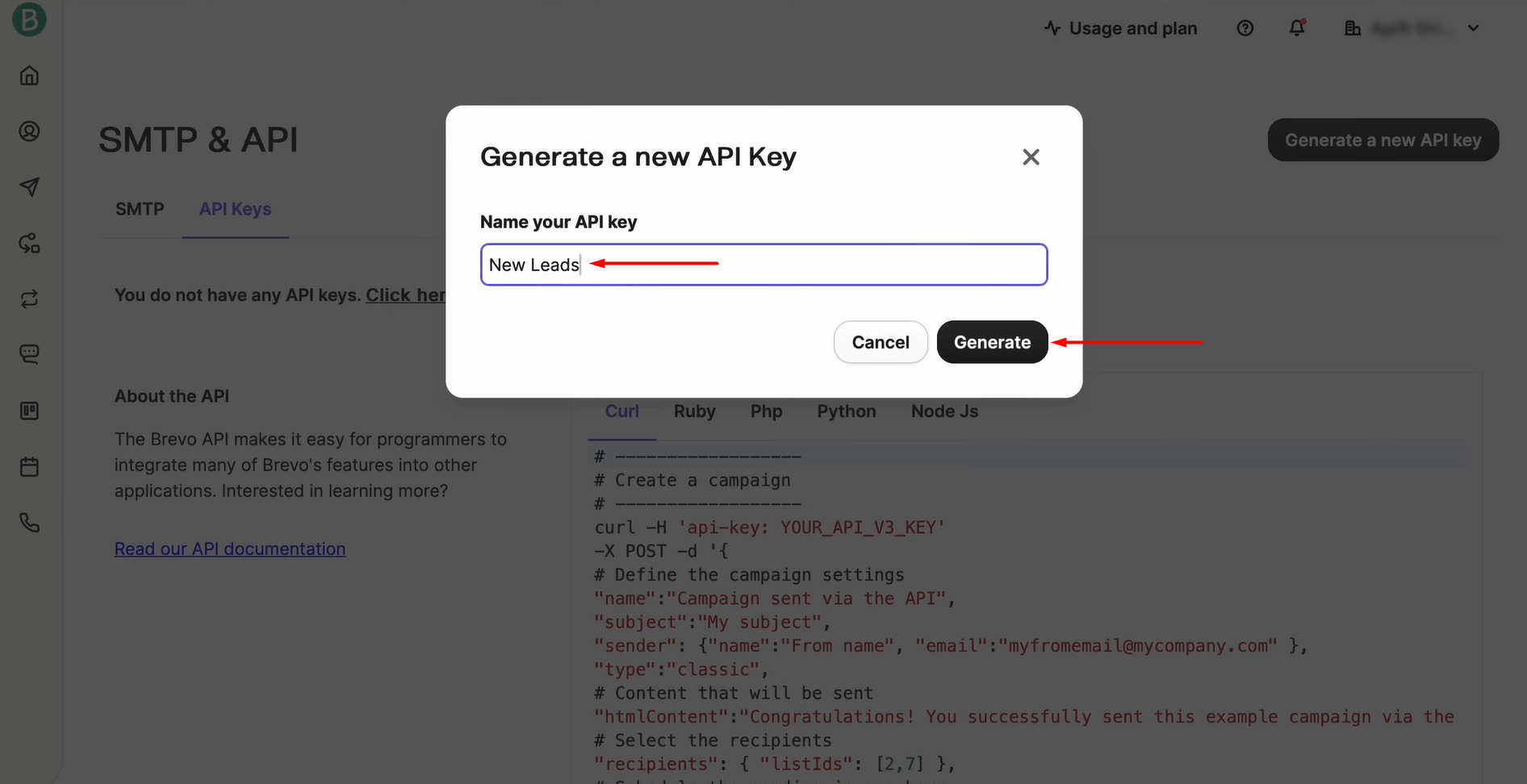
Give the key a recognizable name and click Generate.
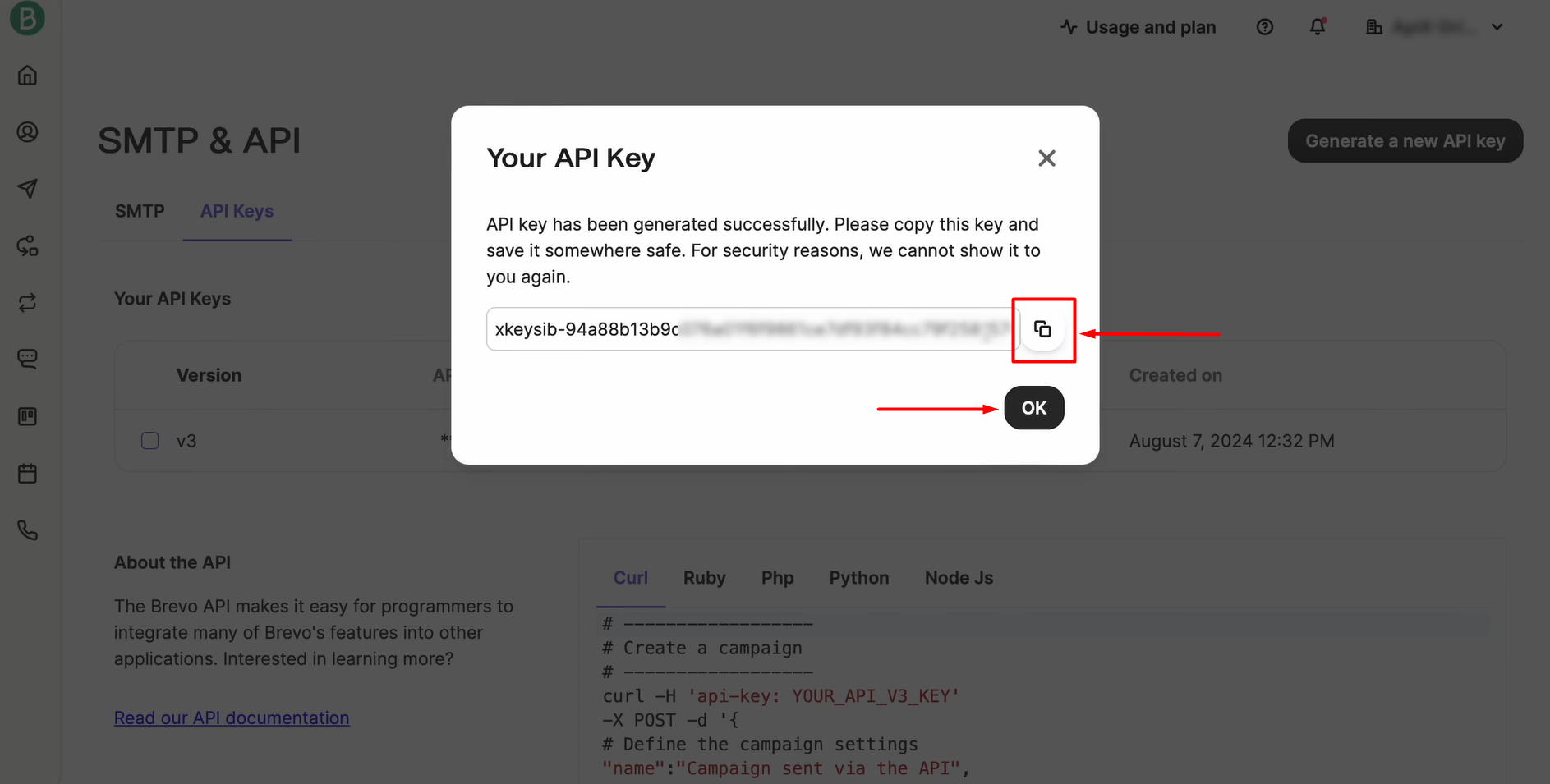
Copy the key.
Drop the key into the matching field in SaveMyLeads. With the field filled in, click Continue.
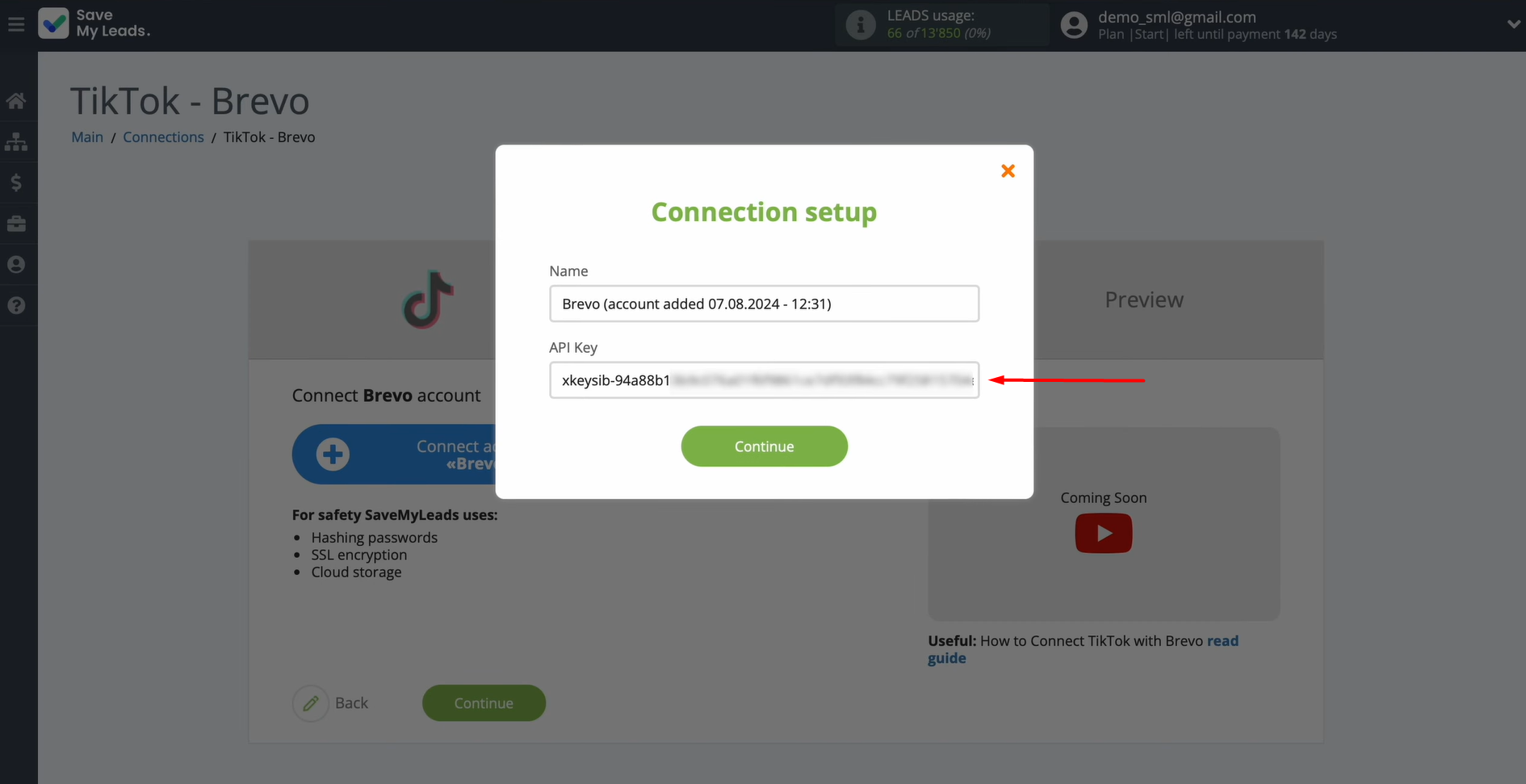
Once your Brevo login appears in the list, select it.
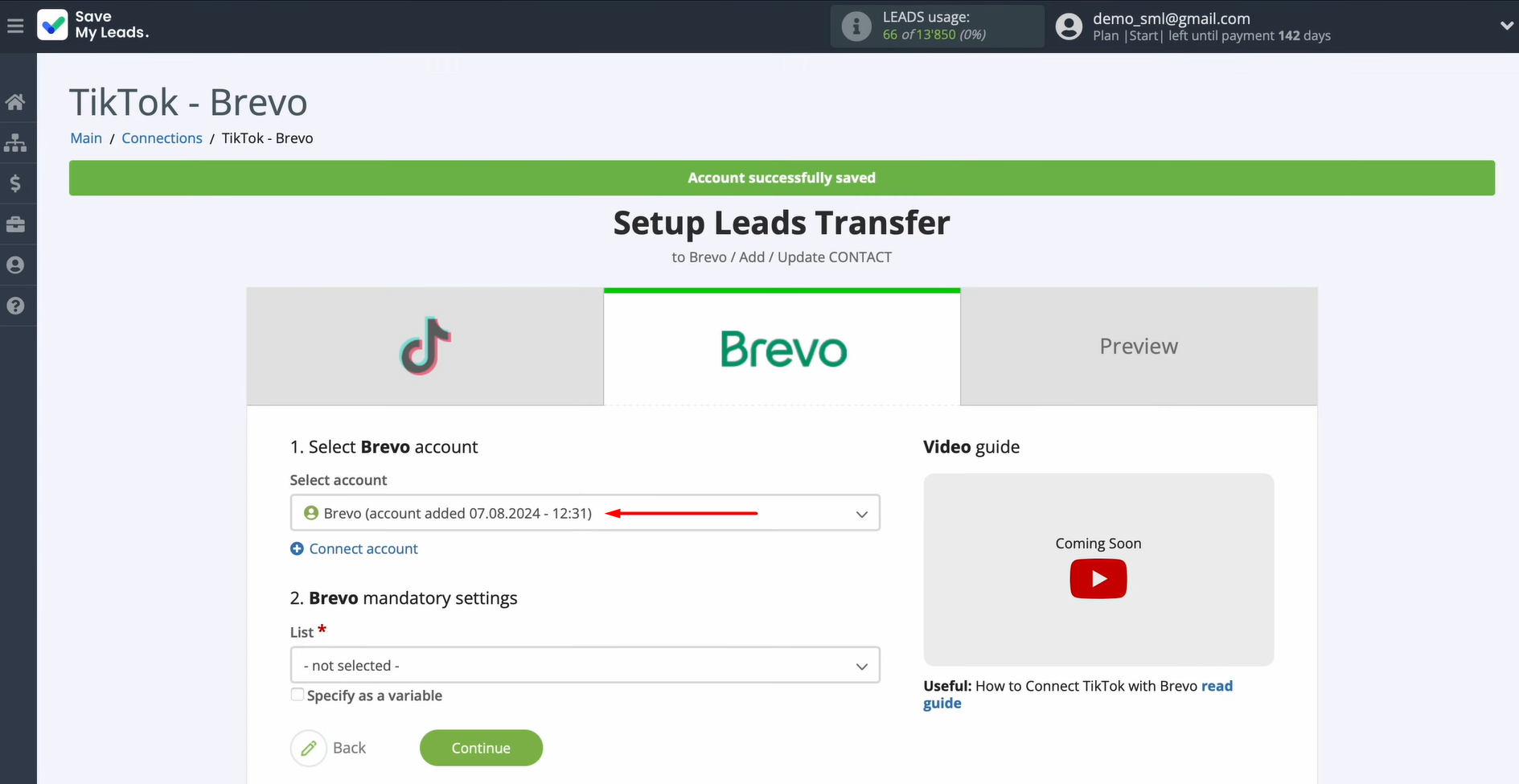
Choose which list the new contacts should be added to.
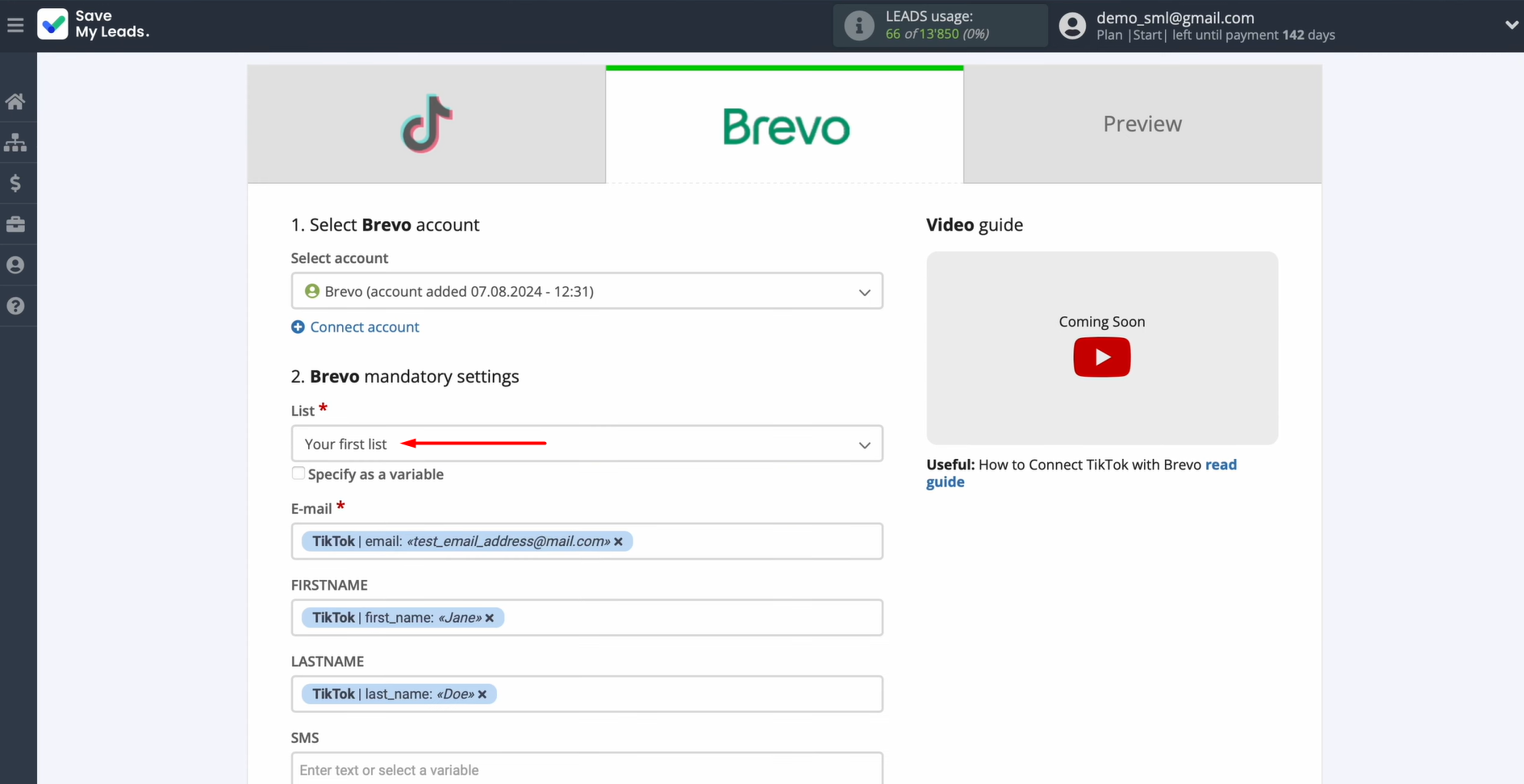
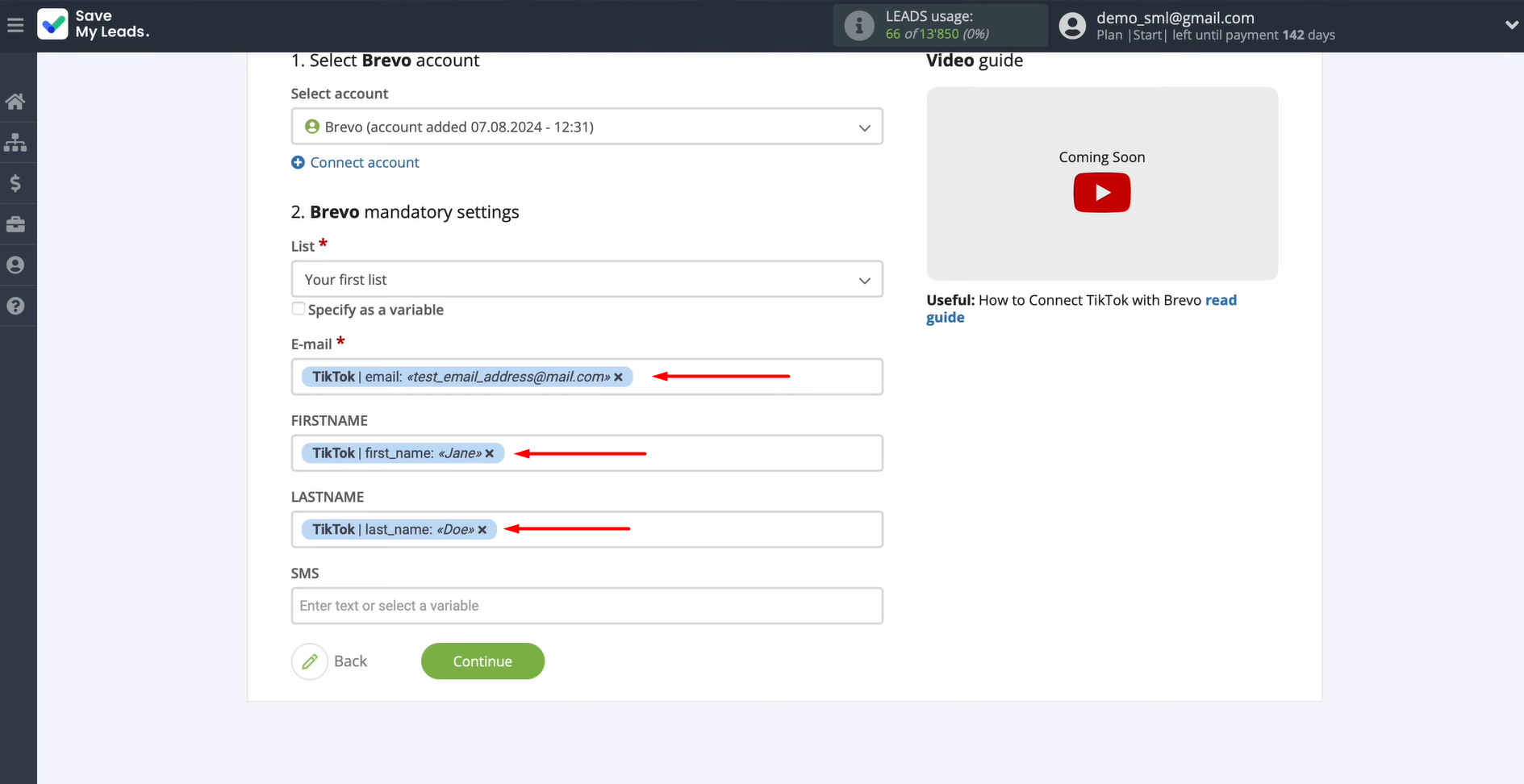
When the Brevo contact fields appear on the screen, click into each one and assign the relevant TikTok variable from the drop-down.
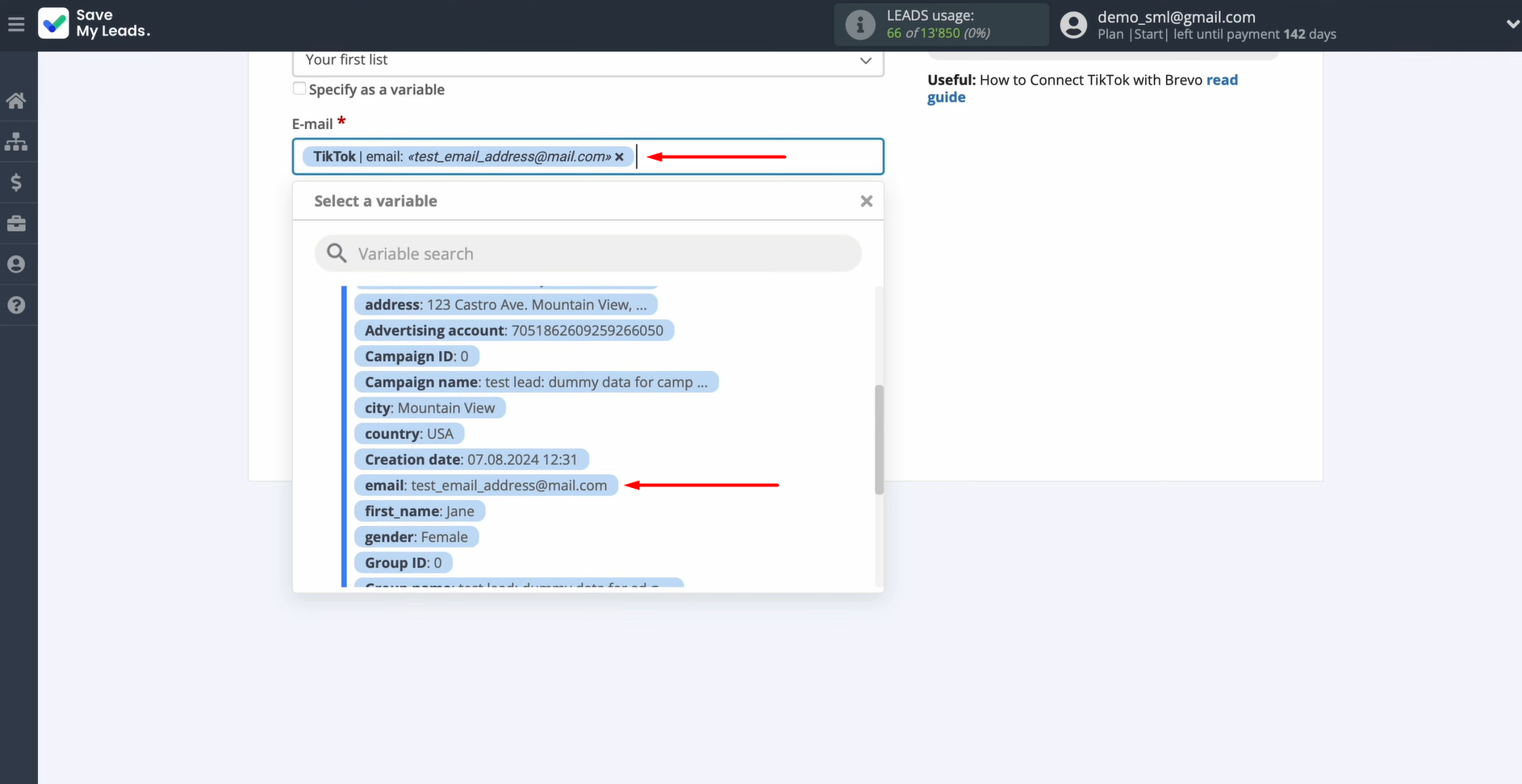
Once the field mapping is complete, click Continue.
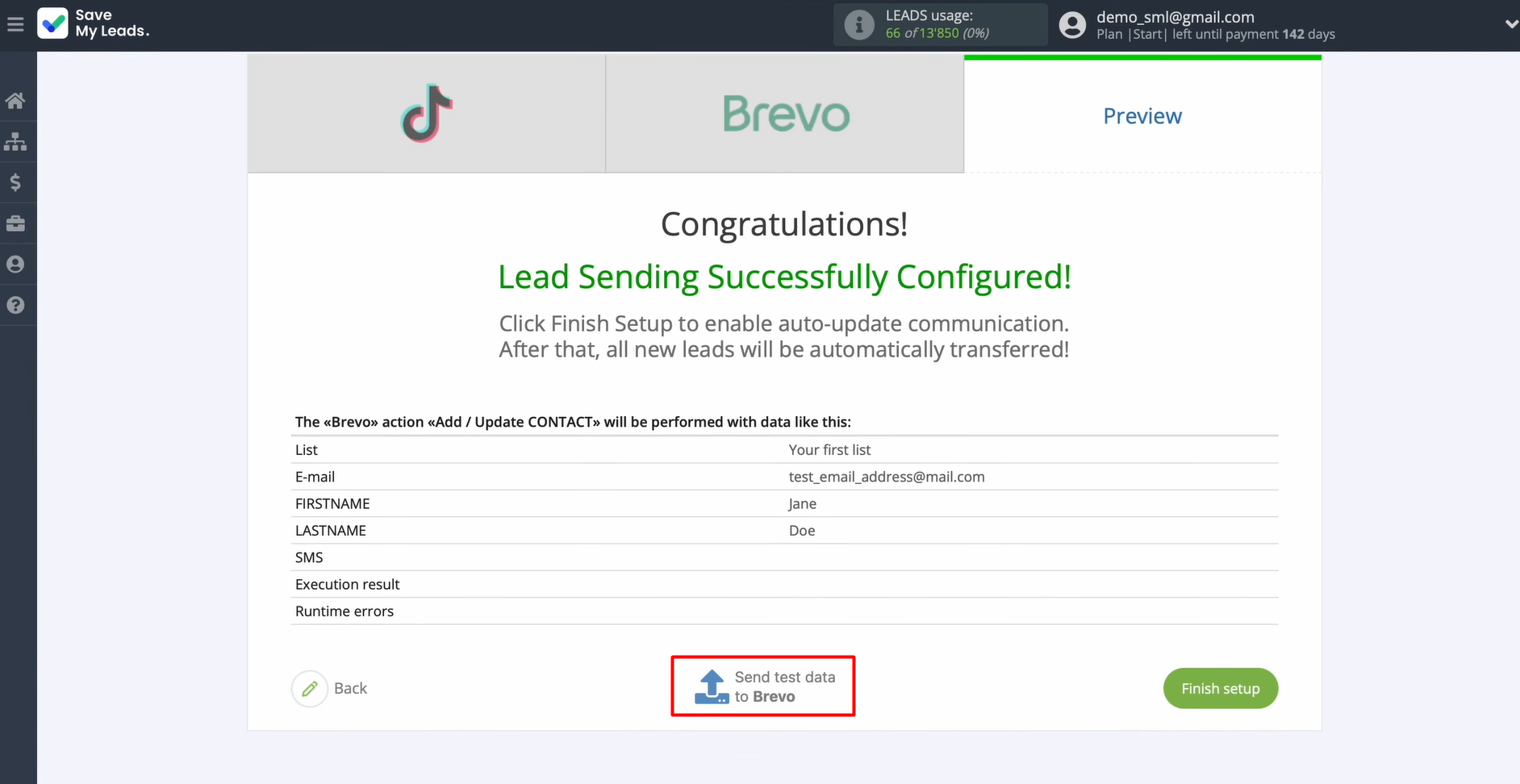
You'll see a preview of the data about to be sent. Not happy with something? Click Back to revise. Ready to test? Hit Send test data to Brevo.
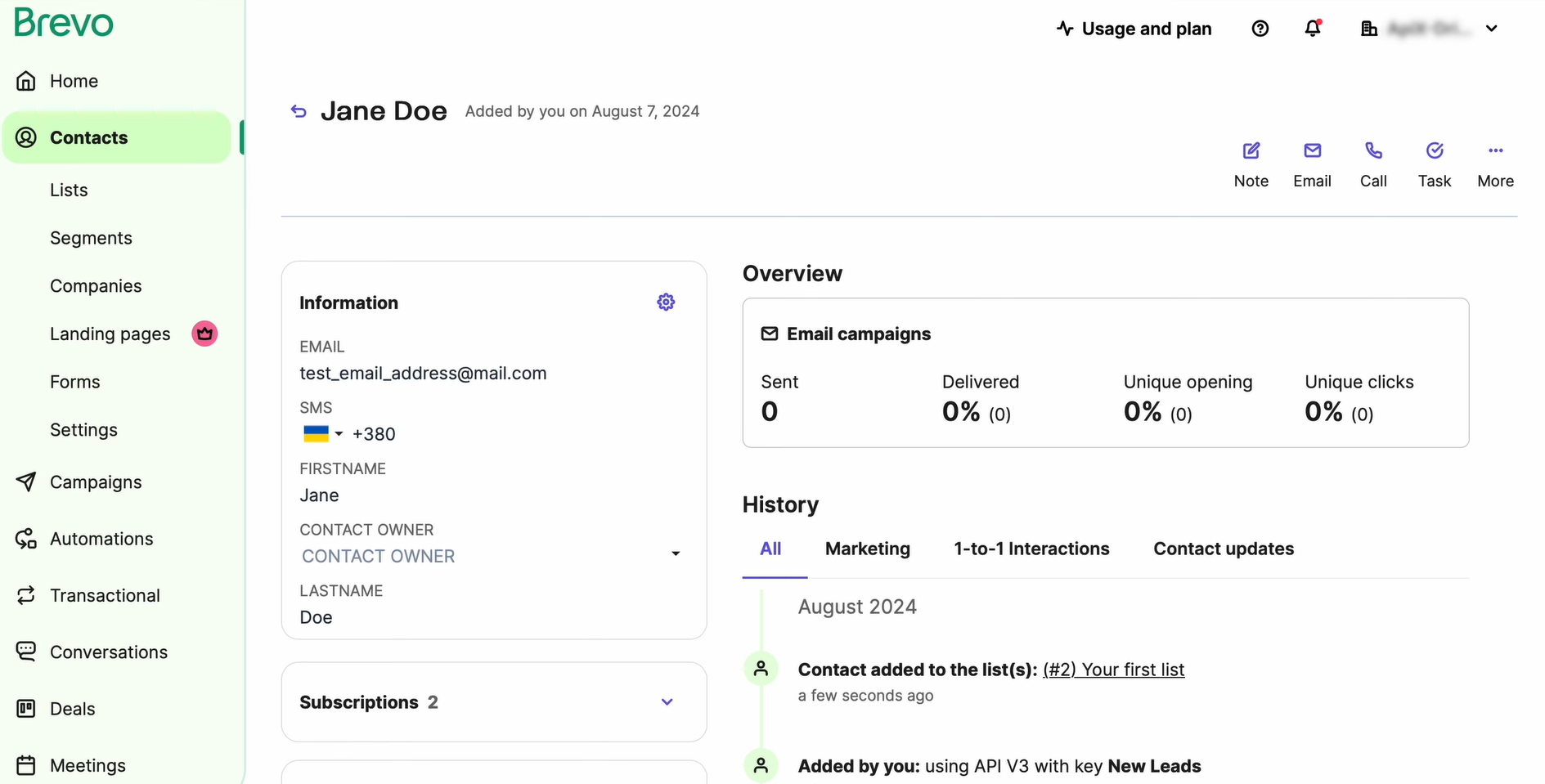
Switch over to Brevo and confirm the test contact came through correctly.
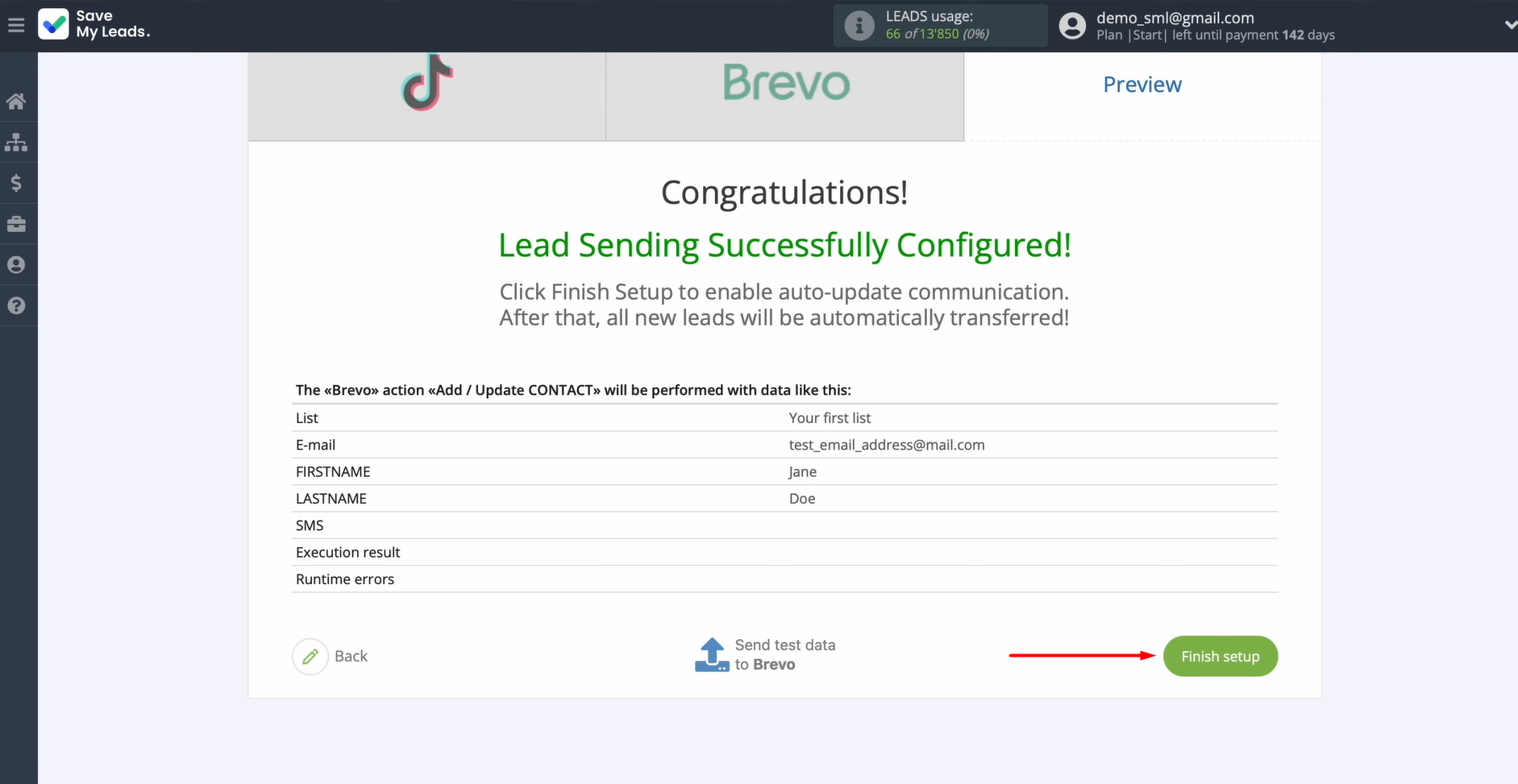
Once you're satisfied, head back to SaveMyLeads and move forward.
Auto-Update
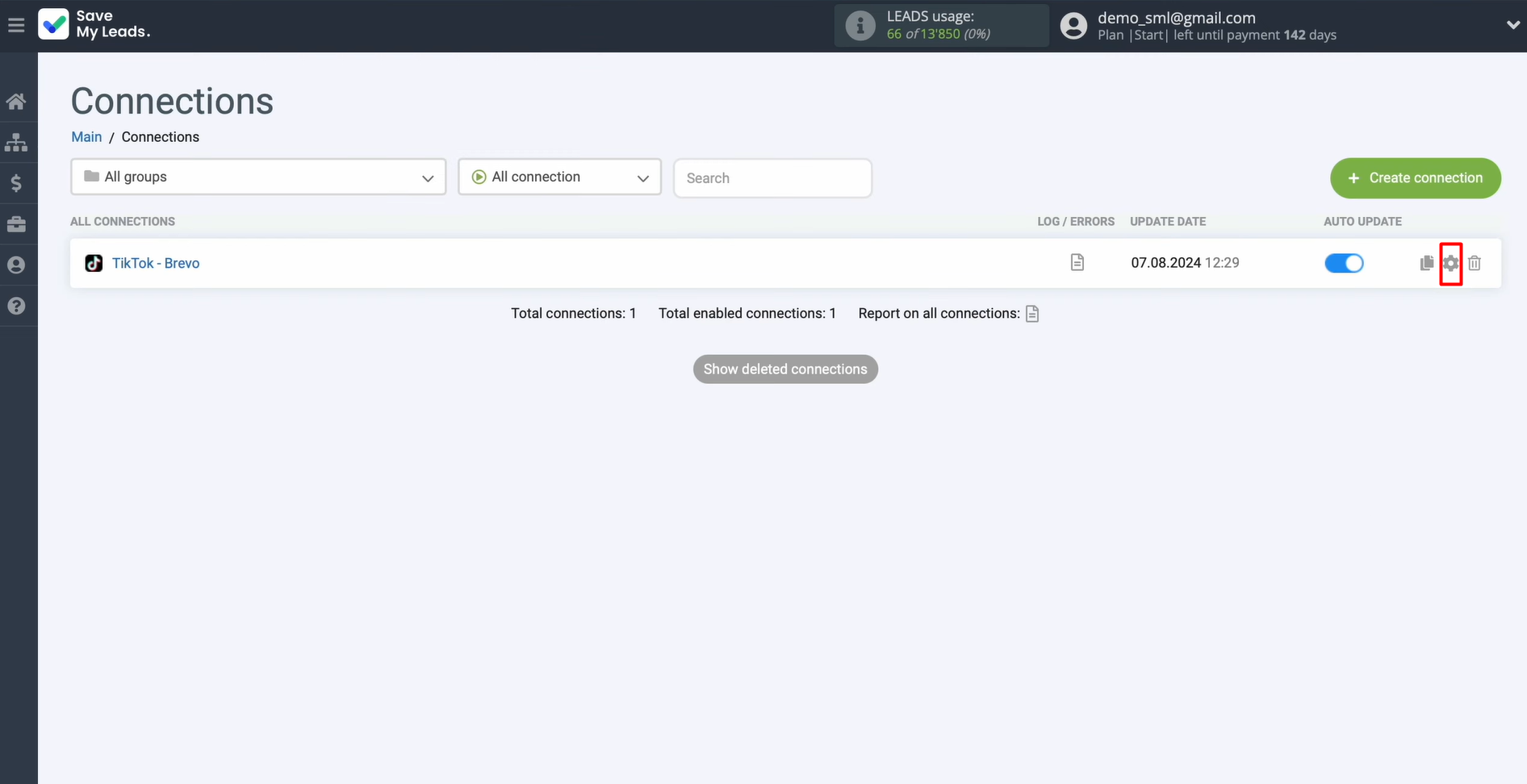
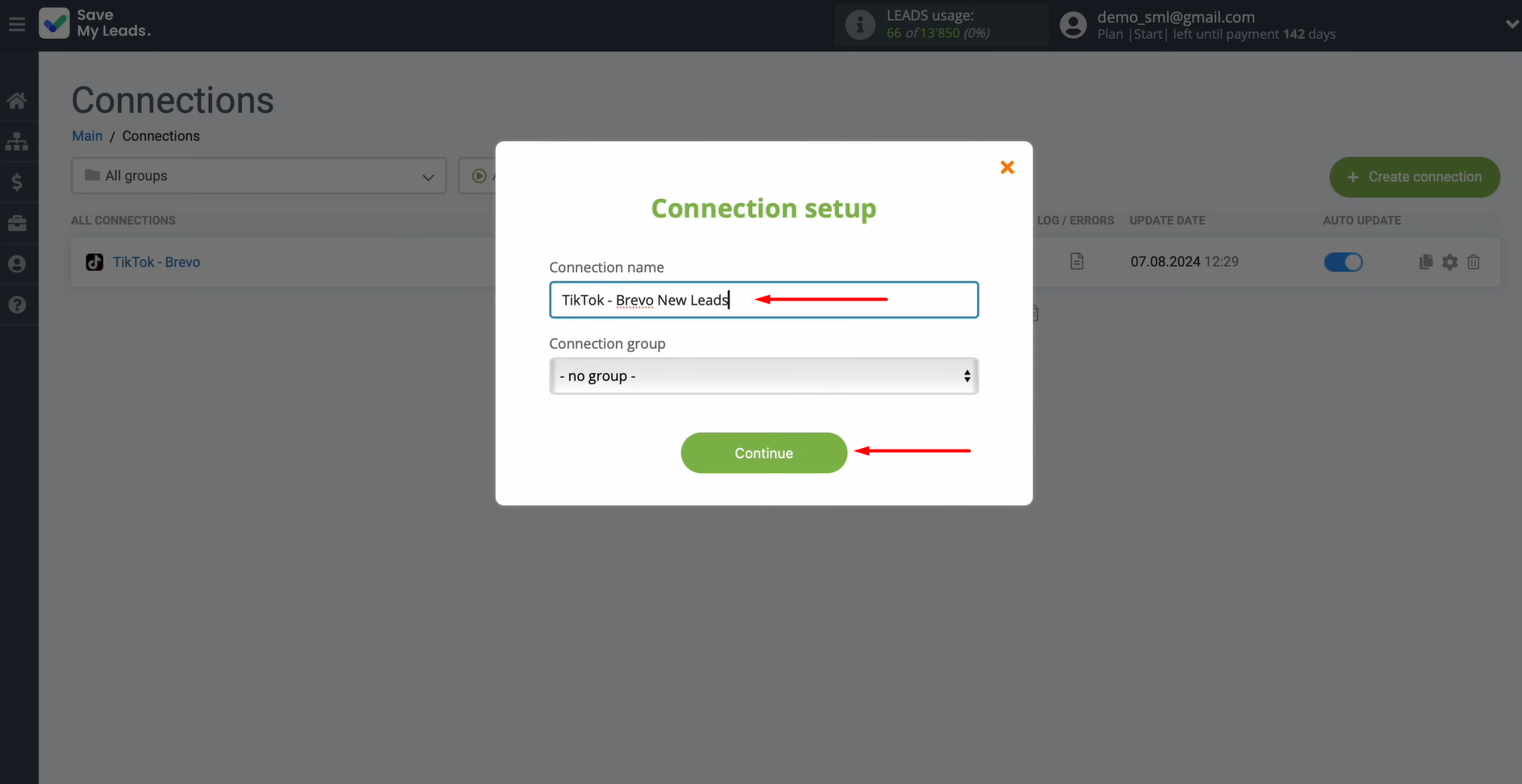
To keep things running on their own, turn on auto-update by clicking Finish setup.
Want to give the connection a custom name? Do it in the settings.
Results
The integration of TikTok and Brevo automates one of the most important operational processes of working with leads by transferring their data from the advertising form to the email marketing platform. This ensures maximum speed of first contact with potential customers. Automatic transfer of lead data to Brevo allows you to respond to their requests much faster, launch email campaigns without delays, and reduce the workload on managers.
SaveMyLeads makes integration setup simple and intuitive. This makes it ideal for non-technical users. With it, businesses can quickly reap the benefits of automation, improving lead management, boosting conversion rates, and driving more sales.
Step-by-Step Guides for Setting Up Integrations:
- TikTok and Slack Integration: Automatically Sending Channel Notifications
- Google Lead Form and Asana Integration: Automatic Data Transfer
- TikTok and Trello Integration: Automatic Conversion of New Leads into Tasks
- Google Lead Form and Monday.com Integration: How-to Guide
- How to Integrate TikTok with GetResponse: Step-by-Step Guide