
TikTok advertising helps businesses attract potential customers. However, for leads to become buyers, it is important to communicate with them in a timely manner. While you are manually transferring contacts from the TikTok Ads Manager to an email service, potential customers may lose interest in the product or service or turn to competitors. TikTok and Resend integration solves this problem by automating the transfer of lead data from the social network to the email service. Now you will learn how this happens and how to connect both platforms to speed up the receipt of personalized emails by your potential customers, improve conversion, and at the same time get rid of routine.
TikTok and Resend Integration: Faster, More Reliable Lead Management
The main value of Resend and TikTok integration is that it solves two of the most harmful marketing problems at once. These are communication delays and human error. Communication becomes much faster due to regular monitoring of new leads and direct transfer of data from one platform to another. After SaveMyLeads processes a new form submission, it can trigger an email through Resend.
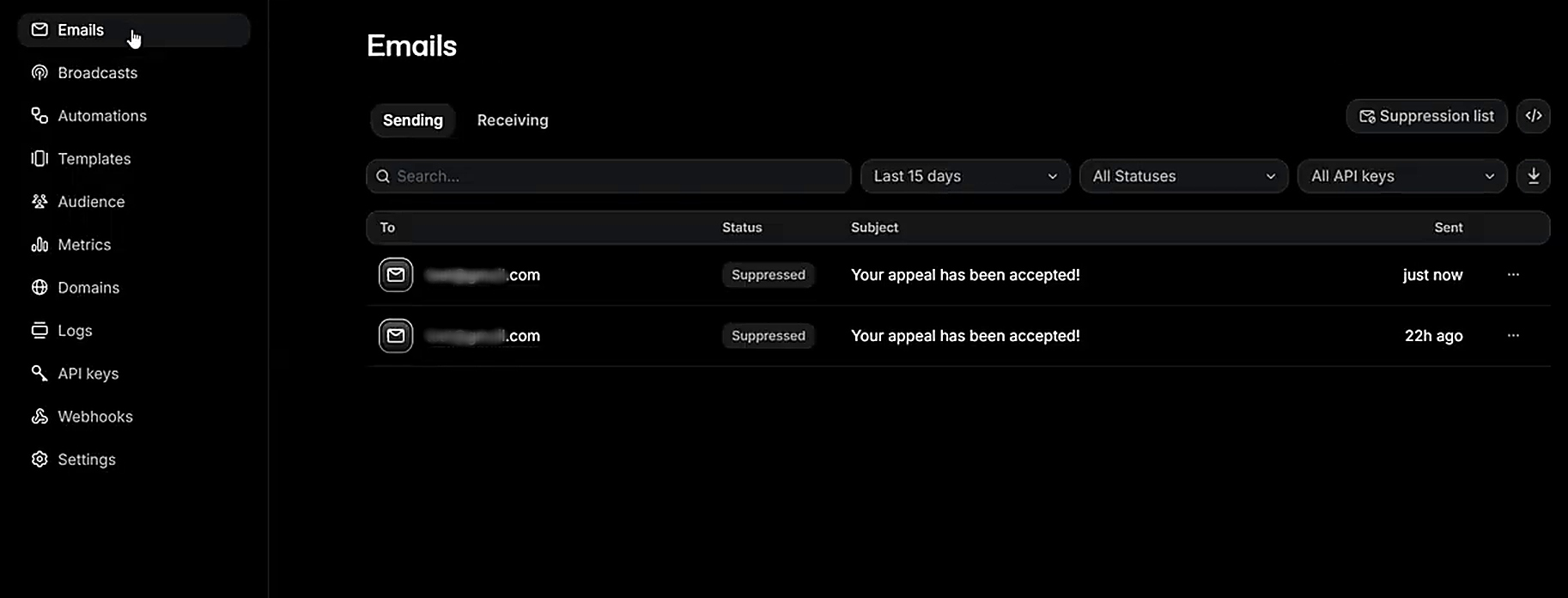
Along with the speed, the quality of work increases. This is due to the absence of manual data entry. Contacts no longer sit in CSV files waiting to be transferred manually, and automated data transfer reduces the risk of data-entry errors.
The impact of TikTok and Resend automation is felt at all levels of the company:
- For the company as a whole: faster responses can help reduce missed opportunities, support conversions, and improve the customer experience. Results depend on lead quality, email content, and the sales process.
- For the head of the marketing or sales department: the need to control the manual export of leads from TikTok Ads Manager disappears. Managers can review email delivery statuses in Resend. Open tracking is available when enabled for the sending domain, but open rates should be interpreted cautiously.
- For the team and managers: employees are freed from the tedious routine of copying data. Instead of manually transferring contacts, they can start interacting with warm leads.
TikTok and Resend email automation is useful for businesses that build sales through emotional impulse traffic on TikTok and need to engage potential customers quickly. It is best suited for companies that sell clothing, cosmetics, perfumes, and interior products and for entrepreneurs engaged in 3D printing. Such automation can also improve the marketing performance of beauty salons, private aesthetic clinics that collect applications for consultations and beauty procedures, special equipment or car rental services, and event agencies, as well as niche B2B consulting.
How to Connect TikTok to Resend
Custom integration of both platforms is possible. However, this is a rather complex task that requires knowledge of how to work with APIs, correct data exchange settings, and willingness to provide technical support.
The SaveMyLeads no-code connector offers ready-made integrations for TikTok and Resend. You can set it up in just a few minutes. No technical experience is required. Basic computer skills are enough.
Technically, the process is simple: you connect your TikTok account to the connector, select the relevant TikTok advertising account and lead form, then connect your Resend account, match the fields with the data, test the integration, and enable automatic updates. Once auto-updates are enabled, SaveMyLeads uses new submissions from the selected TikTok form to trigger the configured Send Email action in Resend.
For promotional emails, collect explicit opt-ins through your TikTok form and send only to leads who have agreed to receive them. Include an unsubscribe option and honor opt-out requests in accordance with Resend’s sending policy.
Below is a step-by-step guide that will help you get up and running as quickly as possible and start automatically emailing TikTok leads.
Data Source Settings: TikTok
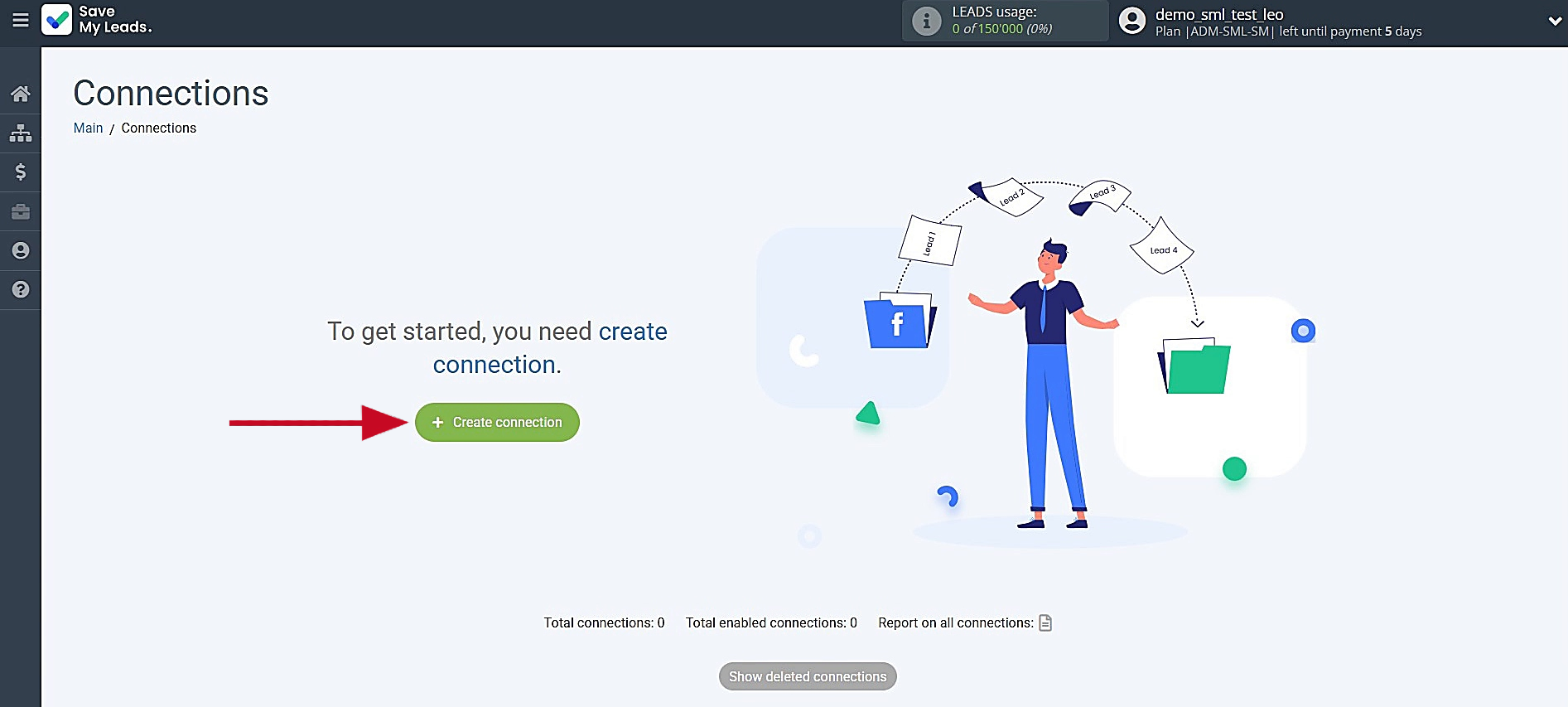
Begin the process by creating a new connection.
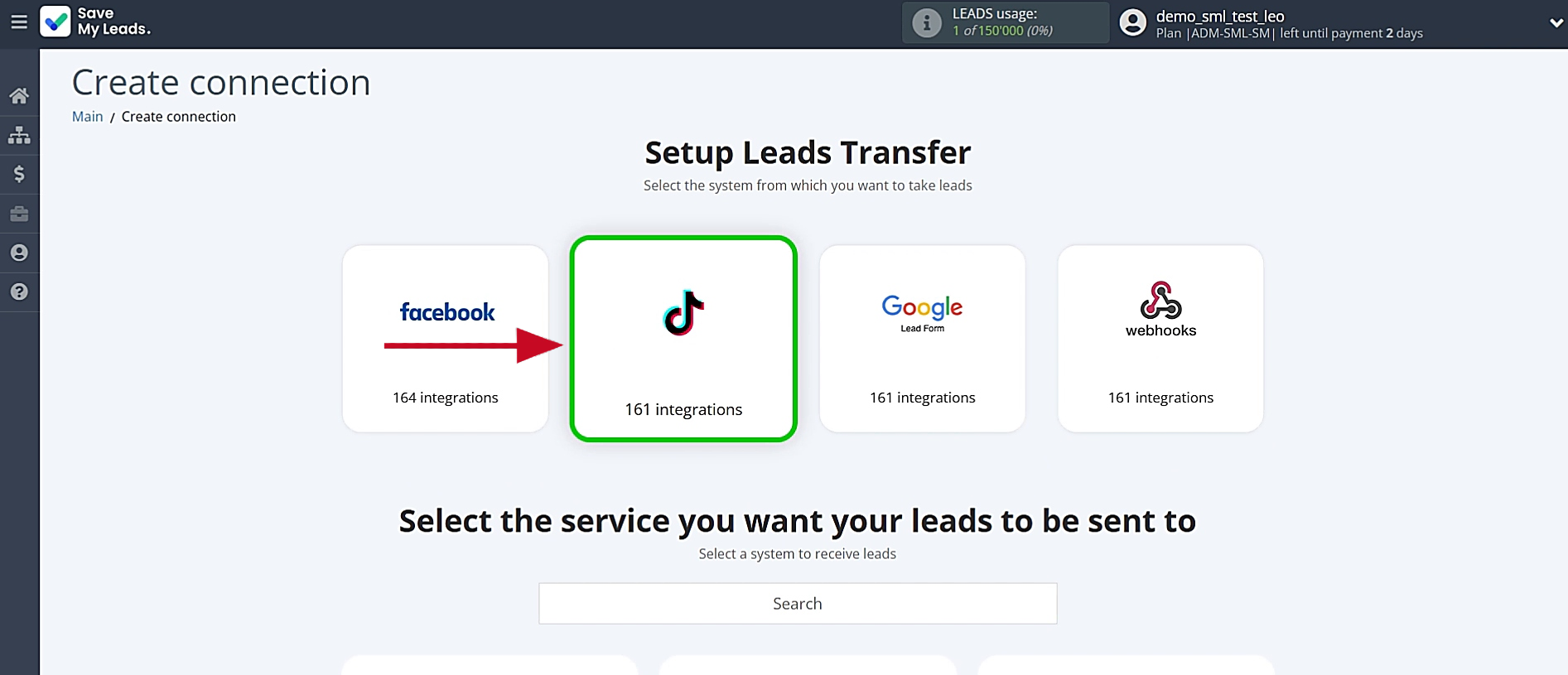
Choose the data source system. For this integration, select TikTok.
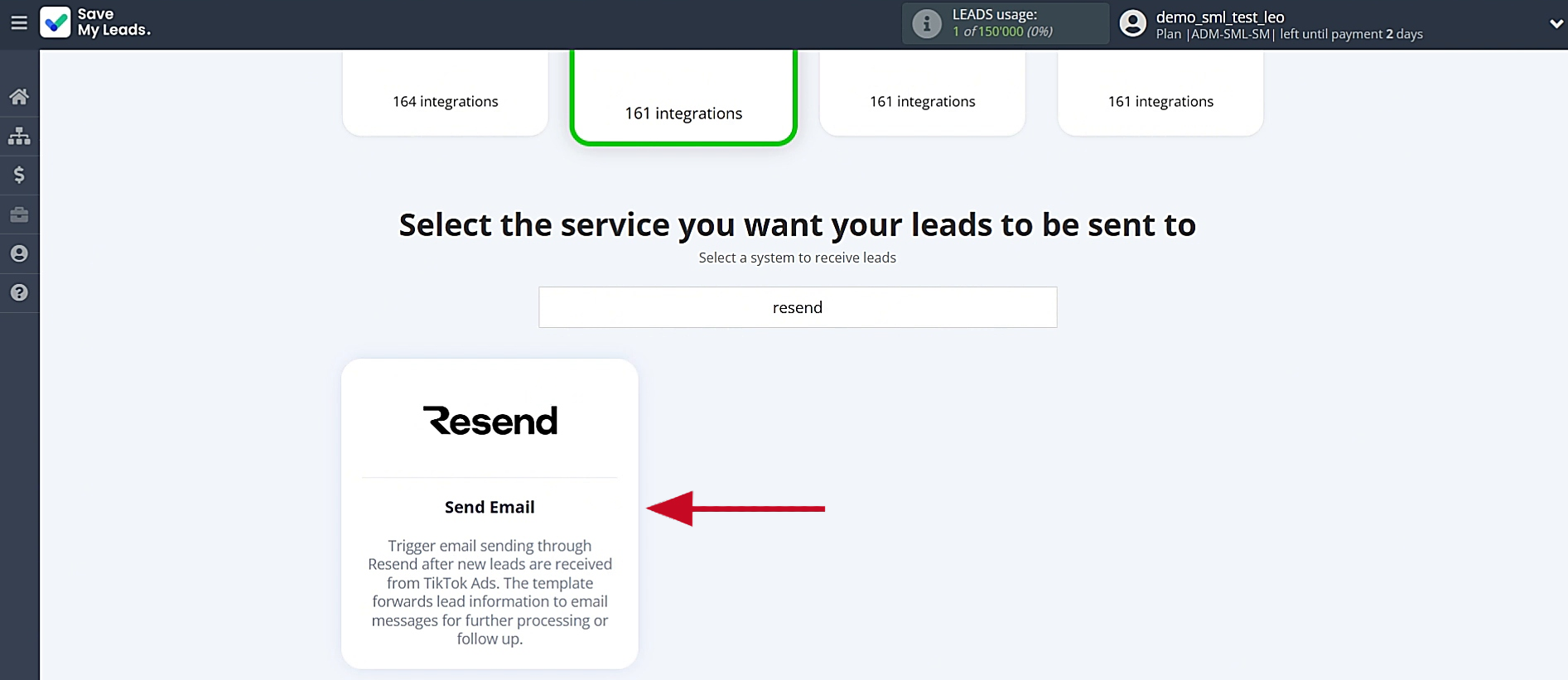
Select the destination system for transferring new leads from TikTok. You need Resend (Send Email).
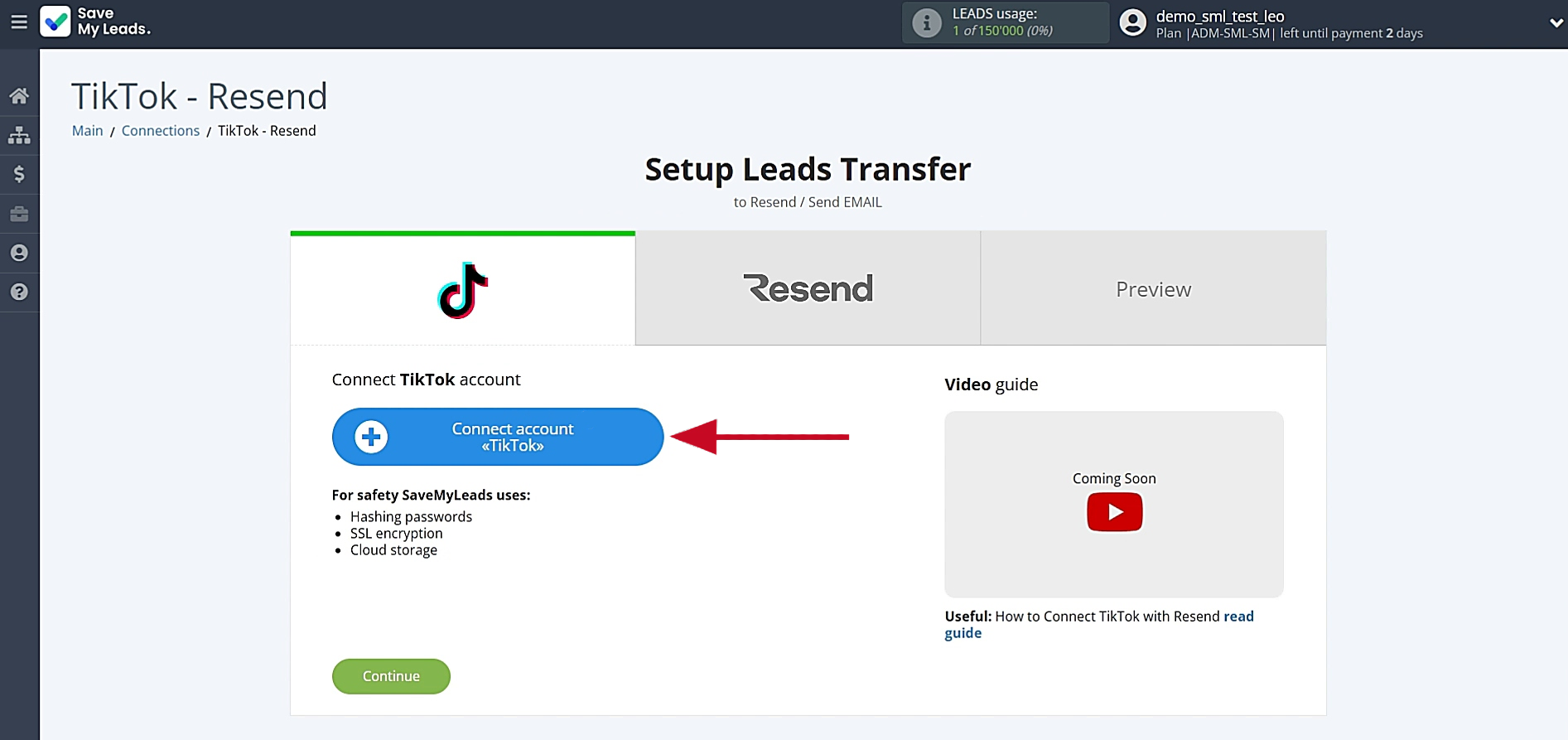
Link your TikTok account with SaveMyLeads.
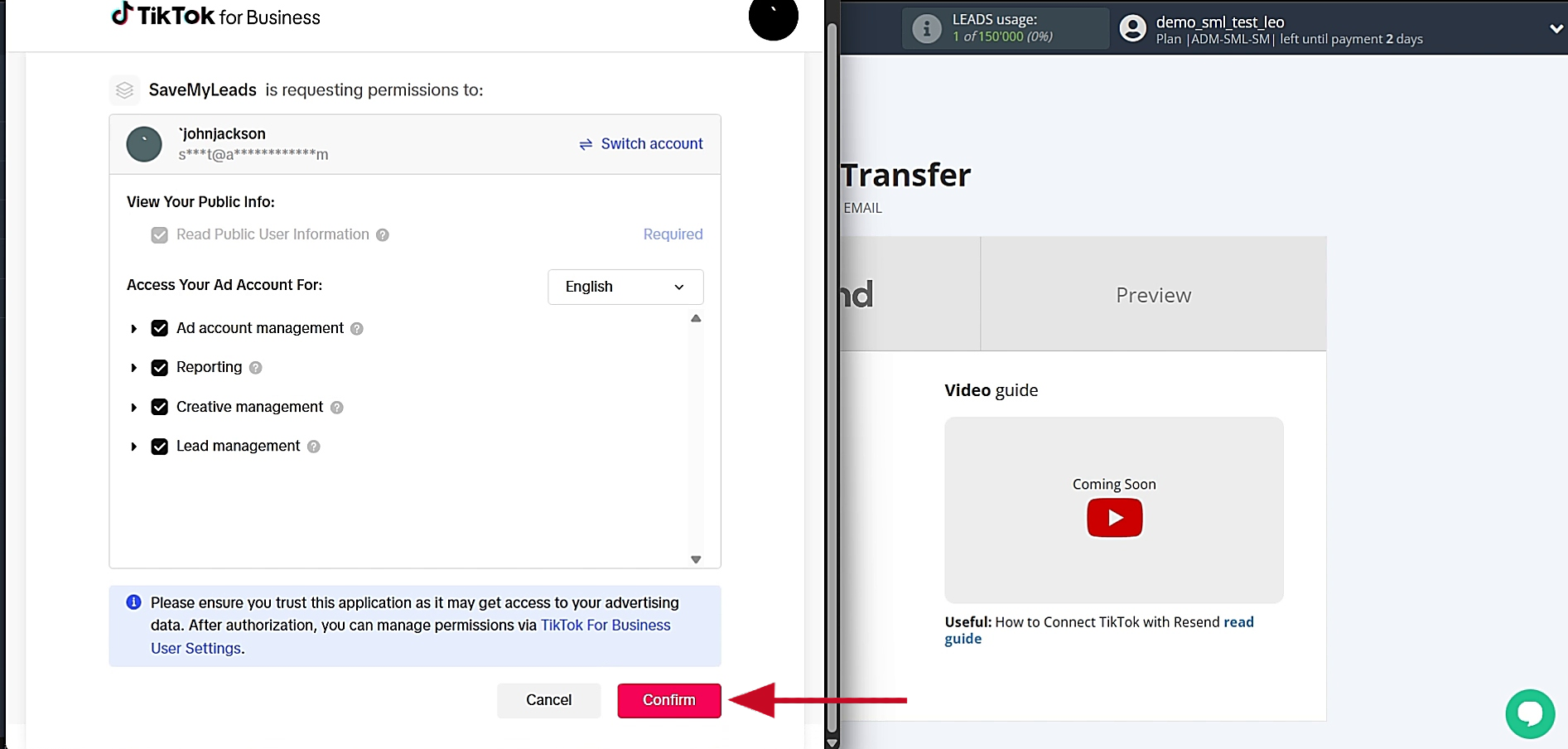
Sign in through TikTok’s authorization window and grant SaveMyLeads the permissions required to access lead data for the selected advertising account.
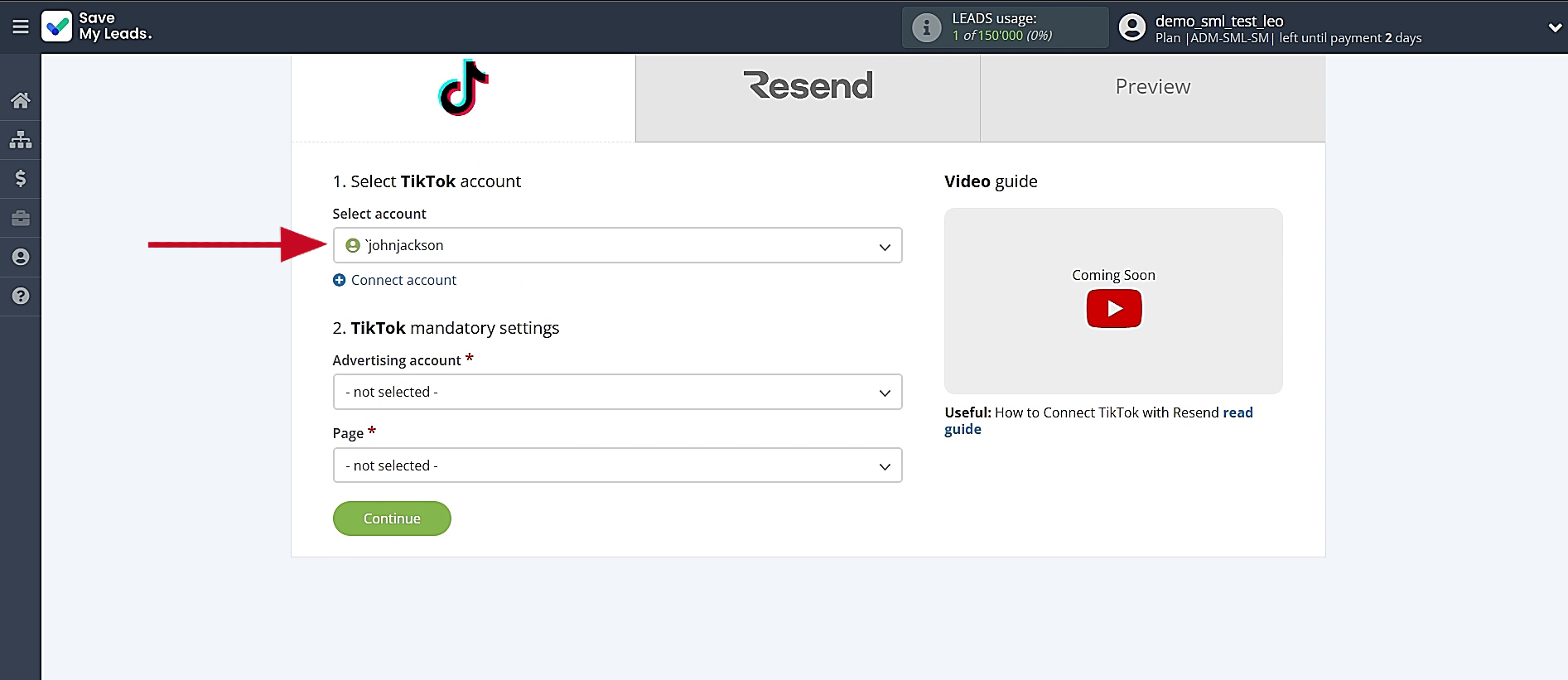
When your account shows up in the list, click on it to select it.
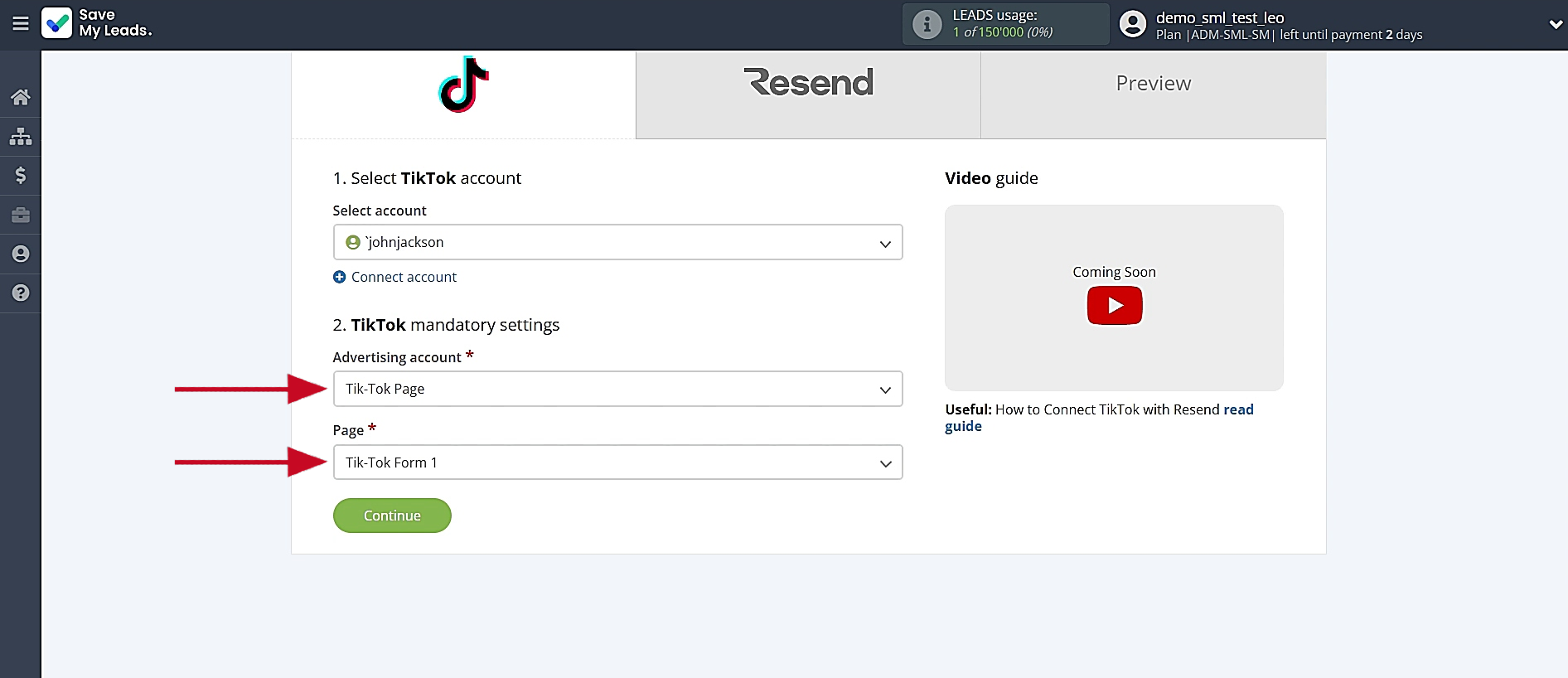
Select the relevant TikTok advertising account and lead form, then click Continue.
Data Destination Settings: Resend
The next step is to link your Resend account to SaveMyLeads.
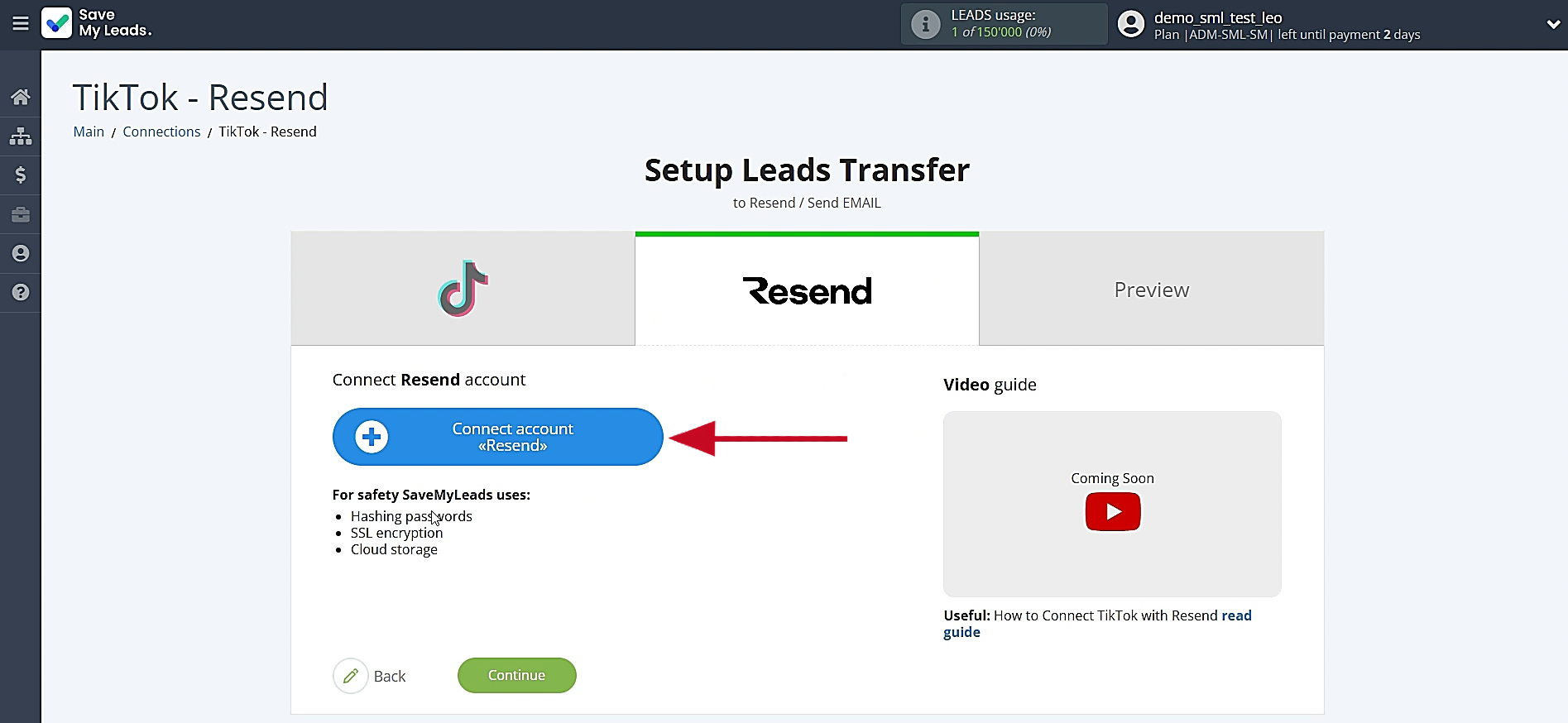
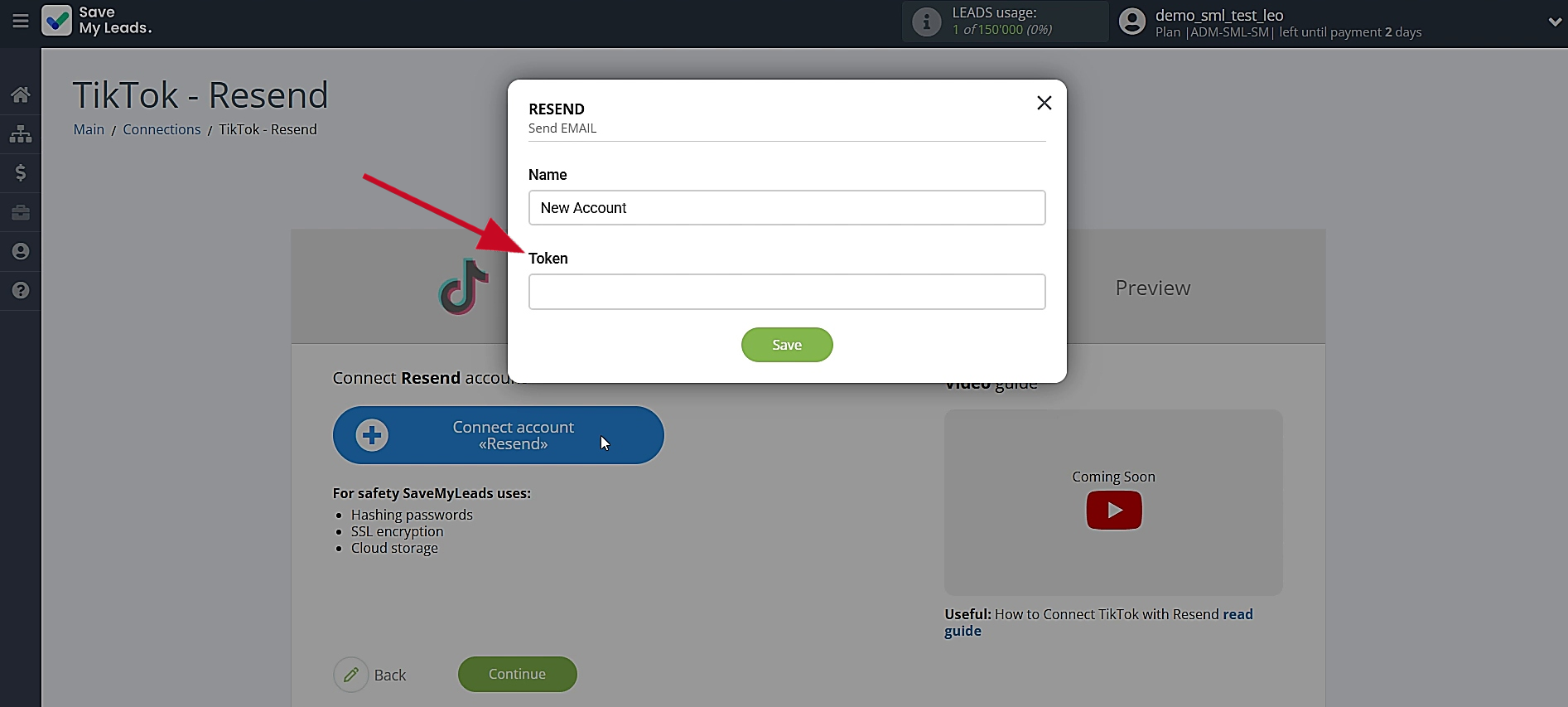
In the window that opens, you must specify your API token from Resend.
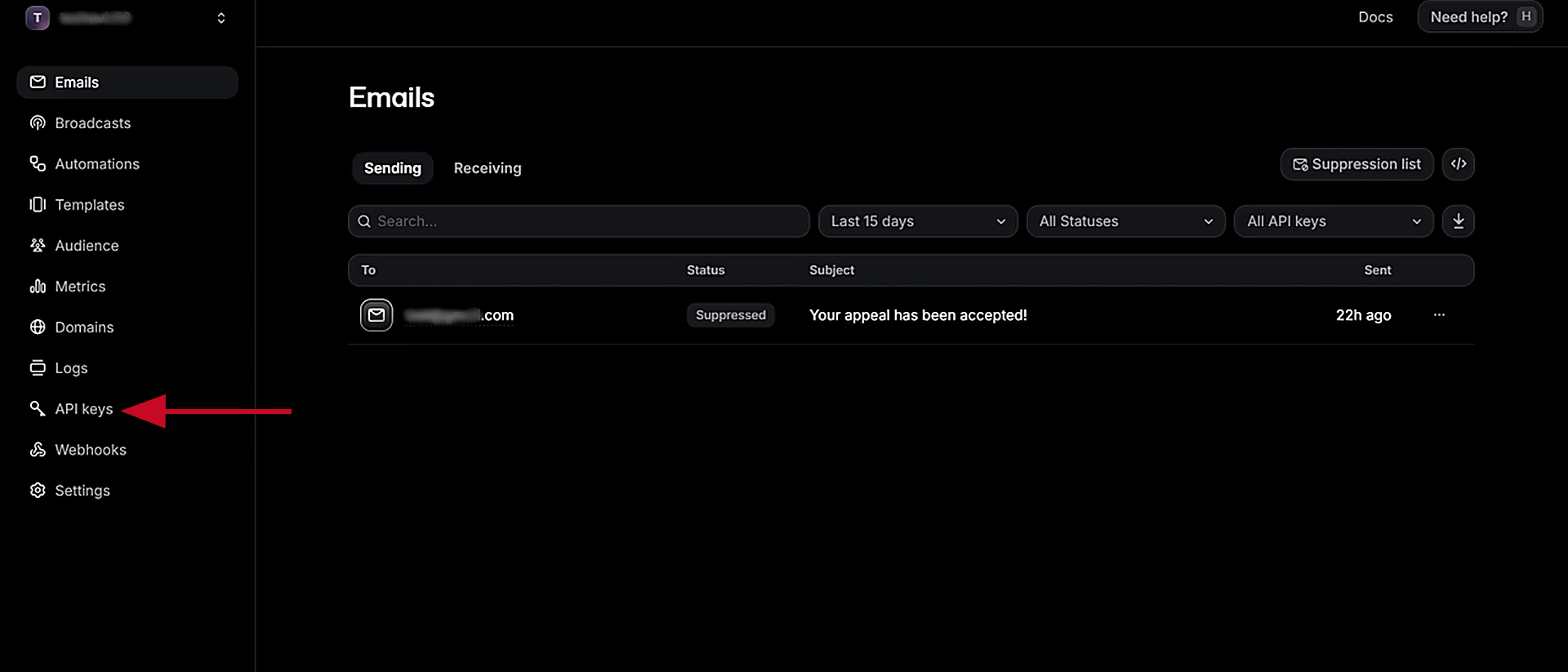
Go to the API keys section of your Resend account.
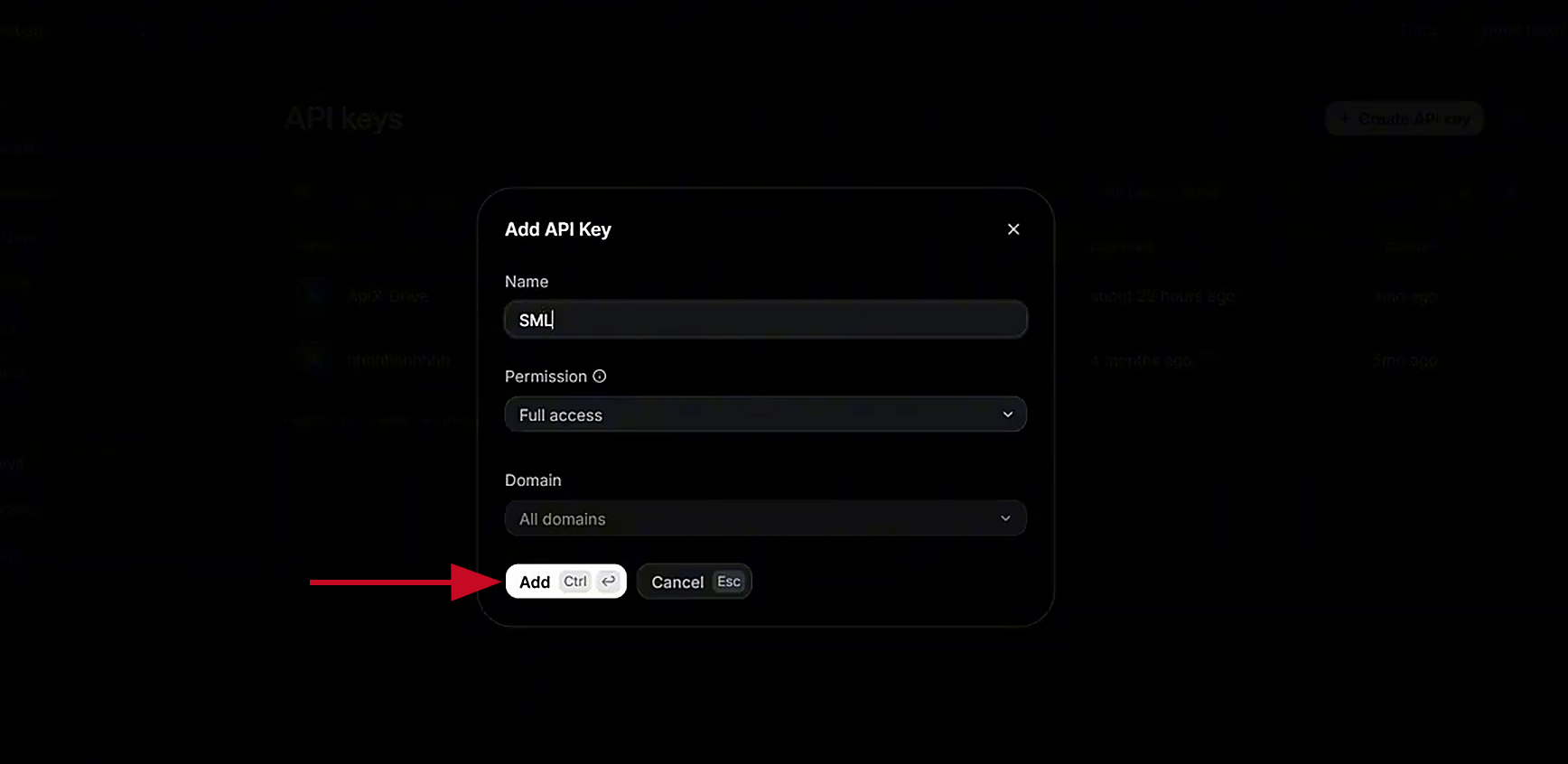
Click Create API key. Enter your token name and click Add.
Copy the API key.
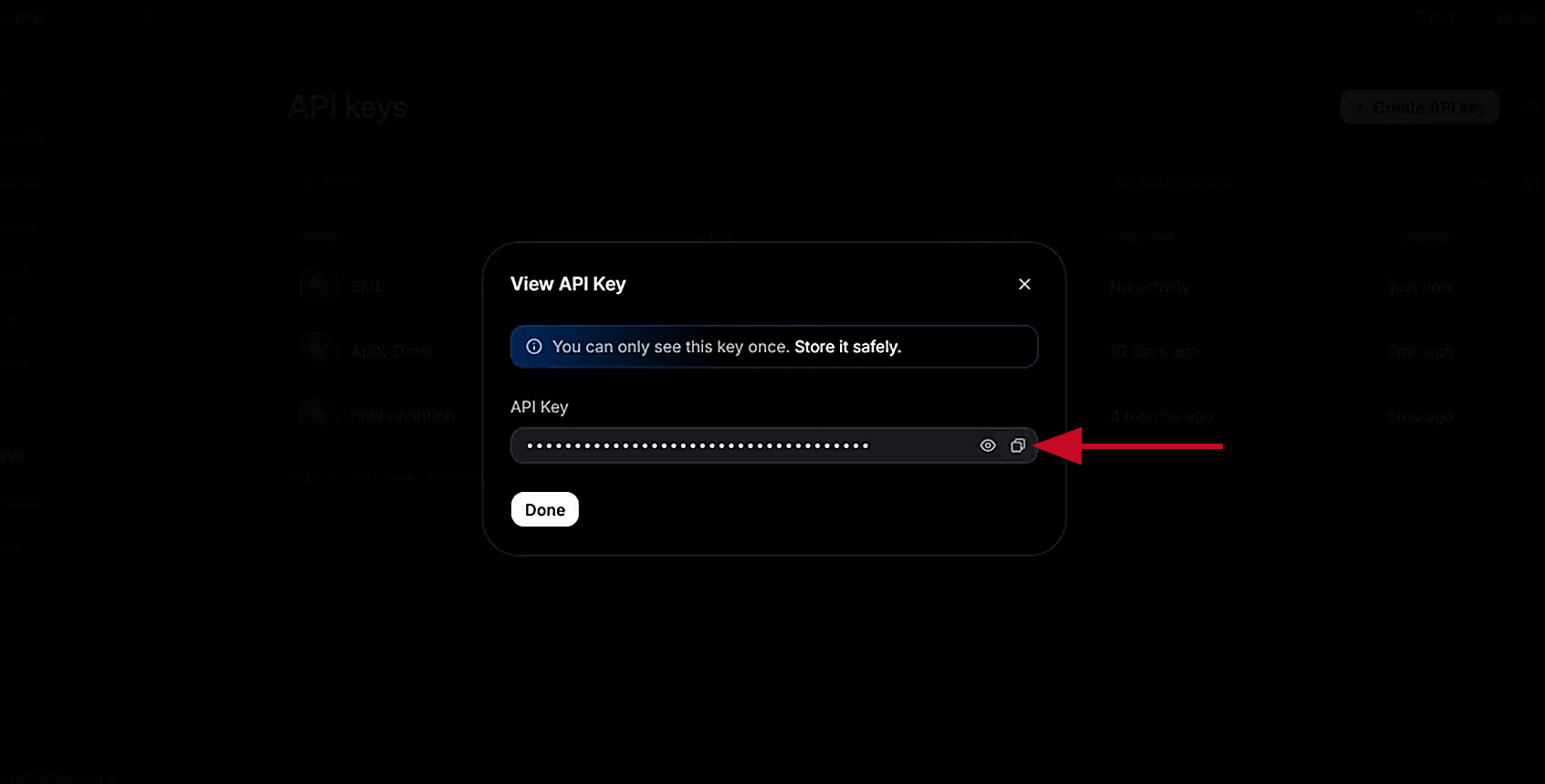
Paste the API key into the appropriate field in the SaveMyLeads system and click Save.
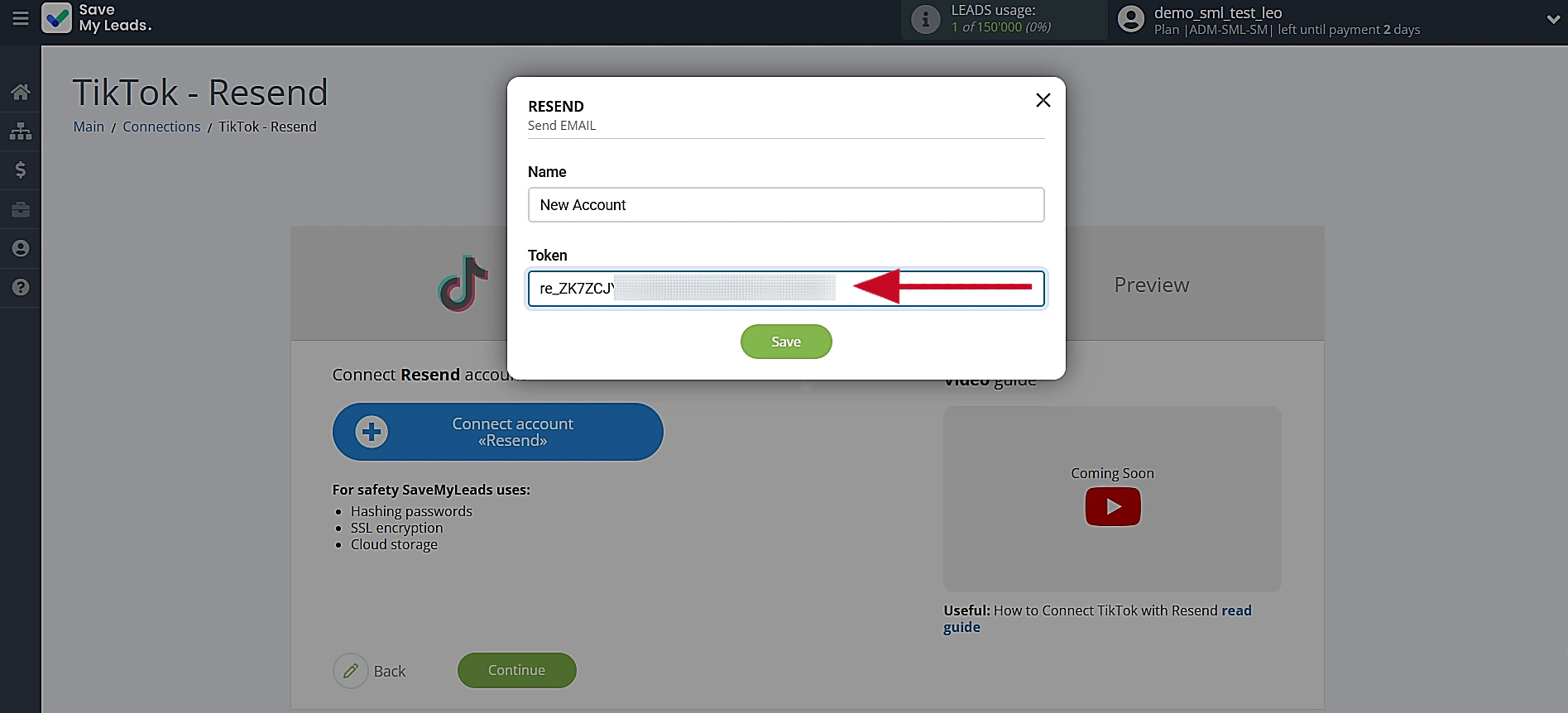
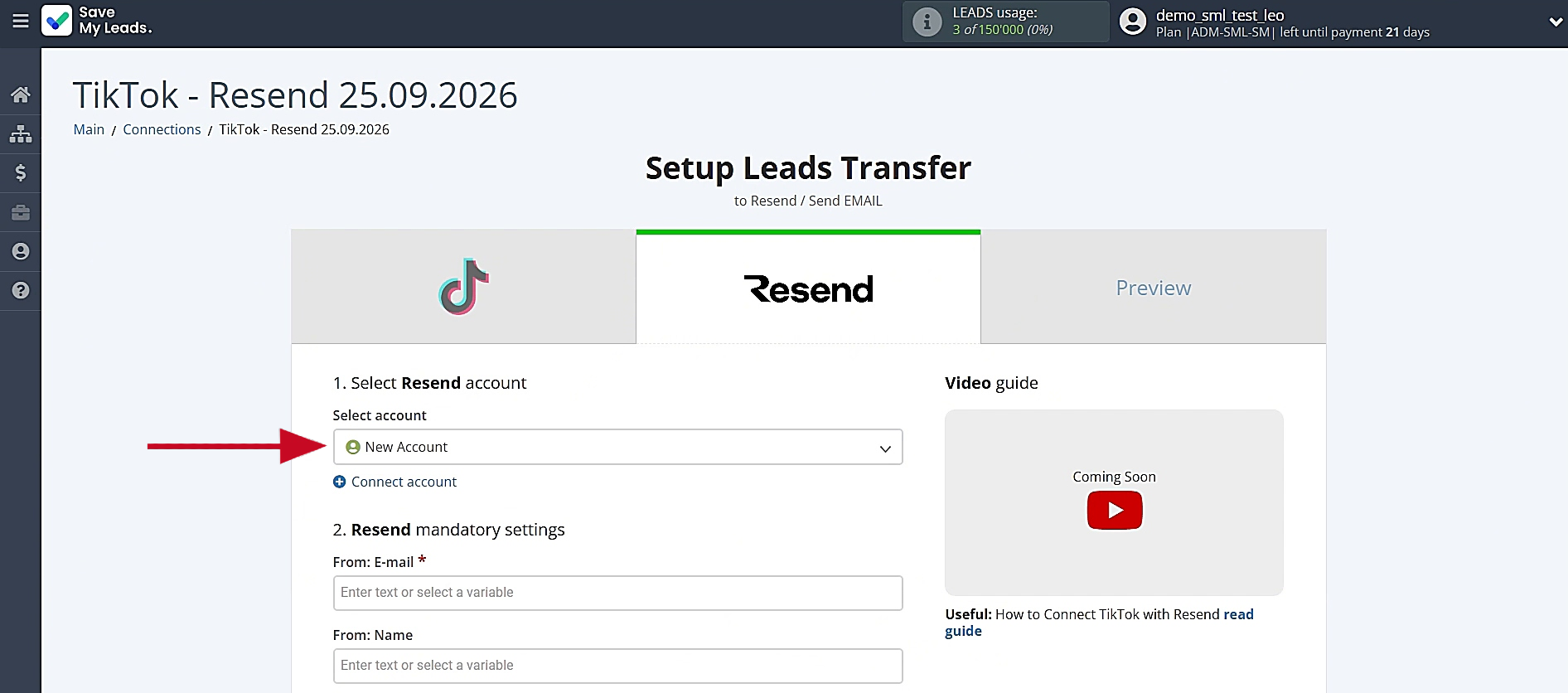
After the account appears in the list of connected accounts, click on it to proceed.
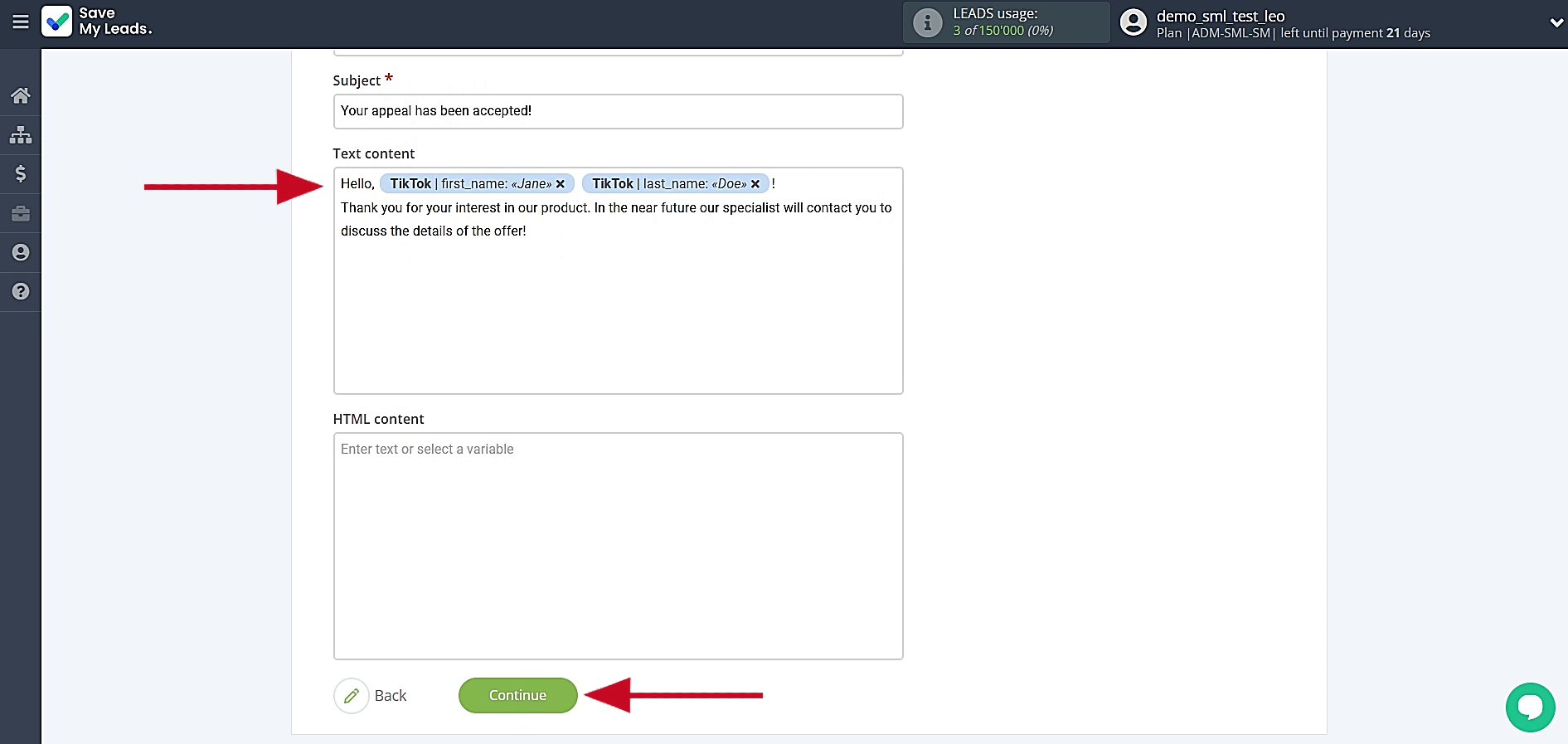
Now you need to assign variables, and if necessary, add plain text to the required fields. When the fields are filled in, click Continue.
You can check that the sender, recipient, and message text are correct. To verify the settings, click Send test data to Resend.
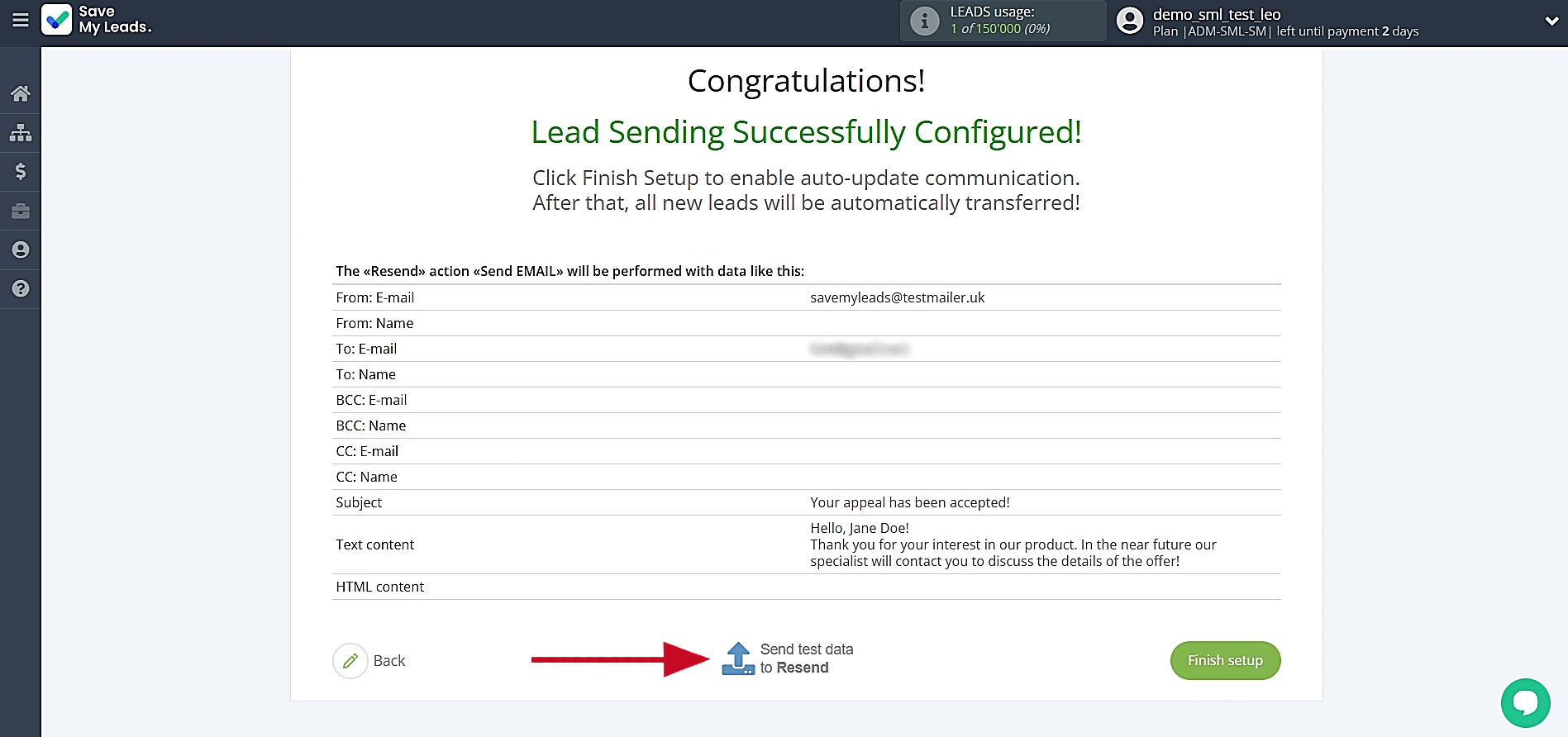
Go to your Resend account and check the result. Then, return to SaveMyLeads and complete the setup.
Finish Setup
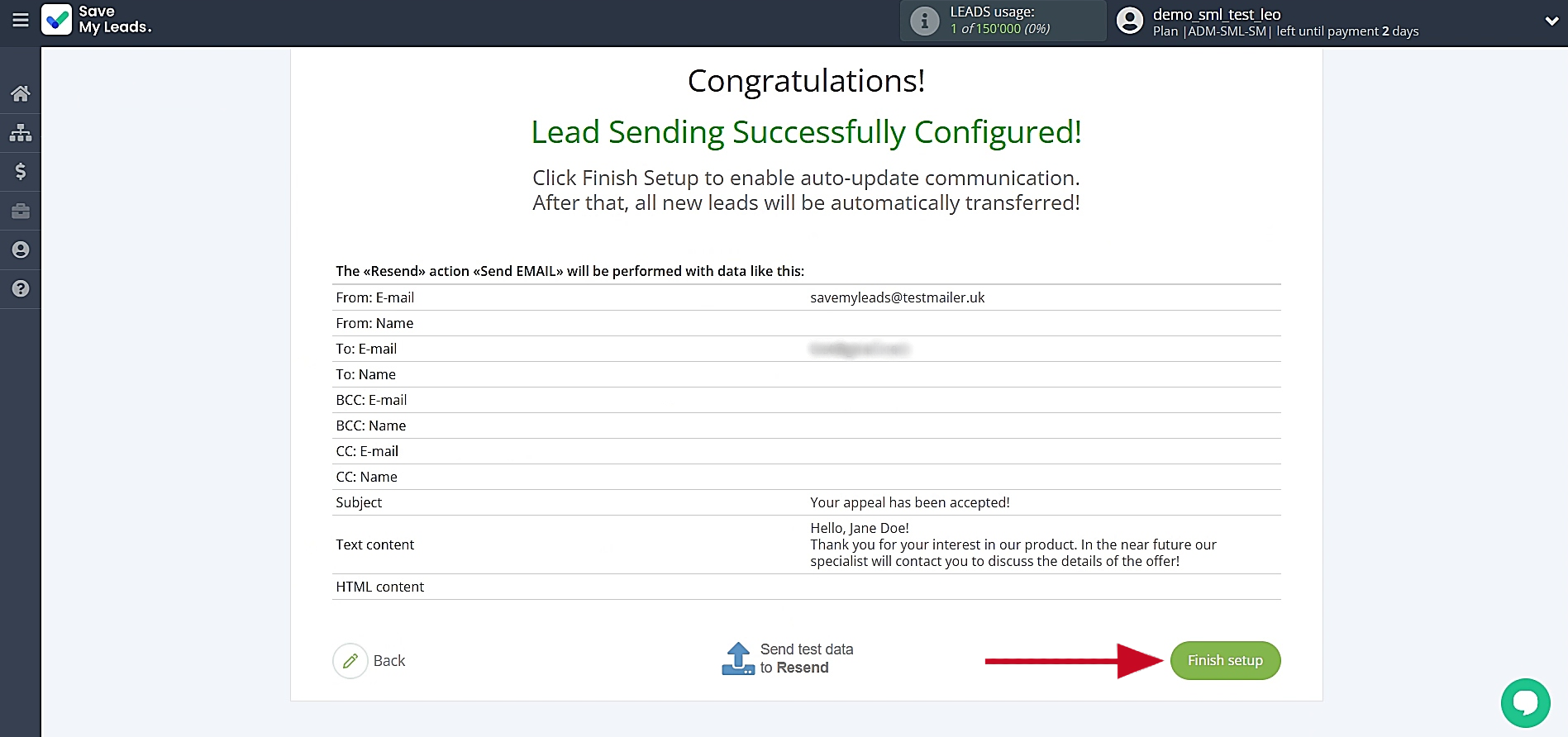
To activate the integration, click Finish setup. After that, the system will send automated emails to TikTok leads.
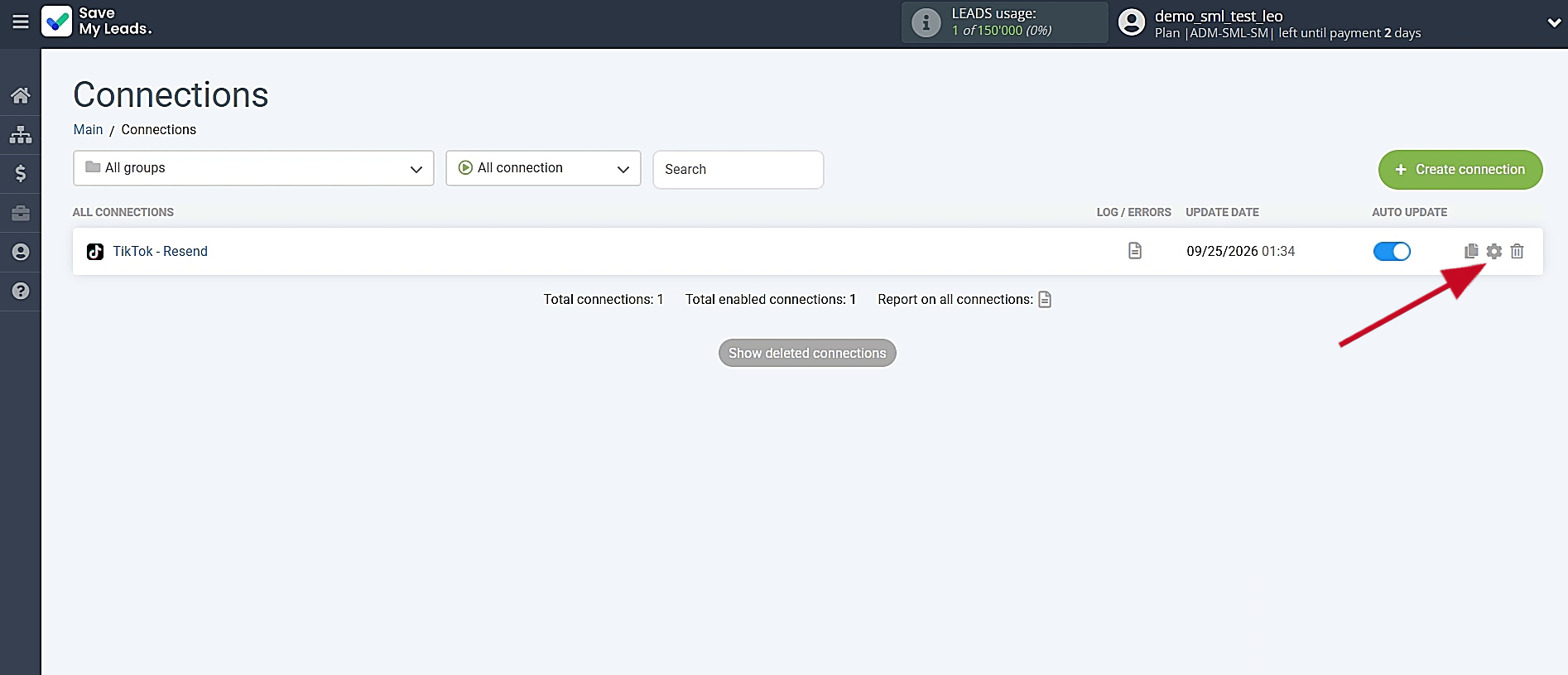
To modify the connection name, go to the settings. You can access them by selecting the gear icon.
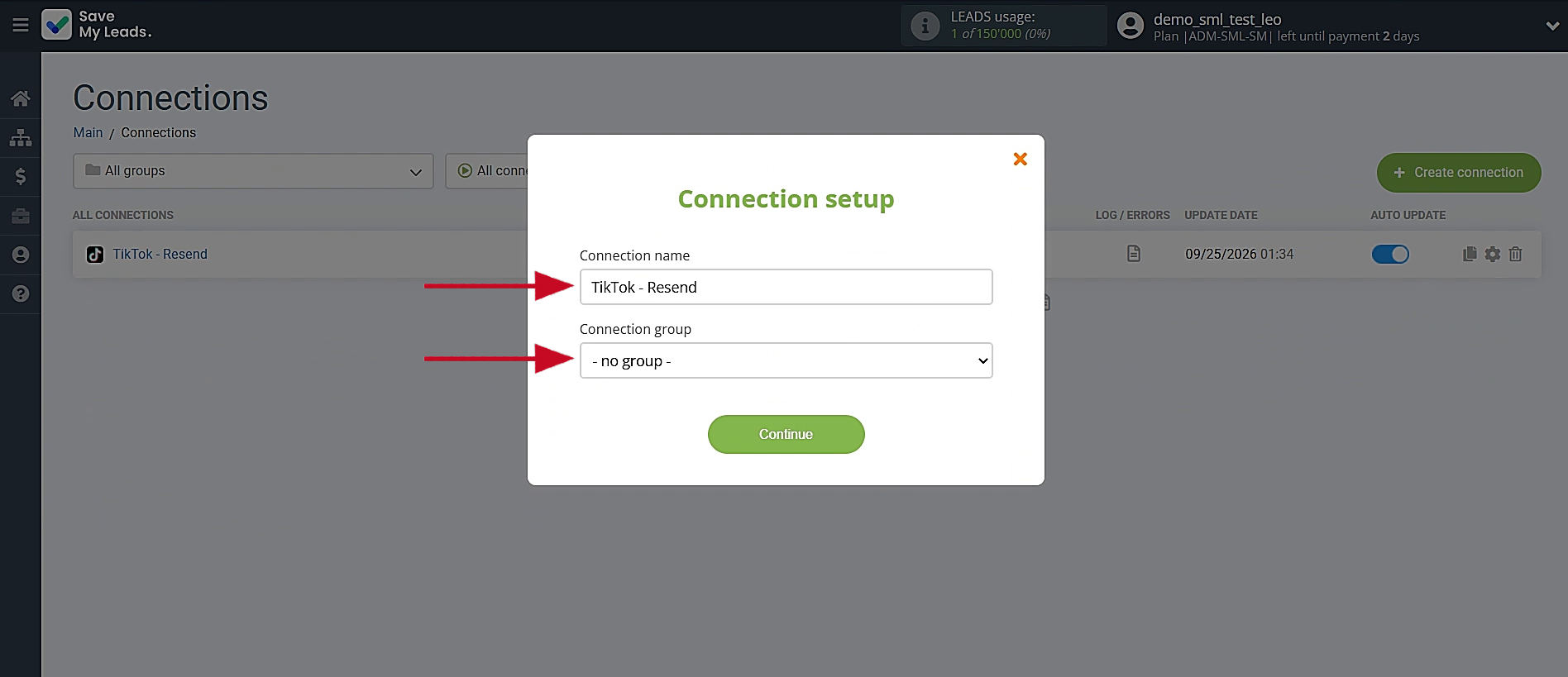
Here, you’re able to adjust the connection name and assign it to a group. Once finished, select Continue.
You’re all set. The TikTok and Resend integration is up and running.
Conclusion
Automating the transfer of leads from TikTok to Resend using SaveMyLeads turns the chaos of manual work into a well-oiled machine. Promptly sending emails to interested users increases the chances of sales, saves the team time, and takes customer service to a new level. Fast communication is a competitive advantage, and modern automation tools help businesses respond to potential customers more efficiently.
Step-by-Step Guides for Setting Up Integrations:
- Facebook and Resend Integration: How to Send Emails Automatically
- Google Lead Form and Resend Integration: How to Email New Leads Automatically
- How to Connect TikTok to Brevo: A Seamless Integration Guide
- Google Lead Form and Constant Contact Integration: Step-by-Step Setup Guide
- TikTok and MeisterTask Integration: Step-by-Step Guide