
Mobile and web app development in 2026 has become much more productive and accessible than it was 10 years ago, largely due to the rapid growth of cloud-based BaaS solutions. Google's Firebase has been at the top of such systems for years, and we focus on it in this article. Here you'll learn how to use Firebase, what products and services it offers developers, and its advantages and limitations. We'll also discuss its most popular use cases in modern development.
What Is Firebase and Why Use It
Google Firebase is a cloud-based BaaS (backend-as-a-service) platform that provides a set of tools for developing, deploying, managing, and scaling mobile and web applications. It provides developers with a set of ready-made backend solutions, allowing them to optimize and automate workflows as much as possible, reducing the need to write server-side code manually.
The platform includes a built-in NoSQL database, cloud storage, and tools for authentication, messaging, performance monitoring, crash reporting and debugging, and digital products testing and analytics. It supports the development of Android, iOS, and Unity-based applications, as well as web apps (JavaScript, Node.js). Firebase is used by millions of mobile and web apps worldwide and remains one of the most popular BaaS platforms in the Google Cloud ecosystem.
Firebase’s origins trace back to a startup called Envolve, founded in 2011 by James Tamplin and Andrew Lee. Initially, its only feature was an API that allowed web developers to embed live chat functionality into their websites.
In 2012, Envolve's founders launched a new project called Firebase. It gained expanded functionality with a real-time database and other backend solutions. The new platform's API allowed for integration with web, iOS, and Android software.
After the platform’s initial launch, Firebase received its first round of funding, amounting to $1.1 million. In 2013, the company received another round of funding, bringing in $5.6 million.
Source: firebase.google.com
In 2014, the developers added two new features to the platform: hosting and authentication. At the same time, the startup was acquired by Google. Since then, Firebase has become a key component of its ecosystem, integrated with Google Cloud services, Google Ads, and other Google digital products. In 2015, the platform was merged with the Divshot web hosting service, and in 2016, it became a full-fledged BaaS system.
As of 2026, Firebase pricing includes the following plans:
- Spark (up to 50K MAUs, 1 GiB of Cloud Firestore storage, 5 Gb of Cloud Storage, up to 100 database connections, A/B testing, analytics, app validation and deployment, Crashlytics, BigQuery, Gemini, etc.) — free.
- Blaze ($300 bonus credits for new users, all Spark plan features plus authentication, app hosting, cloud features, cloud SQL database, mobile number verification, etc.) — pay-as-you-go: pricing based on workload and resource usage.
Pricing and plan structures may change. For accurate and current information, consult the official website of the platform.
Core Firebase Features and Tools
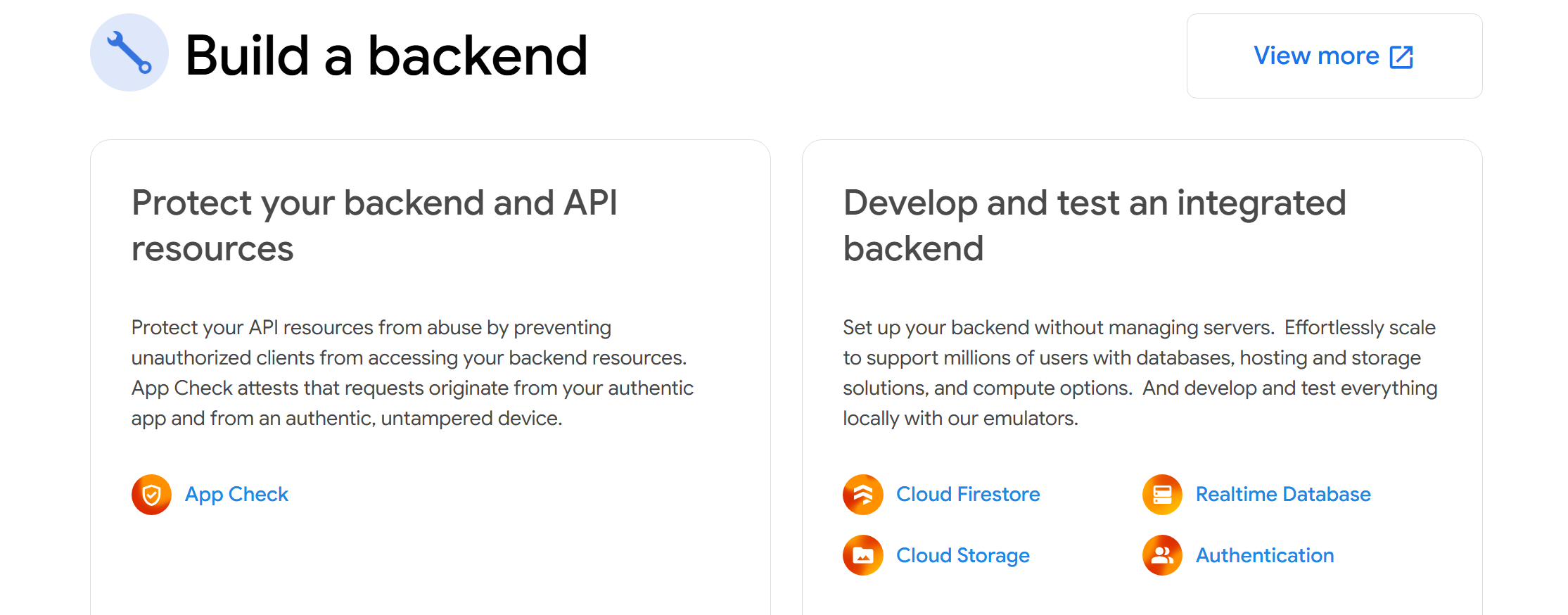
Firebase's core set of services forms the foundation upon which mobile and web apps are built today — from data storage and user authentication to server logic, hosting, and real-time messaging. Below, Firebase review highlights the platform's key features and tools, which are most commonly used in production and define its practical value for developers.
Hosting
Powered by Google Cloud, hosting is natively integrated with the company's other development services. Developers can create apps through Cloud Build, host them on Firebase App Hosting, manage and scale them through Cloud Run, and cache application assets through Cloud CDN.
Access to ready-to-deploy application templates powered by Gemini makes it easier and faster to deploy software and add generative AI features. Firebase cloud hosting provides end-to-end deployment of full-stack applications with support for client-side/server-side rendering and static websites on popular frameworks (React, Vite, Vue, etc.) with built-in SSL certificates.
Realtime Database
A cloud-based NoSQL database allows you to store and synchronize data between all authorized applications in real time. It supports instant data updates and provides access from any device and platform (web and mobile).
Data stored in the DB remains accessible offline thanks to caching. The included web and mobile SDKs provide capabilities for serverless app development. Integration with Firebase Authentication ensures a high level of data security for any software.
Cloud Functions
Firebase Cloud Functions help automatically run backend code triggered by various background events, HTTPS requests, or other triggers. These include JavaScript and Python functions running in a managed and secure serverless environment.
The tool automatically scales computing resources according to the application's current needs. Isolating cloud functions from the client ensures their security and confidentiality, making reverse engineering significantly more difficult.
Authentication
The platform offers an end-to-end solution for identifying app users. Available authentication methods include email and password, Google, Apple, X (formerly Twitter), Facebook, GitHub, and several others.
The customizable open-source FirebaseUI Auth module allows you to manage the user interface of web and mobile apps during authorization. Firebase's backend solution allows you to integrate a ready-to-use authentication feature into various software with minimal code.

- Automate the work with leads from the Facebook advertising account
- Empower with integrations and instant transfer of leads
- Don't spend money on developers or integrators
- Save time by automating routine tasks
Cloud Storage
Firebase Cloud Storage allows you to quickly transfer and securely store files of various formats and sizes, including images, audio, video, and other user content. The service's powerful infrastructure supports automatic resource scaling according to current load. The cloud storage SDK is integrated with Firebase Auth, providing full access control with flexible security settings.
Studio
Google Firebase Studio is a cloud-based development environment, currently in preview, focused on building full-stack and AI apps using Firebase and Google Gemini tools. It offers a large library of templates and sample apps for Go, Java, .NET, Node.js, Python, Flask, Next.js, React, Angular, Vue.js, Android, Flutter, and more.
Studio integrates Project IDX with specialized AI agents and Google's Gemini assistant, providing a full suite of tools and technologies for team collaboration. Developers can migrate existing apps from repositories or local archives or import code from Figma projects.
Firestore
A cloud-based NoSQL database allows you to store and synchronize data across devices for mobile and web applications in real time. Firestore enables you to structure information in documents and collections and integrate its functionality into serverless applications via mobile and web SDKs or traditional client libraries. It also supports online and offline data synchronization and flexible resource scaling.
Cloud Messaging (FCM)
This cloud-based, cross-platform solution provides mobile and web applications with the ability to send various types of messages and push notifications. FCM enables targeted messaging to individual devices or groups of devices using predefined or custom segments.
Benefits and Limitations of Firebase
Before choosing Firebase as a project foundation, it's important to carefully evaluate not only its capabilities but also its shortcomings. Like any BaaS platform, Firebase offers significant advantages, but in certain scenarios, it can create technical or organizational challenges. Let's look at the key Firebase pros and cons that are worth considering when making architectural decisions.
Advantages:
- Native integrations. Firebase is natively integrated with Google Cloud and AdMob, and other Google ecosystem services (as well as Slack and Jira), making working with it even more convenient and productive.
- Multiplatform. Developers can use SDKs for various platforms, programming languages, and frameworks: Android (Kotlin/Java), Flutter (Dart), iOS (Swift), Web (JavaScript), Unity (C#), and React Native.
- Generative AI. Access to Gemini's AI models allows you to integrate AI features into new or existing applications via the client SDK or Genkit without maintaining a backend infrastructure.
- Scalability. Firebase's serverless backend capabilities provide apps with flexible scalability without complex manual operations or high costs. The system automatically adjusts the volume and capacity of allocated resources according to demand and load.
- Testing and monitoring. The Test Lab service allows for comprehensive testing of applications in various modes, configurations, and on different devices. After software release, you can monitor its performance parameters and find and fix errors in Crashlytics.
Flaws:
- Vendor lock-in. Developers using Firebase tools to build and maintain apps cannot easily and quickly migrate their products to alternative platforms due to data migration limitations.
- Free plan limitations. The free plan offers only the most basic features, which prevents you from fully utilizing Firebase as a modern BaaS solution.
- Difficulty in cost estimation. The platform's paid plans are priced on a pay-as-you-go basis, based on the resources consumed. This allows for savings under moderate loads, but makes it difficult to calculate the final cost as applications scale.
Use Cases and Examples
Source: firebase.google.com
Firebase's practical value is best demonstrated through real-world use cases. Its tools are used in projects of all sizes, from simple prototypes to high-load services with a global audience. We invite you to explore the most common Firebase use cases and examples of tasks for which this platform is best suited.
Mobile and Web Applications with High Load
Firebase is ideal for developing, deploying, and maintaining applications of any scale. It supports high-load projects with up to around 200,000 concurrent connections per Realtime Database instance thanks to Google Cloud's automatic scaling.
The platform's native tools and integrations significantly simplify and accelerate all stages of work on projects of various types and sizes. They enable developers to quickly and efficiently launch software from scratch or using templates, ensuring stable global access.
Prototypes and MVPs
Studio and other Firebase for startups solutions are useful for creating functional prototypes and MVPs without complex manual steps or third-party tools. Built-in AI models effectively automate the development of user interfaces and backend functionality for such software, and integration with App Hosting allows for quick publishing for testing and feedback.
Applications with AI Functionality
Native integration of Gemini's ML models helps optimize the development of mobile and web apps powered by AI algorithms. With these models, developers can effectively integrate various AI features into their software, from chatbots and content generators to computer vision and predictive analytics.
Services with Real-Time Functions
Firebase is ideal for developing and deploying services and applications with real-time functionality. BaaS allows you to easily integrate push notifications or other types of alerts, a real-time content feed, online chat, and other similar features into your software.
Final Thoughts
Google Firebase is a comprehensive cloud-based serverless development platform equipped with a set of powerful tools for creating and maintaining full-stack mobile/web apps and websites. Multi-platform support, scalability, built-in AI models, and native integrations with the entire Google ecosystem are just some of the advantages of this BaaS.
Firebase's ease of use and robust functionality make it the optimal solution for modern software development. The platform's products are used by thousands of aspiring startups and recognized market leaders, including American Express, Alibaba, Doodle, eBay Motors, Gameloft, and many others.